Using the
Electronic Minute
The Minute Tin ner does not start or stop the
It can be set il i minutes and seconds up tc
the set time has elapsed.
I 99 minutes. You will hear beeps when
1.
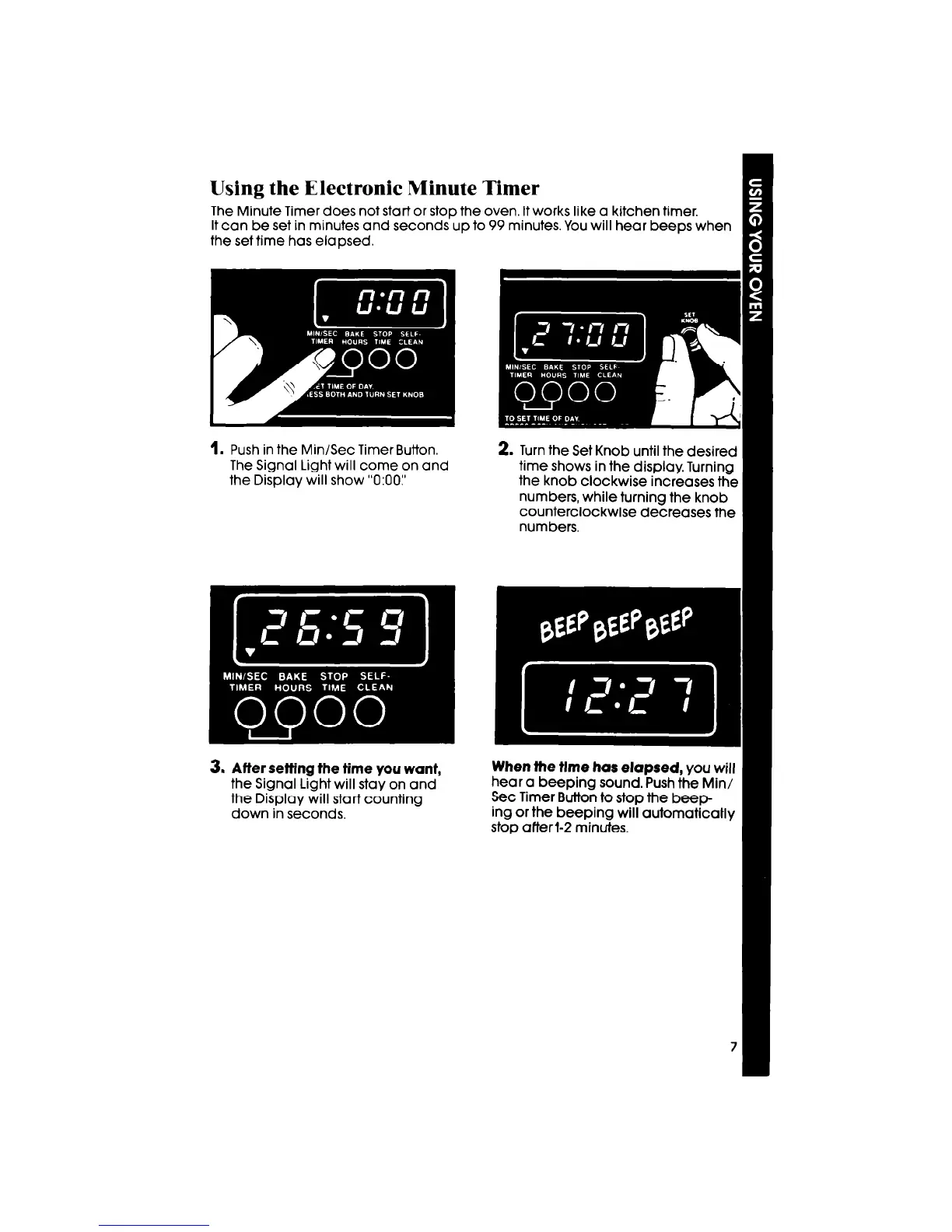
Push in the Min/Sec Timer Button.
The Signal Light will come on and
the Display will show “0:OO:’
2. Turn the Set Knob until the desired
time shows in the display. Turning
the knob clockwise increases the
numbers, while turning the knob
counterclockwise decreases the
numbers.
3. Atter setting the time you want,
the Signal Light will stay on and
the Display will start counting
down in seconds.
When the tlme has elapsed,
you will
hear a beeping sound. Push tht
Set Timer Button to stop the beep-
ing or the beeping will automaticaHy
. .



 To Next Page