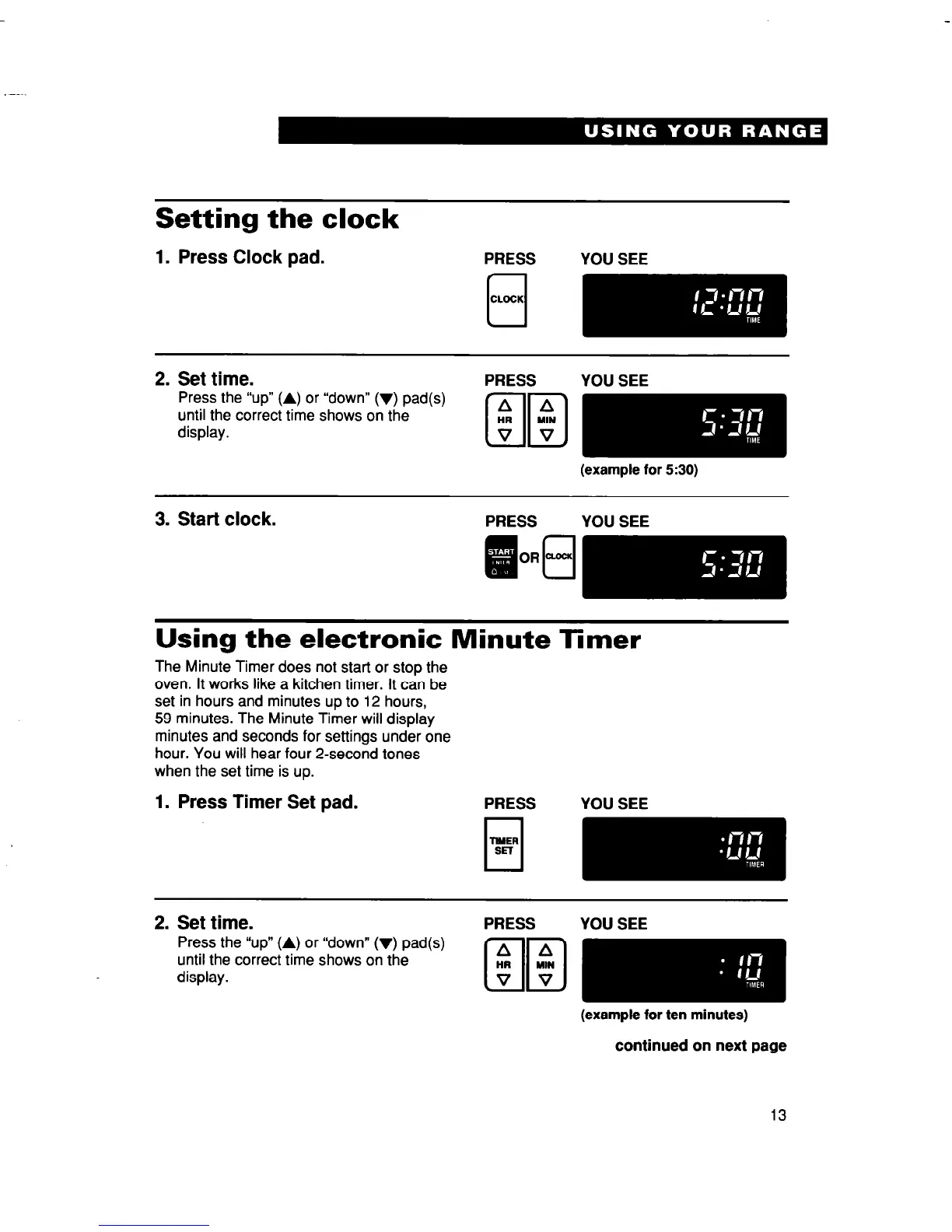
Setting the clock
1. Press Clock pad.
2. Set time.
Press the “up” (A) or “down” (v) pad(s)
until the correct time shows on the
display.
PRESS
YOU SEE
(example for 530)
3. Start clock.
Using the electronic Minute Timer
The Minute Timer does not start or stop the
oven. It works like a kitchen timer. It can be
set in hours and minutes up to 12 hours,
59 minutes. The Minute Timer will display
minutes and seconds for settings under one
hour. You will hear four 2-second tones
when the set time is up.
1. Press Timer Set pad.
PRESS YOU SEE
2. Set time.
Press the “up” (A) or “down” (V) pad(s)
until the correct time shows on the
display.
PRESS
YOU SEE
-
(example for ten minutes)
continued on next page
13



 To Next Page