Setting the Controls
Be sure fhe klfchen Is venfllafed during the Self-Cleaning cycle. This will help
normal smoke and heat odors to dlsappear from the room as quickly as possible.
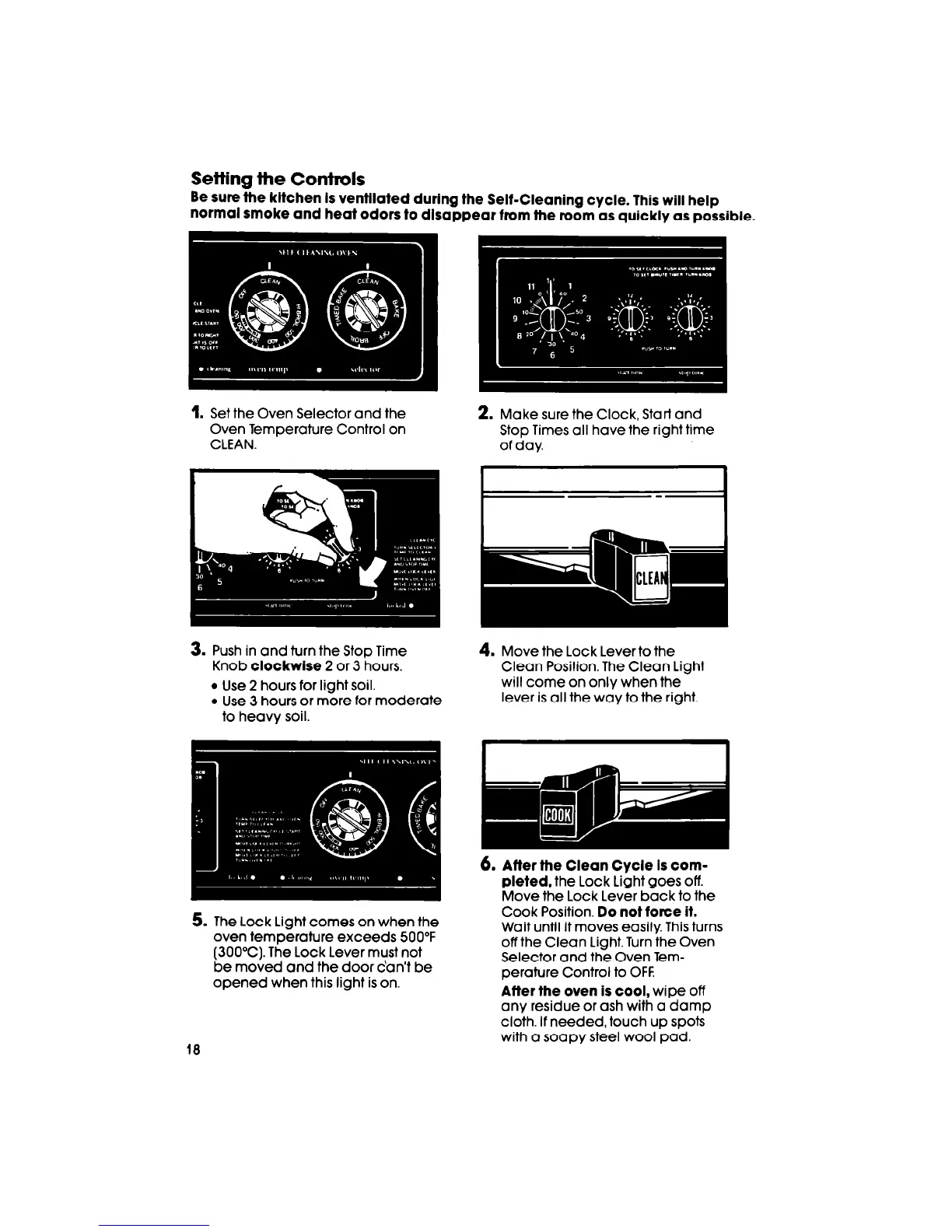
1. Set the Oven Selector and the
Oven Temperature Control on
CLEAN.
3. Push in and turn the Stop Time
Knob
clockwise
2 or 3 hours.
l
Use 2 hours for light soil.
l
Use 3 hours or more for moderate
to heavy soil.
5. The Lock Light comes on when the
oven temperature exceeds 500°F
(300°C). The Lock Lever must not
be moved and the door can’t be
opened when this light is on.
2. Make sure the Clock, Start and
Stop Times all have the right time
of day.
4.
Move the Lock Lever to the
Clean Position. The Clean Light
will come on only when the
lever is all the way to the right.
6.
Affer the Clean Cycle Is com-
pleted,
the Lock Light goes off.
Move the Lock Lever back to the
Cook Position.
Do not force if.
Wait until it moves easily. This turns
off the Clean Light. Turn the Oven
Selector and the Oven Tem-
perature Control to OFF
After the oven is cool,
wipe off
any residue or ash with a damp
cloth. If needed, touch up spots
with a soapy steel wool pad.



 To Next Page