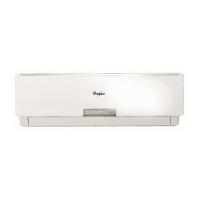
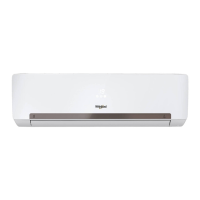
This document serves as a comprehensive user and installation manual for a Split Type Wall Mounted Inverter Air Conditioner, manufactured by Whirlpool. The manual covers various aspects of the appliance, from its basic functions and operational modes to safety precautions, maintenance, troubleshooting, and installation instructions. The overarching goal is to ensure users can make the most of their new appliance safely and efficiently.
Function Description
The Whirlpool Inverter Air Conditioner is designed to provide a comfortable indoor environment through various operating modes. Its primary function is cooling, which can be activated using the "COOL" button on the remote control. In this mode, users can set their desired temperature, fan speed, and louver direction. The appliance also features a "DRY" mode, specifically for dehumidification, which helps reduce room humidity. For enhanced comfort during sleep, a "SLEEP" mode is available, automatically adjusting fan speed to silent or low and gradually increasing the set temperature by 1°C per hour up to 28°C.
A notable feature is the "6th SENSE" mode, which intelligently sets the operation mode, temperature, and fan speed based on the actual room temperature. This mode simplifies operation by automating comfort settings. For rapid cooling, the "TURBO" mode can be activated, causing the appliance to operate at a super high fan speed. Additionally, a "FAN ONLY" mode allows for air circulation without cooling or dehumidifying, with adjustable fan speed and louver direction.
The remote control is central to operating the air conditioner, offering buttons for power, fan speed, temperature adjustment, and specific modes. The display panel on the indoor unit provides visual feedback, showing the set temperature, room temperature, and operating mode indicators (blue for COOL/DRY, purple for FAN ONLY). The remote also includes an "ACCURATE" button for setting temperatures with decimal digits, providing finer control over comfort.
Timer functions are integrated, allowing users to schedule when the appliance switches on ("TIMER ON") or off ("TIMER OFF"). This feature enables pre-cooling or pre-heating the room before arrival or ensuring the unit turns off after a certain period, promoting energy efficiency and convenience. The "CLOCK" button allows for setting the real-time clock on the remote control.
Usage Features
The air conditioner is designed with user convenience and safety in mind. The remote control is intuitive, with clearly labeled buttons for each function. Battery insertion and removal are straightforward, though users are cautioned against mixing old and new batteries or different types. The remote operates effectively within a 7-meter range, and a beep from the appliance confirms receipt of commands.
Airflow direction can be controlled both automatically and manually. Horizontal airflow adjusts automatically based on the operation mode, but users can fine-tune it by pressing the "SWING" button to stop the louver at a desired angle. Vertical airflow can be adjusted manually using control rods on the unit. Users are advised against manually turning the horizontal adjustment louvers to prevent malfunction and to avoid tilting them downward for extended periods in COOLING or DRY mode to prevent water dripping.
In emergency situations or if the remote control is misplaced, an on/off switch on the indoor unit allows for basic control. Pressing this switch when the unit is off will start it in 6th SENSE mode, and pressing it when on will stop it.
Safety precautions are emphasized throughout the manual. Users are warned against blocking air inlets or outlets, touching the power plug with wet hands, or inserting foreign objects into the unit. The appliance is not intended for unsupervised use by children or individuals with physical or mental disabilities.
Maintenance Features
Regular maintenance is crucial for the appliance's longevity and efficient operation. The manual outlines simple steps for cleaning the indoor unit's front panel and air filter. The front panel can be removed and wiped with a soft, dry cloth, or lukewarm water for dirtier surfaces. Harsh cleaning agents like gasoline or polishing powder are explicitly prohibited, and water should not be sprinkled directly onto the indoor unit to avoid electric shock.
The air filter requires cleaning every 100 hours of use, or every two weeks in dusty environments. To clean, the front panel is opened, the filter handles are gently pressed, and the filters are slid out. Dirty filters can be cleaned with lukewarm water and a neutral detergent, then dried before reinstallation. Users are advised not to touch the indoor unit's fins with their fingers after removing the filter and not to attempt internal cleaning themselves. The filter should also not be cleaned in a washing machine.
Troubleshooting tips are provided to help users resolve minor issues before contacting service. This includes checking for blown fuses, low remote control batteries, blocked air filters, or incorrect temperature settings. The manual also explains normal operational sounds and occurrences, such as the sound of running water (refrigerant flow) or mist spraying from the outlet in cool conditions.
For more complex issues, users are instructed to turn off the appliance, disconnect it from the power supply, and contact a Whirlpool Authorized Service Center. The manual stresses the importance of using original spare parts and warns against attempting to move, repair, disassemble, or modify the appliance independently, as this could compromise safety and product quality.



 To Next Page
 General