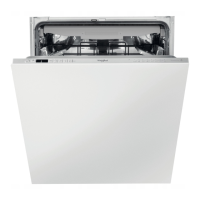
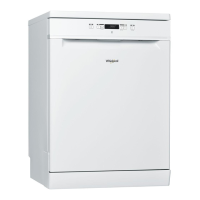
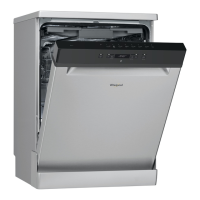
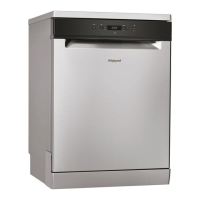
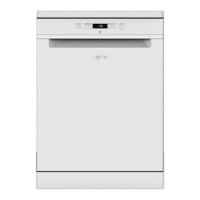
This document provides a comprehensive guide for the Whirlpool dishwasher, covering its functions, usage features, and maintenance.
Product Description and Control Panel:
The dishwasher features an upper rack, foldable flaps, an upper rack height adjuster, upper and lower spray arms, a lower rack, a cutlery basket, a filter assembly, a salt reservoir, and detergent and rinse aid dispensers. The control panel includes an On-Off/Reset button with an indicator light, a program selection button, salt and rinse aid refill indicator lights, a program number and remaining time indicator, a delay indicator light, a display, a Multizone indicator light, a delay button, a Multizone button, and a Tablet (Tab) button with an indicator light.
First Time Use - Salt, Rinse Aid, and Detergent:
Before initial use, remove stoppers and elastic elements from the racks. The salt reservoir, located in the lower part of the dishwasher, should be filled with approximately 1 kg of dishwasher salt when the SALT REFILL indicator light is lit. To do this, remove the lower rack, unscrew the reservoir cap, position the funnel, fill with salt, remove the funnel, and wipe away any residue. Ensure the cap is screwed on tightly to prevent detergent from entering. It is recommended to add salt before starting a wash cycle.
Setting the water hardness is crucial for the water softener's effectiveness. This information can be obtained from your local water supplier. The factory setting is for average (3) water hardness. To adjust, switch the appliance on and off, then hold down the 'P' button for 5 seconds until a beep is heard. Switch it on again, and the current selection level number and salt indicator light will flash. Press 'P' to select the desired hardness level according to the provided Water Hardness Table (German and French degrees). After setting, switch the appliance off and run a program without loading. Only use salt specifically designed for dishwashers. Failure to fill the salt container can damage the water softener and heating element.
The rinse aid dispenser, labeled 'A', should be filled when the RINSE AID REFILL indicator light is lit. Rinse aid aids in dish drying. Open dispenser 'B' by pressing and pulling up the tab on the lid. Carefully introduce rinse aid up to the maximum (110 ml) reference notch, avoiding spills. Close the lid until it clicks. Never pour rinse aid directly into the tub. If drying results are unsatisfactory, the rinse aid dosage can be adjusted. Switch the dishwasher on and off, press 'P' three times (a beep will be heard), then switch it on again. The current selection level number and rinse aid indicator light will flash. Press 'P' to select the desired rinse aid quantity. Switch off the appliance to complete the setting. If the rinse aid level is set to ZERO (ECO), no rinse aid will be supplied, and the LOW RINSE AID indicator light will not illuminate if rinse aid runs out. A maximum of 4 levels can be set. If bluish streaks appear on dishes, set a low number (1-2). If water drops or limescale marks are present, set a high number (3-4).
To open the detergent dispenser, use opening device 'A'. Introduce detergent into the dry dispenser 'B' only. For pre-washing, place detergent directly inside the tub. Refer to the Programs Table for proper detergent quantity. Compartment 'B' indicates the maximum quantity of liquid or powder detergent for each cycle. Remove any detergent residues from the dispenser edges and close the cover until it clicks. Close the lid by pulling it up until the closing device is secured. The dispenser opens automatically at the appropriate time during the program. If using all-in-one detergents, activate the TABLET button to optimize washing and drying results.
Programs Table and Description:
The dishwasher offers several programs:
- Eco 50°: Standard program for normally soiled crockery, efficient in energy and water consumption.
- 6th Sense 50-60°: For normally soiled dishes with dried food residues. It senses soiling levels and adjusts the program duration accordingly. An animation appears on the display, and the cycle duration updates.
- Intensive 65°: For heavily soiled crockery, especially pans and saucepans (not for delicate items).
- Daily 50°: For normally soiled crockery, ensuring optimal cleaning in a shorter time.
- Silent 50°: Suitable for night-time operation, ensuring optimum performance.
- Rapid 30′ 50°: For lightly soiled dishes with no dried food residues (ideal for 2 place settings).
- Cristal 45°: For delicate items sensitive to high temperatures, such as glasses and cups.
- Pre-Wash: For crockery to be washed later. No detergent is used with this program.
For "1 Hour" and "Rapid" programs, optimum performance is achieved by observing maximum specified place settings. To reduce consumption, only run the dishwasher when it is full.
Options and Functions:
Options can be selected by pressing the corresponding button on the control panel. If an option is incompatible with the selected program, its LED will flash rapidly three times, and a beep will sound, indicating the option is not enabled.
-
Delay: Delays the program start time from 1 to 12 hours. Press the DELAY button; the symbol appears on the display, and each press increases the delay (1h, 2h, up to max 12h). Select the wash program and close the door; the timer will count down. Once the time elapses, the indicator light switches off, and the wash cycle begins. To adjust or cancel the delay, press the DELAY button repeatedly until the indicator light switches off. The wash program starts automatically when the door is shut. The Delay function cannot be set once a wash cycle has started.
-
Multizone: For half loads, saving water, electricity, and detergent. Select the program, then press the MULTIZONE button. The indicator over the button lights up, and the symbol of the chosen rack appears on the display. By default, the appliance washes dishes in all racks. To wash only a specific rack, press this button repeatedly:
- Shown on the display (only lower rack)
- Shown on the display (only upper rack)
- Shown on the display (option is OFF, and the appliance washes dishes in all racks).
Remember to load only the upper or lower rack and reduce detergent accordingly.
-
Tablet (Tab): Optimizes program performance for tablet detergents. Press the TABLET button (indicator light will light up) if using combined detergents in tablet form (rinse aid, salt, and detergent in 1 dose). If using powder or liquid detergent, this option should be off.
Daily Use:
- Check Water Connection: Ensure the dishwasher is connected to the water supply and the tap is open.
- Switch On: Open the door and press the ON/OFF button.
- Load Racks: Refer to the "Loading the Racks" section.
- Fill Detergent Dispenser: Refer to the "Filling the Detergent Dispenser" section.
- Choose Program and Customize Cycle: Select the appropriate program based on crockery type and soiling level using the 'P' button. Select desired options.
- Start: Close the door. A beep indicates the program has started.
- End of Wash Cycle: Beeps and a flashing wash cycle number on the display indicate the end of the cycle. Open the door and switch off the appliance using the ON/OFF button. Wait a few minutes before removing crockery to avoid burns. Unload racks, starting with the lower one.
The machine automatically switches off during extended periods of inactivity to minimize electricity consumption. If crockery is lightly soiled or pre-rinsed, reduce the amount of detergent used.
Modifying a Running Program: If a wrong program was selected, it can be changed if it has just begun. Open the door (beware of hot steam!), press and hold the ON/OFF button to switch off. Switch the machine back on, select the new wash cycle and options, then close the door to start.
Adding Extra Crockery: Without switching off the machine, open the door (beware of hot steam!) and place crockery inside. Close the door, and the cycle will resume from where it was interrupted.
Accidental Interruptions: If the door is opened during a wash cycle or there is a power cut, the cycle stops. It resumes from the point of interruption once the door is closed or power is restored.
Advice and Tips:
- Before loading, remove all food residues and empty glasses. No pre-rinsing under running water is needed.
- Arrange crockery firmly, ensuring it doesn't tip over. Place containers with openings facing downwards and concave/convex parts obliquely for proper water flow.
- Lids, handles, trays, and frying pans should not obstruct sprayer arm rotation.
- Place small items in the cutlery basket.
- Place very soiled dishes and pans in the lower basket for stronger water sprays.
- After loading, ensure sprayer arms can rotate freely.
Hygiene: To prevent odor and sediment buildup, run a high-temperature program at least once a month. Use a teaspoon of detergent and run it without loading to clean the appliance.
Unsuitable Crockery:
- Wooden crockery and cutlery.
- Delicate decorated glasses, artistic handicraft, and antique crockery with non-resistant decorations.
- Synthetic material parts that cannot withstand high temperatures.
- Copper and tin crockery.
- Crockery soiled with ash, wax, lubricating grease, or ink.
- Glass decorations and aluminum/silver pieces may change and fade. Some glass types can become opaque after multiple washes.
Damage to Glass and Crockery:
- Only use dishwasher-safe glasses and porcelain.
- Use a delicate detergent suitable for crockery.
- Collect glasses and cutlery as soon as the wash cycle ends.
Loading the Racks:
- Upper Rack: Load delicate and light dishes: glasses, cups, saucers, low salad bowls.
- Adjusting Upper Rack Height: The upper rack height can be adjusted to accommodate bulky crockery in the lower basket or create more space upwards. The rack is equipped with an adjuster. Without pressing levers, lift it by holding the rack sides until it's stable in the upper position. To lower, press levers 'A' at the sides and move the basket downwards. Do not adjust the rack height when loaded, and never raise or lower it on one side only.
- Foldable Flaps with Adjustable Position: Side foldable flaps can be positioned at three different heights. Wine glasses can be placed safely by inserting stems into slots. For optimum drying, incline the flaps more. To change inclination, pull up the flap, slide it slightly, and position as desired.
- Lower Rack: For pots, lids, plates, salad bowls, cutlery. Large plates and lids should be placed at the sides to avoid interference with the spray arm. The lower rack has tip-up supports for vertical (plates) or horizontal (pans, salad bowls) arrangements.
- Cutlery Basket: Equipped with top grilles for improved cutlery arrangement. Position the cutlery basket only at the front of the lower rack. Knives and sharp utensils must be placed with points facing downwards or horizontally in the tip-up compartments on the upper rack.
Care and Maintenance:
- Cleaning the Filter Assembly: Regularly clean the filter assembly to prevent clogging and ensure proper wastewater flow. The assembly consists of three filters. After several washes, check and clean the filters under running water with a non-metallic brush.
- Turn cylindrical filter 'A' anti-clockwise and pull it out.
- Remove cup filter 'B' by exerting slight pressure on side flaps.
- Slide out stainless-steel plate filter 'C'.
- Inspect the trap and remove food residues. Never remove the wash-cycle pump protection (black detail).
After cleaning, replace the filter assembly and fix it correctly for efficient dishwasher operation.
- Cleaning the Spray Arms: Food residue can encrust onto spray arms, blocking holes. Check and clean arms periodically with a small non-metallic brush. To remove the upper spray arm, turn the plastic locking ring anti-clockwise. Replace it so the side with more holes faces upwards. The lower spray arm can be removed by pulling it upwards.
- Cleaning the Water Inlet Hose: If water hoses are new or unused for an extended period, let water run until clear and free of impurities before connecting. Failure to do so can block the water inlet and damage the dishwasher.



 To Next Page
 General
 Weight and Dimensions