This document is a user manual for a Whirlpool Microwave Oven, providing instructions for its safe operation, usage, maintenance, and troubleshooting. The manual is presented in both English and Spanish.
Function Description
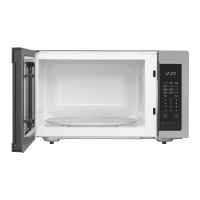
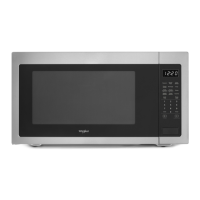
The Whirlpool Microwave Oven is designed for cooking, reheating, and defrosting food items. It offers various cooking modes and features to simplify meal preparation. The oven utilizes microwave technology to heat food quickly and efficiently.
Important Technical Specifications
The manual refers to specific models: WMCS7024RW*, WMCS7024RB*, WMCS7024RZ*, and UMCS5022RZ*. While detailed electrical specifications are not fully listed on the cover page, the "Installation Instructions" section mentions that the oven requires a 120 V, 60 Hz, AC only, 15 A or 20 A electrical supply with a fuse or circuit breaker. The weight of the microwave oven is stated to be over 34 lbs (15.5 kg). The turntable is a key component, with replacement parts available for different sizes: 27" (68.6 cm) and 30" (76.2 cm).
Usage Features
The microwave oven offers a comprehensive set of features for diverse cooking needs:
- Keypad Instructions: The oven is operated via a keypad with various buttons for setting time, power level, and specific cooking functions.
- Timer (Hold to Set Clock): Allows users to set the clock for 12 or 24-hour format.
- Timer (Hold to Set Clock) / Set Kitchen Timer: Functions as a kitchen timer for general timing needs.
- START +30 sec: Initiates cooking for 30 seconds or adds 30 seconds to an ongoing cooking cycle.
- START +30 sec / Start Function: Begins a cooking cycle.
- STOP/UNLCOK / Microwave Pause/Stop Function: Pauses or stops the microwave operation and can be used to cancel a cooking cycle or unlock the door.
- STOP/UNLCOK / 2-Step Door Opening: This feature allows the door to be opened in two steps to prevent accidental access during operation.
- 1 min-6 min / Quick Start: Provides quick cooking times from 1 to 6 minutes.
- Cook Time / Set Manual Cooking: Allows users to set a specific cooking duration and power level.
- Power Level / Set Manual Cooking: Adjusts the microwave power from 10% to 100%.
- Auto Defrost / Automatic Defrost Function: Automatically defrosts food based on weight or food type.
- Manual Defrost / Manual Defrost: Allows manual setting of defrost time.
- Reheat Menu / Automatic Reheat: Offers preset options for reheating various food items.
- Popcorn / Popcorn: Optimized setting for popping popcorn.
- Potato / Potato cooking: Preset for cooking potatoes.
- Cook Menu / Auto cook: Provides automatic cooking settings for different food categories.
- Soften Menu / Soften: Designed for softening items like butter or cream cheese.
- Melt Menu / Melt: For melting items such as butter, chocolate, or caramel.
- Keep Warm / Keep Warm: Maintains food at a warm temperature.
- Steam Clean / Auto cleaning cycle: A self-cleaning function using steam.
- Tone ON/OFF / Turn on or off beep sound: Controls the audible beeps of the oven.
- Display: The oven features a digital display that shows the time, cooking settings, and status messages.
- Standby Mode: The oven enters standby mode when not in use, conserving energy.
- START: Initiates the cooking process.
- Quick Start/Add 30 seconds: Provides a quick way to start or extend cooking.
- STOP/UNLCOK: Stops the current operation and unlocks the door.
- Tones ON/OFF: Allows users to enable or disable the oven's audible tones.
- Cooking End: Indicates when a cooking cycle is complete.
- Use Non-Sensor Menu (Popcorn, Potato): Instructions for using non-sensor-based cooking for specific items.
- Use Sensor Menu (Reheat, Cook, Defrost): Instructions for using sensor-based cooking for optimal results.
- Cooking Guidelines: Provides recommendations for various food types, including amount, size, shape, composition, and density.
- Cookware and Dinnerware: Guidance on suitable materials for microwave use, such as glass, ceramic, and plastic.
- Cooking Menu, Sensor Cooking, Popcorn, Potato, Dinner Plate, Soften Menu, Melt Menu, Auto Defrost, Steam Clean, Keep Warm: Detailed instructions for each specific cooking function, including food categories, quantities, and steps.
Maintenance Features
The manual outlines several maintenance procedures to ensure the longevity and optimal performance of the microwave oven:
- General Cleaning:
- Microwave Oven Cavity: Instructions for cleaning the interior with mild, non-abrasive soaps and detergents. For heavy soil, a solution of lemon juice or vinegar can be used.
- Microwave Inlet Cover: Recommendations for cleaning the inlet cover to prevent arcing and microwave oven damage.
- Microwave Oven Door and Exterior: Guidelines for cleaning the door and exterior surfaces with mild soaps and detergents. Stainless steel models require specific care to avoid scratching.
- Control Panel: Cleaning instructions for the control panel using a soft, damp cloth.
- Turntable:
- Cleaning: The turntable can be removed for cleaning with mild cleanser and a scouring pad or can be washed in a dishwasher.
- Installation: Instructions for correctly placing the turntable on the support.
- Steam Clean: The oven includes an auto-cleaning cycle that uses steam to loosen soil, making it easier to wipe clean.
- Troubleshooting: A dedicated section helps users diagnose and resolve common issues, such as the oven not operating, humming noises, turntable not working, display errors, and cooking problems. It provides recommended solutions for each issue.
- Assistance or Service: Information on how to contact Whirlpool Customer Experience Center for parts, service, or further assistance, including phone numbers and website addresses for both U.S. and Canadian customers. It also lists available replacement parts like the glass turntable and turntable support and rollers.
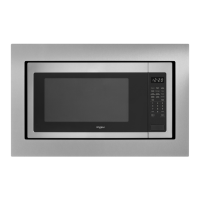
- Built-in Kits: Details about available built-in trim kits for different microwave sizes.

 Need help?
 General


 To Next Page