25
Adjustable Laser Receiver - continued
An example of this may be to shorten the first window from .05-
1.0 to .05-.90, the second window can be adjusted from 1.0-2.0
to 1.2-2.0. You now have ignored any laser that has an average
PPS rate between 900Hz and 1200Hz. Validation will occur from
50Hz to 900Hz, and resume from 1200Hz to 2000Hz.
If laser within a group is not used in your country, you may
shut off that group (change the selection from Y to N while in
Option Select Mode) by pressing the PWR and DARK
button at the same time then releasing.
POP™ Mode Alerts
Because POP™ Mode radar utilizes the same K or Ka band
frequencies, POP™ Mode Alerts will initially be displayed as
POP K or POP Ka then switch to band and signal strength.
VG-2 Detection Mode
See Option Select Mode to turn this feature on/off. When a
VG-2 signal is detected, the VG-2 alert is sounded and the
display flashes “VG-2”. After 3 seconds the audio is canceled
and the display no longer flashes. This cycle is repeated
if the VG-2 signal is detected again. During the period a
VG-2 signal is detected, a radar signal cannot be detected.
However, because the VG-2 alert has confirmed that a patrol
car is nearby, you are already aware of the potential for speed
monitoring and can adjust your speed accordingly. Laser
detection is not affected while a VG-2 signal is detected.
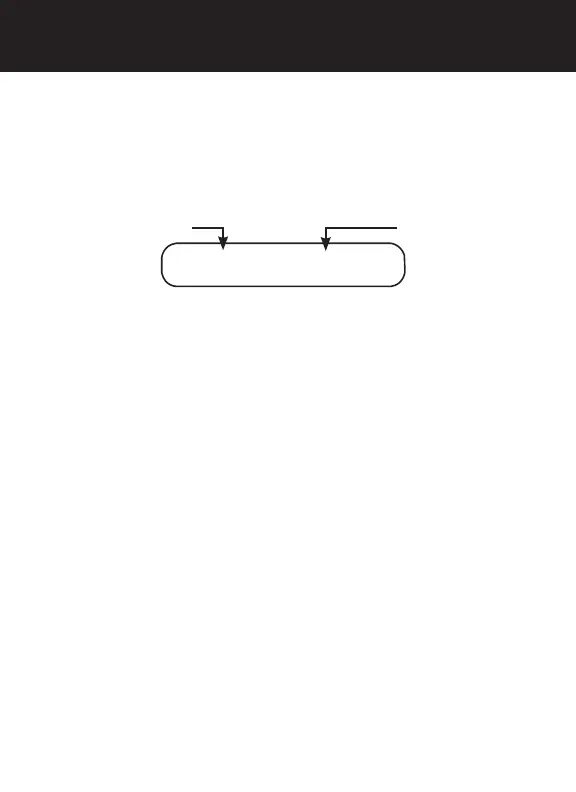
.05-1.0Y
1 of the 4 Laser Windows
adjustable begining
adjustable ending
OPERATION



 To Next Page