EasyManua.ls Logo

White Rodgers 1C26 - User Manual

White Rodgers 1C26
4 pages
Print Icon
To Next Page IconTo Next Page
Loading...
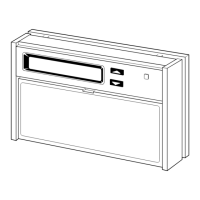
SUBBASE
(MODEL 1C26
ONLY)
BASE
COVER
ANTICIPAT OR
CAPTIVE SCREWS
MOUNTING SCREWS
Figure 1.
Installation Instructions for
Heating only
1C20
and
Heating & Cooling
1C26
CONTENTS
Preparations ...........................................
Thermostat Features ..............................
Removing Old Thermostat .....................
Mounting and Wiring ..............................
Set Heat Anticipator ...............................
New Thermostat Operation ....................
Specifications .........................................
Troubleshooting ..................................... 8
PREPARATIONS
THERMOSTAT FEATURES
REMOVING OLD THERMOSTAT
Before removing wires from old thermostat’s switching subbase,
label each wire with the terminal designation it was removed from.
Some models also include an adaptor plate to cover unpainted
surfaces. Thermostat wires pass through the adaptor plate center
opening.
1. Remove Old Thermostat: A standard heat/cool thermostat
consists of three basic parts:
a. The cover, which may be either a snap-on or hinge type.
b. The base, which is removed by loosening all captive screws.
c. The switching subbase, which is removed by unscrewing
the mounting screws that hold it on the wall or adaptor plate.
Make a note here of the anticipator setting on
the old thermostat for future reference and use in step 5.
The heat anticipator pointer, if adjustable, will be set at one of a
series of numbers representing the current rating of the primary
control in your furnace. The number will be one of the following:
.2, .4, .8, etc. or 0.2, 0.4, 0.8, etc.
If no heat anticipator/indication is showing, do not be concerned;
move on to the next step.
PART NO. 37-6335B
Replaces 37-6335A
0835
Failure to follow and read all instructions carefully be-
fore installing or operating this control could cause
personal injury and/or property damage
Assemble tools required as shown below.
YOUR THERMOSTAT REPLACES
Adaptor Plate
(optional)
Description
1C20 1C26
Standard Heating & Cooling Systems - 4 or 5 wires
No Yes
Standard Heat Only Systems
Yes Yes
Millivolt Heat Only Systems - Floor or Wall Furnaces
Yes Yes
Standard Central Air Conditioning
No Yes
Gas or Oil Heat
Yes Yes
Electric Furnace
Yes Yes
Hydronic (Hot Water) Zone Heat - 2 Wires
Yes Yes
Hydronic (Hot Water) Zone Heat - 3 Wires
No No
Heat Pump (No Aux or Emergency Heat)
No Yes
Heat Pump (with Aux or Emergency Heat)
No No
Baseboard Electric Heating or Line Voltage (120 or 240 Volt) No No
1
2
3
WIRE CUTTER/STRIPPER
SPIRIT LEVEL OR PLUMB BOB AND LINE OPTIONAL—
THERMOSTAT MUST BE LEVEL TO WORK PROPERLY
FLAT BLADE SCREWDRIVER
HAND OR POWER
DRILL WITH 3/16 INCH
DRILL BIT, IF NEEDED
To prevent electrical shock and/or equipment damage,
disconnect electrical power to the system at the main
fuse or circuit breaker until installation is complete.
CAUTION
!
2
1
3
4
5
6
7
8
www.white-rodgers.com
Questions and Answers

  • D
    David TaylorJul 26, 2025
    What to do if my White Rodgers 1C26 has no heat, no cool, and no fan?
    • O
      oballardJul 26, 2025
      If your White Rodgers Thermostat isn't heating, cooling, or running the fan, check for a blown fuse or tripped circuit breaker and replace or reset it. Also, ensure the furnace power switch is turned ON. Verify that the furnace blower compartment door or panel is properly installed to engage the safety interlock or door switch.
  • B
    Brian MillerJul 31, 2025
    What to do if my White Rodgers 1C26 is not cooling?
    • M
      Margaret ClementsJul 31, 2025
      If your White Rodgers Thermostat isn't cooling, first, ensure the System Switch is set to Cool and the temperature is set below the room temperature. Check that all thermostat and system wires are securely attached. If the problem continues, the cooling system or thermostat might need service or replacement, so contact your cooling system manufacturer or a service person to test the cooling system. If the cooling system is working, consider replacing the thermostat.
  • C
    chelseajonesAug 4, 2025
    How to fix a White Rodgers 1C26 that is not heating?
    • P
      Penny ShepardAug 5, 2025
      If your White Rodgers Thermostat isn't heating, make sure the System Switch is set to Heat and the temperature is raised above room temperature. Check if the pilot light is lit and re-light it if necessary. Verify that all thermostat and system wires are securely attached. If the problem persists, it could be due to excessive current or a short in the system, in which case a qualified service person should check it before you replace the thermostat. If the heating system is capable of operation and the no heat condition persists, replace the thermostat.
  • S
    shermansandraAug 10, 2025
    Why does my White Rodgers 1C26 heat, cool, or fan run constantly?
    • T
      thompsonkimberlyAug 10, 2025
      If your White Rodgers Thermostat is constantly running heat, cool, or fan, there might be a short in the wiring, the thermostat itself, or the heat/cool/fan system. Check each wire connection to the thermostat to ensure it's neatly looped under the terminals, with no extra wire sticking out.
  • P
    Patty BrownAug 14, 2025
    How to adjust thermometer on White Rodgers Thermostat?
    • D
      Deborah VanceAug 14, 2025
      The thermometer can be adjusted by using a standard slotted screwdriver. Turn the thermometer pointer screw located inside the front cover to change the setting of your White Rodgers Thermostat.
  • C
    charleswashingtonAug 19, 2025
    What to do if my White Rodgers 1C26 Thermostat setting and thermometer disagree?
    • T
      Terry SawyerAug 19, 2025
      You can adjust the thermometer on your White Rodgers Thermostat using a standard slotted screwdriver. Simply turn the thermometer pointer screw located inside the front cover to change the setting.

Summary

Preparations

Thermostat Features

Removing Old Thermostat

Mounting and Wiring

1 C20 (Heat Only Two Wire)

Instructions for mounting and wiring the 1C20 model.

1 C26 (Heating and Cooling)

Instructions for mounting and wiring the 1C26 model.

Set Heat Anticipator

New Thermostat Operation

Specifications

Troubleshooting

No Heat;No Cool;No Fan (common problems)

Addresses common issues with no heating, cooling, or fan operation.

No Heat

Diagnoses and resolves issues related to lack of heating.

Intermittent Heat

Troubleshoots heating systems that operate inconsistently.

No Cool

Diagnoses and resolves issues related to lack of cooling.

Heat, Cool or Fan Runs Constantly

Addresses scenarios where heating, cooling, or fan operates continuously.

Furnace Cycles Too Fast or Too Slow

Troubleshoots rapid or slow furnace cycling and temperature swings.

Cooling Cycles Too Fast or Too Slow

Troubleshoots rapid or slow cooling cycles and temperature swings.

Thermostat Setting and Thermometer Disagree

Resolves discrepancies between thermostat settings and actual temperature.

Adjusting Thermometer

Provides guidance on calibrating the thermostat's thermometer.

White Rodgers 1C26 Specifications

General IconGeneral
BrandWhite Rodgers
Model1C26
CategoryThermostat
LanguageEnglish

Related product manuals