EasyManua.ls Logo

White Rodgers 1E78 - User Manual

White Rodgers 1E78
8 pages
Print Icon
To Next Page IconTo Next Page
Loading...
CONTENTS
Preparations .................................................. 1
Thermostat Details ........................................ 1
Removing Old Thermostat ............................. 1
Mounting and Wiring ...................................... 2
Check Thermostat Operation ......................... 3
Specifications ................................................ 5
Troubleshooting ............................................. 5
1
PREPARATIONS
2
THERMOSTAT DETAILS
3
REMOVING OLD THERMOSTAT
Before removing wires from old thermostat’s switching subbase, label
each wire with the terminal designation it was removed from.
1. Remove Old Thermostat: A standard heat/cool thermostat
consists of three basic parts:
a. The cover, which may be either a snap-on or hinge type.
b. The base, which is removed by loosening all captive screws.
c. The switching subbase, which is removed by unscrewing the
mounting screws that hold it on the wall or adaptor plate.
2. Shut off electricity at the main fuse box until installation is com-
plete. Ensure that electrical power is disconnected.
3. Remove the front cover of the old thermostat. With wires still
attached, remove wall plate from the wall. If the old thermostat
has a wall mounting plate, remove the thermostat and the wall
mounting plate as an assembly.
4. Identify each wire attached to the old thermostat using the
labels enclosed with the new thermostat.
5. Disconnect the wires from the old thermostat one at a time. DO
NOT LET WIRES FALL BACK INTO THE WALL.
6. Install new thermostat using the following procedures.
To prevent electrical shock and/or equipment damage,
disconnect electrical power to the system at the main fuse
or circuit breaker until installation is complete.
PART NO. 37-6599B
Replaces 37-6599A
1026
Failure to follow and read all instructions carefully
before installing or operating this control could cause
personal injury and/or property damage
Assemble tools required as shown below.
WIRE CUTTER/STRIPPER
Base
Back of
Thermostat Body
RC GRH
YO B
W
W904
W905
Mounting
Hole
Mounting
Hole
Figure 1. Thermostat
W904 - clip for Celcius display
W905 - clip for hydronic system
NOTE: Earlier models refer to 37-7006 for jumper locations.
HAND OR POWER
DRILL WITH 3/16 INCH
DRILL BIT, IF NEEDED
FLAT BLADE SCREWDRIVER
Installation Instructions for
Heating & Air Conditioning
1E78
Non-Programmable Thermostat
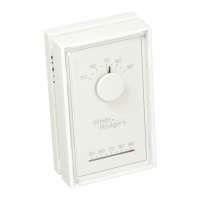
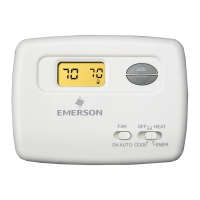
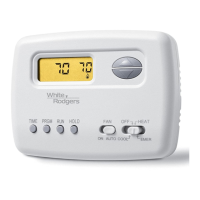
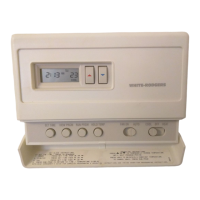
YOUR THERMOSTAT REPLACES
Typical System Compatibility Chart 1E78
Standard Heat Only Two Wire Gas or Oil Fired Systems (24 volt) Yes
Electronic Ignition Heat Only Two Wire Systems (24 volt) Yes
Electronic Ignition Heat Only Gas or Oil Fired Systems (24 volt) Yes
Standard Heat/Cool Systems (24 volt) Yes
Heat/Cool Systems Electric Heat (24 volt) Yes
Heat Only Electric Heat Systems (24 volt) Yes
Cool Only Systems (24 volt) Yes
Heat Pump Systems (No Aux. or Emergency Heat) Yes
Hot Water Zone Heat Only (Two Wire) Systems Yes
Hot Water Zone Heat Only (Three Wire) Systems No
Line Voltage Heating or Baseboard 110/240 Volt Systems No
Millivolt Systems Floor or Wall Furnaces Yes
12 VDC Mobile Home Application Yes
Multistage Systems No
Systems Exceeding 30VAC, 1.5 Amp No
CAUTION
!
www.white-rodgers.com
www.emersonclimate.com

Questions and Answers

  • T
    Tammy WalkerJul 26, 2025
    Why is my White Rodgers Thermostat not producing heat?
    • A
      andrew99Jul 26, 2025
      If your White Rodgers Thermostat is not producing heat, first, relight the pilot light if it's not lit. Then, set the SYSTEM Switch to HEAT and raise the setpoint temperature above the current room temperature. Verify that all thermostat and system wires are securely attached. If the heat works intermittently, contact the furnace manufacturer or a local service person for assistance. If the thermostat doesn't click after being reset, contact your heating and cooling service person or the place of purchase for a replacement.
  • M
    Mackenzie FritzJul 31, 2025
    What to do if my White Rodgers Thermostat display is blank or the keypad is not responding?
    • T
      timothy89Jul 31, 2025
      If your White Rodgers Thermostat shows a blank display or the keypad isn't responding, try replacing the batteries and check the heat/cool system for proper operation. If a voltage spike occurs, use the Reset Operation.
  • E
    Erica PhillipsAug 5, 2025
    What to do if my White Rodgers 1E78 is not cooling?
    • J
      John DeanAug 5, 2025
      If your White Rodgers Thermostat is not cooling, ensure the SYSTEM Switch is set to COOL and lower the setpoint temperature below the room temperature. Check that all thermostat and system wires are securely attached. If the issue persists, follow the same diagnostic procedure as for a No Heat condition, setting the thermostat to COOL and lowering the setpoint below room temperature.
  • O
    owongAug 10, 2025
    How to adjust cycle rate on White Rodgers 1E78 when furnace cycles too fast or slow?
    • C
      Charlene HoffmanAug 10, 2025
      If your White Rodgers Thermostat cycles too fast or slow, clipping Jumper W-905 as mentioned in the instructions for Hydronic Heating Systems can increase the cycle time. The location of the thermostat and/or the size of the Heating System may be influencing the cycle rate.
  • H
    harriscynthiaAug 15, 2025
    How to troubleshoot no heat, no cool, or no fan on a White Rodgers 1E78?
    • J
      Jeffery EricksonAug 15, 2025
      If your White Rodgers Thermostat isn't providing heat, cool, or fan function, start by checking the fuse or circuit breaker and replace the fuse or reset the breaker if necessary. Ensure the furnace power switch is turned to ON. Also, make sure the furnace blower compartment door or panel is correctly installed to engage the safety interlock or door switch.
  • P
    Patricia HarrisAug 20, 2025
    Why does the heat, cool, or fan run constantly on my White Rodgers 1E78?
    • E
      Eddie HallAug 21, 2025
      If the heat, cool, or fan runs constantly on your White Rodgers Thermostat, check each wire connection to ensure they are not shorted or touching. Try resetting the thermostat. If the condition persists, the manufacturer of your system or a service person can instruct you on how to test the Heat/Cool system for correct operation. If the system operates correctly, replace the thermostat. Also, make sure the FAN switch isn't set to Fan ON.

Summary

3 REMOVING OLD THERMOSTAT

Electrical Safety Before Removal

Emphasizes disconnecting electrical power at the main fuse or breaker before proceeding.

3 REMOVING OLD THERMOSTAT (Continued)

4 MOUNTING AND WIRING

4 MOUNTING AND WIRING (Continued)

Wiring Diagrams for System Types

Illustrates typical wiring connections for various heating and cooling system configurations.

5 CHECK THERMOSTAT OPERATION

5 CHECK THERMOSTAT OPERATION (Continued)

7 TROUBLESHOOTING

Reset Operation and Battery Issues

Guidance on resetting the thermostat and troubleshooting battery-related problems.

No Heat;Cool;Fan Troubleshooting

Addresses common issues where the system fails to operate for heat, cool, or fan functions.

No Heat System Diagnosis

Diagnoses and resolves problems specific to the heating system not functioning.

7 TROUBLESHOOTING (Continued)

No Cool System Diagnosis

Diagnoses and resolves problems specific to the cooling system not functioning.

White Rodgers 1E78 Specifications

General IconGeneral
TypeNon-Programmable
CompatibilitySingle Stage Heating and Cooling Systems
DisplayDigital
Stages1 Heat/1 Cool
Power SourceBattery Powered
Accuracy+/- 1°F (+/- 0.5°C)
Voltage24 VAC
Temperature Range45° to 90°F (7° to 32°C)

Related product manuals