Base
Back of
Thermostat Body
RC G RH
YOB
W
W905
W904
Mounting
Hole
Mounting
Hole
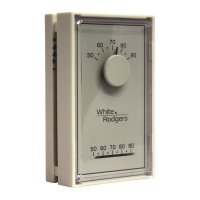
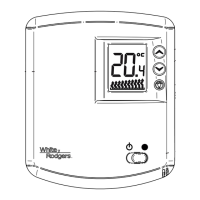
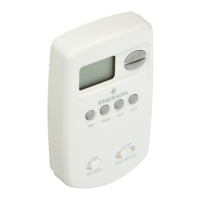
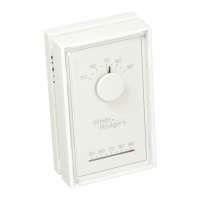
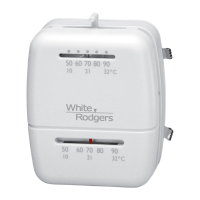
Figure 1. Thermostat
W904 - clip for Celcius display
W905 - clip for hydronic system
Heating & Air ConditioningHeating & Air Conditioning
Heating & Air ConditioningHeating & Air Conditioning
Heating & Air Conditioning
1E781E78
1E781E78
1E78
Non-Programmable Heat Only ThermostatNon-Programmable Heat Only Thermostat
Non-Programmable Heat Only ThermostatNon-Programmable Heat Only Thermostat
Non-Programmable Heat Only Thermostat
PART NO. 37-6620APART NO. 37-6620A
PART NO. 37-6620APART NO. 37-6620A
PART NO. 37-6620A
0451
Installation Instructions for
White-Rodgers is a division
of Emerson Electric Co.
www.white-rodgers.com
To prevent electrical shock and/or equipment dam-To prevent electrical shock and/or equipment dam-
To prevent electrical shock and/or equipment dam-To prevent electrical shock and/or equipment dam-
To prevent electrical shock and/or equipment dam-
age, disconnect electric power to system at main fuseage, disconnect electric power to system at main fuse
age, disconnect electric power to system at main fuseage, disconnect electric power to system at main fuse
age, disconnect electric power to system at main fuse
or circuit breaker box until installation is complete.or circuit breaker box until installation is complete.
or circuit breaker box until installation is complete.or circuit breaker box until installation is complete.
or circuit breaker box until installation is complete.
CAUTION
!
YOUR THERMOSTAT REPLACESYOUR THERMOSTAT REPLACES
YOUR THERMOSTAT REPLACESYOUR THERMOSTAT REPLACES
YOUR THERMOSTAT REPLACES
Typical System Compatibility ChartTypical System Compatibility Chart
Typical System Compatibility ChartTypical System Compatibility Chart
Typical System Compatibility Chart
1E781E78
1E781E78
1E78
Standard Heat Only Two Wire Gas or Oil Fired Systems (24 volt) Yes
Electronic Ignition Heat Only Two Wire Systems (24 volt) Yes
Electronic Ignition Heat Only Gas or Oil Fired Systems (24 volt) Yes
Standard Heat/Cool Systems (24 volt) No
Heat/Cool Systems Electric Heat (24 volt) No
Heat Only Electric Heat Systems (24 volt) No
Cool Only Systems No
Heat Pump Systems (No Aux. or Emergency Heat) No
Hot Water Zone Heat Only (Two Wire) Systems Yes
Hot Water Zone Heat Only (Three Wire) Systems No
Line Voltage Heating or Baseboard 110/240 Volt Systems No
Millivolt Systems Floor or Wall Furnaces Yes
12 VDC Mobile Home Application Yes
Multistage Systems No
Systems Exceeding 30VAC, 1.5 Amp No
1
PREPARATIONSPREPARATIONS
PREPARATIONSPREPARATIONS
PREPARATIONS
Assemble tools required as shown below.
HAND OR POWER
DRILL WITH 3/16 INCH
DRILL BIT, IF NEEDED
FLAT BLADE SCREWDRIVER
WIRE CUTTER/STRIPPER
2
THERMOSTAT DETAILSTHERMOSTAT DETAILS
THERMOSTAT DETAILSTHERMOSTAT DETAILS
THERMOSTAT DETAILS
3
REMOVING OLD THERMOSTATREMOVING OLD THERMOSTAT
REMOVING OLD THERMOSTATREMOVING OLD THERMOSTAT
REMOVING OLD THERMOSTAT
Before removing wires from old thermostat’s switching subbase,
label each wirelabel each wire
label each wirelabel each wire
label each wire with the terminal designation it was removed
from.
1.
Remove Old Thermostat:Remove Old Thermostat:
Remove Old Thermostat:Remove Old Thermostat:
Remove Old Thermostat: A standard heat/cool thermostat
consists of three basic parts:
a.The cover, which may be either a snap-on or hinge type.
b.The base, which is removed by loosening all captive
screws.
c. The switching subbase, which is removed by unscrewing
the mounting screws that hold it on the wall or adaptor
plate.
2. Shut off electricity at the main fuse box until installation is
complete. Ensure that electrical power is disconnected.
3. Remove the front cover of the old thermostat.
With wiresWith wires
With wiresWith wires
With wires
still attached,still attached,
still attached,still attached,
still attached, remove wall plate from the wall. If the old
thermostat has a wall mounting plate, remove the thermostat
and the wall mounting plate as an assembly.
4.
Identify each wire attached to the old thermostat usingIdentify each wire attached to the old thermostat using
Identify each wire attached to the old thermostat usingIdentify each wire attached to the old thermostat using
Identify each wire attached to the old thermostat using
the labels enclosed with the new thermostat.the labels enclosed with the new thermostat.
the labels enclosed with the new thermostat.the labels enclosed with the new thermostat.
the labels enclosed with the new thermostat.
5. Disconnect the wires from the old thermostat one at a time.
DO NOT LET WIRES FALL BACK INTO THE WALL.DO NOT LET WIRES FALL BACK INTO THE WALL.
DO NOT LET WIRES FALL BACK INTO THE WALL.DO NOT LET WIRES FALL BACK INTO THE WALL.
DO NOT LET WIRES FALL BACK INTO THE WALL.
6. Install new thermostat using the following procedures.
CONTENTSCONTENTS
CONTENTSCONTENTS
CONTENTS
Preparations ............................................... 1
Thermostat Details ..................................... 1
Removing Old Thermostat ......................... 1
Mounting and Wiring................................... 2
Check Thermostat Operation ..................... 3
Specifications .............................................. 4
Troubleshooting .......................................... 4
Failure to follow and read all instructions carefullyFailure to follow and read all instructions carefully
Failure to follow and read all instructions carefullyFailure to follow and read all instructions carefully
Failure to follow and read all instructions carefully
before installing or operating this control could causebefore installing or operating this control could cause
before installing or operating this control could causebefore installing or operating this control could cause
before installing or operating this control could cause
personal injury and/or property damage.personal injury and/or property damage.
personal injury and/or property damage.personal injury and/or property damage.
personal injury and/or property damage.


 To Next Page
 General