EasyManua.ls Logo

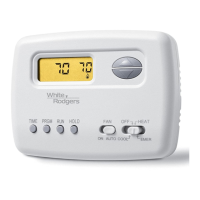
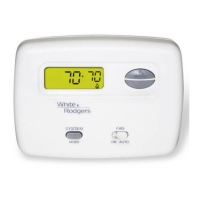
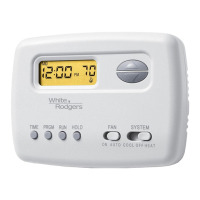
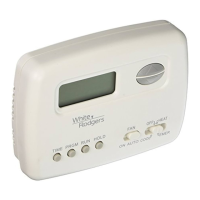
White Rodgers 1F78 - User Manual

White Rodgers 1F78
6 pages
Print Icon
To Next Page IconTo Next Page
Loading...
Installation Instructions for
Heating & Air Conditioning
1F78
Non-Programmable Thermostat
CONTENTS
Preparations.................................................. 1
Thermostat Details ........................................ 1
Removing Old Thermostat ............................ 1
Mounting and Wiring ..................................... 2
Check Thermostat Operation ........................ 3
Specifications ................................................ 5
Troubleshooting ............................................ 5
PREPARATIONS
THERMOSTAT DETAILS
REMOVING OLD THERMOSTAT
Before removing wires from old thermostat’s switching subbase,
label each wire with the terminal designation it was removed from.
1. Remove Old Thermostat: A standard heat/cool thermostat
consists of three basic parts:
a. The cover, which may be either a snap-on or hinge type.
b. The base, which is removed by loosening all captive screws.
c. The switching subbase, which is removed by unscrewing
the mounting screws that hold it on the wall or adaptor plate.
2. Shut off electricity at the main fuse box until installation is
complete. Ensure that electrical power is disconnected.
3. Remove the front cover of the old thermostat. With wires still
attached, remove wall plate from the wall. If the old thermostat
has a wall mounting plate, remove the thermostat and the wall
mounting plate as an assembly.
4. Identify each wire attached to the old thermostat using the
labels enclosed with the new thermostat.
5. Disconnect the wires from the old thermostat one at a time. DO
NOT LET WIRES FALL BACK INTO THE WALL.
6. Install new thermostat using the following procedures.
To prevent electrical shock and/or equipment damage,
disconnect electrical power to the system at the main
fuse or circuit breaker until installation is complete.
CAUTION
!
PART NO. 37-6615A
0435
Failure to follow and read all instructions carefully
before installing or operating this control could cause
personal injury and/or property damage
Assemble tools required as shown below.
YOUR THERMOSTAT REPLACES
1
2
3
WIRE CUTTER/STRIPPER
W
RH
BRC
G
O
Y
+
-
+
-
GAS
ELE
C
W904
W905
Figure 1. Thermostat base
Mounting
hole
Mounting
hole
W905
Clip for
Hydronic
System
W904
Clip for
Celsius Display
Electric/Gas
Switch
HAND OR POWER
DRILL WITH 3/16 INCH
DRILL BIT, IF NEEDED
FLAT BLADE SCREWDRIVER
White-Rodgers is a division
of Emerson Electric Co.
www.white-rodgers.com
Typical System Compatibility Chart 1F78
Standard Heat Only Two Wire Gas or Oil Fired Systems (24 volt) Yes
Electronic Ignition Heat Only Two Wire Systems (24 volt) Yes
Electronic Ignition Heat Only Gas or Oil Fired Systems (24 volt) Yes
Standard Heat/Cool Systems (24 volt) Yes
Heat/Cool Systems Electric Heat (24 volt) Yes
Heat Only Electric Heat Systems (24 volt) Yes
Cool Only Systems (24 volt) Yes
Heat Pump Systems (No Aux or Emergency Heat) Yes
Hot Water Zone Heat Only (Two Wire) Systems Yes
Hot Water Zone Heat Only (Three Wire) Systems No
Line Voltage Heating or Baseboard 110/240 Volt Systems No
Millivolt Systems Floor or Wall Furnaces Yes
12 VDC Mobile Home Application Yes
Multistage Systems No
Systems Exceding 30VAC, 1.5 Amp No


Other manuals for White Rodgers 1F78

Questions and Answers

  • P
    patrickpierceJul 26, 2025
    Why is my White Rodgers Thermostat not producing heat?
    • R
      Rebecca JamesJul 26, 2025
      If your White Rodgers Thermostat isn't producing heat, possible causes and solutions include: * The pilot light may not be lit. Try re-lighting it. * The SYSTEM switch might not be set to HEAT. Set it to HEAT and raise the setpoint temperature above the current room temperature. * There may be a loose connection to the thermostat or system. Ensure all thermostat and system wires are securely attached. * A furnace lock-out condition may exist. If the heat works intermittently, contact the furnace manufacturer or a local service person for assistance. * The heating system may require service, or the thermostat may need replacement. If the thermostat does not click after being reset, contact your heating and cooling service person or place of purchase for a replacement.
  • N
    Nicole SalazarJul 30, 2025
    How to fix a White Rodgers 1F78 Thermostat that is not cooling?
    • S
      Stephen VasquezJul 30, 2025
      If your White Rodgers Thermostat isn't cooling, here are some things to check: * Ensure the SYSTEM switch is set to COOL and lower the setpoint temperature below the room temperature. * Verify that all thermostat and system wires are securely attached, as loose connections can cause issues. * The cooling system may require service, or the thermostat may need replacement. Set the thermostat to COOL and lower the setpoint below the room temperature to diagnose.
  • J
    Joshua CunninghamAug 3, 2025
    What to do if my White Rodgers Thermostat is not cooling?
    • G
      ggomezAug 3, 2025
      If your White Rodgers Thermostat isn't cooling, verify that the SYSTEM switch is set to COOL and the setpoint temperature is below the room temperature. Check that all thermostat and system wires are securely attached. Note that there may be up to a five minute delay before the thermostat clicks on for cooling. If problems persist it may require service or replacement, follow the same diagnostic procedure as for the 'No Heat' condition, but set the thermostat to COOL and lower the setpoint below the room temperature.
  • B
    Brenda WhiteAug 8, 2025
    What to do if my White Rodgers 1F78 has no heat, cool, or fan?
    • P
      parsonsaprilAug 8, 2025
      If your White Rodgers Thermostat isn't producing heat, cool air, or running the fan, check the following: * Replace any blown fuses or reset tripped circuit breakers. * Ensure the furnace power switch is turned to the ON position. * Make sure the furnace blower compartment door or panel is correctly installed to engage the safety interlock or door switch.
  • G
    Gary SimmonsAug 12, 2025
    How to troubleshoot no heat, no cool, or no fan on my White Rodgers Thermostat?
    • T
      Tanya WhitakerAug 12, 2025
      If your White Rodgers Thermostat isn't providing heat, cool, or fan, start by checking the fuse or circuit breaker and replace the fuse or reset the breaker if needed. Ensure the furnace power switch is turned to ON. Also, make sure the furnace blower compartment door or panel is correctly installed to engage the safety interlock or door switch.
  • J
    John CaldwellAug 16, 2025
    Why is there no heat from my White Rodgers 1F78?
    • H
      Helen OneillAug 16, 2025
      If your White Rodgers Thermostat isn't producing heat, first ensure that the pilot light is lit. Next, check that the SYSTEM switch is set to HEAT and the setpoint temperature is higher than the room temperature. Also, verify that all thermostat and system wires are securely attached. If the heat works intermittently, this could be a furnace lock-out condition, and you should contact the furnace manufacturer or a local service person for assistance.
  • M
    mmooreAug 20, 2025
    What to do if my White Rodgers 1F78 doesn't click when set to heat?
    • M
      Marcus ZamoraAug 20, 2025
      Set the SYSTEM Switch to HEAT and raise the setpoint above room temperature. The thermostat should make a soft click sound. If it doesn't click, try the reset operation. If it still doesn't click, contact your heating and cooling service person or place of purchase for a replacement. If the thermostat clicks, contact the furnace manufacturer or a service person to verify the heating is operating correctly.

Summary

Mounting and Wiring

Check Thermostat Operation

Troubleshooting

Reset Operation

Procedure to reset the thermostat by pressing buttons and moving the system switch.

No Heat;No Cool;No Fan

Troubleshooting common issues related to no heat, no cool, or no fan operation.

No Heat

Troubleshooting steps for when the heating system is not operating.

No Cool

Troubleshooting steps for when the cooling system is not operating.

Troubleshooting (Continued)

Heat, Cool or Fan Runs Constantly

Troubleshooting issues where the heat, cool, or fan runs continuously.

Furnace Cycles Too Fast or Too Slow

Addressing issues with furnace cycling rates, either too fast or too slow.

White Rodgers 1F78 Specifications

General IconGeneral
TypeNon-programmable
DisplayDigital
CompatibilitySingle Stage Heating and Cooling Systems
Stages1 Heat/1 Cool
BacklightNo
Power SourceBattery
Voltage24VAC
BatteryAA (2)

Related product manuals