EasyManua.ls Logo

White Rodgers 1F80-0261 - User Manual

White Rodgers 1F80-0261
12 pages
Print Icon
To Next Page IconTo Next Page
Loading...
www.white-rodgers.com
This thermostat is intended for use with a low voltage NEC
Class II system. Do not use this thermostat with a line voltage
system. If in doubt about whether your wiring is millivolt, line,
or low voltage, have it inspected by a qualifi ed heating and air
conditioning contractor or electrician.
Do not exceed the specifi cation ratings.
All wiring must conform to local and national electrical codes
and ordinances.
This control is a precision instrument, and should be handled
carefully. Rough handling or distorting components could
cause the control to malfunction.
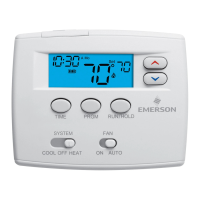
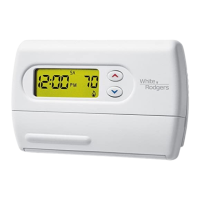
Blue 2” Single Stage Thermostat
Installation and Operating Instructions
Save these instructions for future use!
FAILURE TO READ AND FOLLOW ALL INSTRUCTIONS
CAREFULLY BEFORE INSTALLING OR OPERATING THIS
CONTROL COULD CAUSE PERSONAL INJURY AND/OR
PROPERTY DAMAGE.
APPLICATIONS
For use with the following Class II systems:
• Single Stage systems
Single-stage heat pump systems with no Aux heat
DO NOT USE WITH:
Systems exceeding 30 VAC and 1.5 amps
3-wire zoned hydronic heating systems
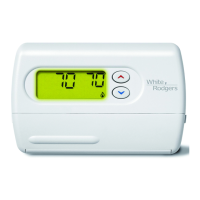
1F80-0261 Thermostat
Model Programming Choices
1F80-0261
5/1/1 Day Programmable
SPECIFICATIONS
Electrical Rating:
Battery Power ................................................. mV to 30 VAC, 50/60 Hz or DC
Input-Hardwire ................................................ 20 to 30 VAC
Terminal Load ........................................................ 1.0 A per terminal, 1.5A maximum all terminals combined
Setpoint Range ...................................................... 45° to 90°F (7° to 32°C)
Differential (Single Stage) ...................................... Heat 0.6°F; Cool 1.2°F (adjustable)
Differential (Heat Pump) ........................................ Heat 1.2°F; Cool 1.2°F (adjustable)
Operating Ambient ................................................. 32° to +105°F (0° to +41°C)
Operating Humidity ................................................ 90% non-condensing max.
Shipping Temperature Range ................................ -40° to +150°F (-40° to +65°C)
Dimensions Thermostat ......................................... 3-3/4”H x 4-3/4”W x 1-1/2”D
PRECAUTIONS
To prevent electrical shock and/or equipment damage,
disconnect electric power to system at main fuse or
circuit breaker box until installation is complete.
CAUTION
!
Do not use on circuits exceeding specifi ed voltage.
Higher voltage will damage control and could cause
shock or fi re hazard.
Do not short out terminals on gas valve or primary
control to test. Short or incorrect wiring will damage
thermostat and could cause personal injury and/or
property damage.
Thermostat installation and all components of the
system shall conform to Class II (current limited)
circuits per the NEC code. Failure to do so could
cause a fi re hazard.
WARNING
!
PART NO. 37-7009B
Replaces 37-7009A
0917


Questions and Answers

  • J
    Jacqueline HodgeAug 14, 2025
    How to fix White Rodgers 1F80-0261 Thermostat with no heat, cool, or fan?
    • P
      Patricia HarmonAug 14, 2025
      If your White Rodgers thermostat isn't producing heat, cool air, or running the fan, check the following: First, replace any blown fuses or reset tripped circuit breakers. Then, ensure the furnace power switch is turned ON. Finally, make sure the furnace blower compartment door or panel is correctly installed to engage the safety interlock or door switch.
  • G
    gina67Aug 17, 2025
    Why does my White Rodgers 1F80-0261 Thermostat heat, cool, or fan run constantly?
    • L
      Lisa YoungAug 17, 2025
      If your White Rodgers thermostat has the heat, cool, or fan running constantly, there could be several reasons. First, check for shorts in the wiring by verifying that the wire connections are not shorted or touching. You can also try resetting the thermostat. Ensure the fan switch is not set to 'Fan On'. For shorts in the Heat/Cool/Fan system, contact the system's manufacturer or a service person for guidance.
  • S
    Samantha HerreraAug 21, 2025
    What to do if my White Rodgers 1F80-0261 does not follow the program?
    • L
      Lisa PriceAug 21, 2025
      If your White Rodgers thermostat isn’t following the set program, start by checking the current clock and program settings, and verify the AM or PM designations for each time period. If this doesn't solve the problem, try using the Reset Operation.
  • H
    Henry SummersAug 25, 2025
    Why White Rodgers 1F80-0261 Thermostat not heating?
    • F
      Fernando CampbellAug 25, 2025
      If your White Rodgers thermostat isn't heating, first ensure the System Switch is set to Heat and that the setpoint is above room temperature. Also, verify that the thermostat and system wires are securely attached. If the thermostat still doesn't click after being reset, contact your heating and cooling service person or place of purchase for a replacement.
  • B
    barryjimmyAug 27, 2025
    Why White Rodgers thermostat not cooling?
    • L
      Lucas LozanoAug 27, 2025
      If your White Rodgers thermostat isn't cooling, ensure the System Switch is set to Cool and that the setpoint is below room temperature. Verify that the thermostat and system wires are securely attached. If the issue persists, contact a local service person for further assistance.
  • C
    Christine BatesAug 31, 2025
    What to do if my White Rodgers 1F80-0261 display is blank or keypad not responding?
    • M
      Melanie WheelerAug 31, 2025
      If the display is blank or the keypad is not responding on your White Rodgers thermostat, it may be due to a voltage spike or static discharge. Use the Reset Operation.
  • J
    Jason MichaelSep 3, 2025
    Why does my White Rodgers thermostat setting and thermometer disagree?
    • V
      Vernon SmithSep 3, 2025
      If your White Rodgers thermostat setting and thermometer disagree, it might be because the thermometer setting requires adjustment. You can adjust the thermometer +/- degrees as listed in item 8 of the Configuration Menu.
  • J
    John JenningsSep 7, 2025
    Why White Rodgers Furnace Cycles Too Fast or Too Slow Cooling Cycles Too Fast or Too Slow?
    • M
      Michele HansonSep 7, 2025
      If your White Rodgers thermostat has furnace cycles that are too fast or too slow, or if the cooling cycles are too fast or too slow, the location of the thermostat and/or the size of the Heating or Cooling System may be influencing the cycle rate. Item 4 (CR Heat) or 5 (CR Cool) in the Configuration Menu is the adjustment that controls the cycle rate. If an acceptable cycle rate is not achieved using the FA (Fast) or SL (Slow) adjustment contact a local service person for additional suggestions.
  • H
    Heidi HallSep 9, 2025
    Why does White Rodgers heat or cool start early?
    • L
      Laurie SanchezSep 10, 2025
      If the heat or cool starts early on your White Rodgers thermostat, it could be because the EMR is activated. Check Configuration Menu (Item 3).

Summary

SPECIFICATIONS

Electrical and Environmental Ratings

Details electrical ratings, temperature limits, and humidity requirements.

SAFETY PRECAUTIONS AND WARNINGS

General Safety Guidelines

Covers installation, wiring, voltage, handling, and electrical hazard precautions.

INSTALLATION PROCEDURES

Remove Old Thermostat

Instructions for safely removing the existing thermostat from the wall.

Attach Thermostat Base

Steps for securely mounting the new thermostat base to the wall.

INSTALLER CONFIGURATION MENU

System Type and Cool Savings

Selects system type (SS/HP) and adjusts Cool Savings feature.

PROGRAMMING YOUR THERMOSTAT

TROUBLESHOOTING GUIDE

Reset Operation Procedure

Procedure to reset the thermostat after power issues or glitches.

Common Issues and Solutions

Guides for diagnosing and resolving common heating/cooling issues.

White Rodgers 1F80-0261 Specifications

General IconGeneral
Model Number1F80-0261
BrandWhite Rodgers
CategoryThermostat
Stages1 Heat / 1 Cool
Temperature Control Accuracy±1°F
Power SourceBattery
DisplayLCD
Temperature Range40°F to 99°F
System SwitchHeat/Off/Cool
Fan SwitchAuto/On
MountingWall

Related product manuals