EasyManua.ls Logo

White 656 - Advanced Machine Operations; Sewing in Reverse Direction; Darning and Monogramming Setup; Feed Teeth Pressure Control

Default Icon
28 pages
Print Icon
To Next Page IconTo Next Page
To Previous Page IconTo Previous Page
Loading...
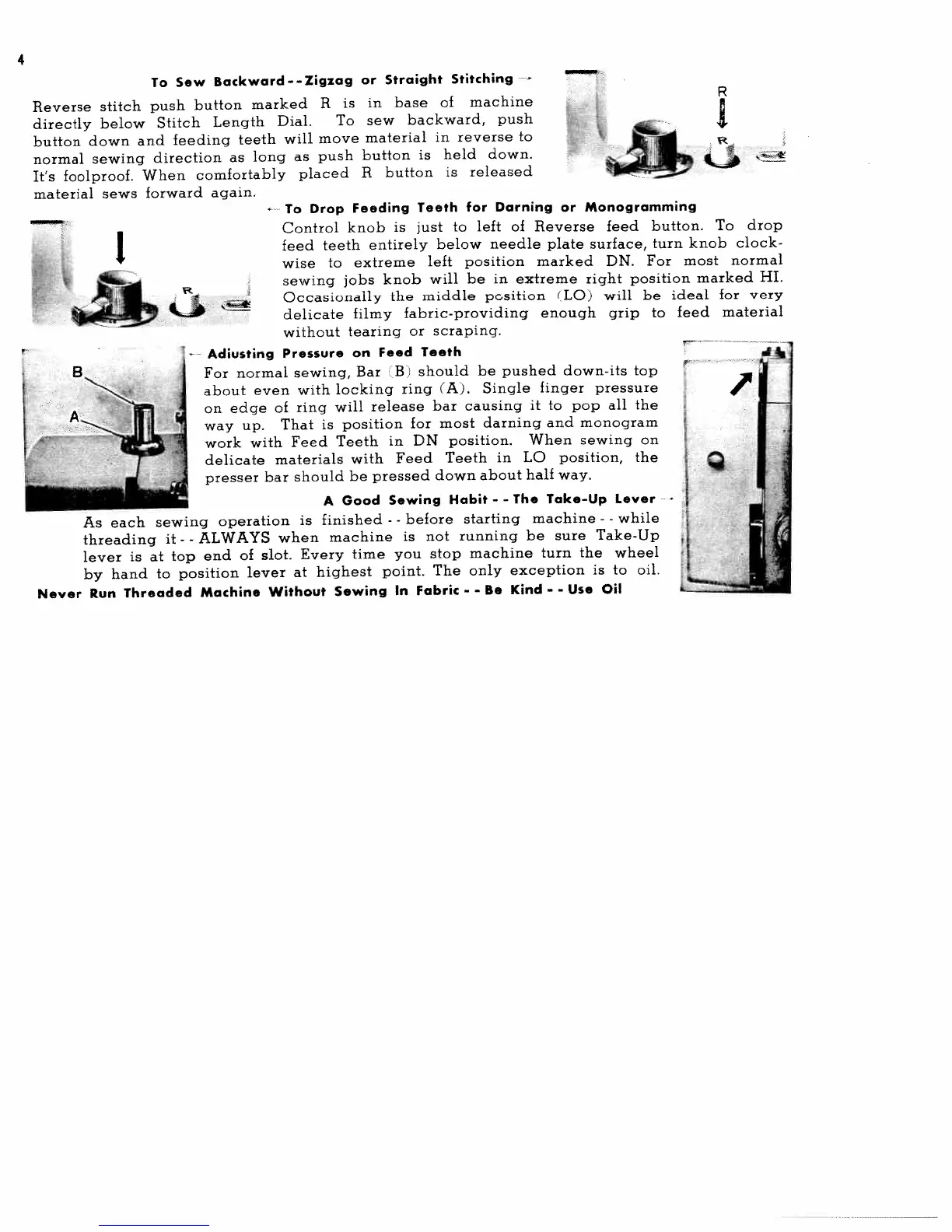
To
Sew
Backward--Zigzag
or
Straight
Stitching
-
Reverse
stitch
push
button
marked
R
is
in
base
of
machine
directly
below
Stitch
Length
Dial.
To
sew
backward,
push
button
down
and
feeding
teeth
will
move
material
in
reverse
to
normal
sewing
direction
as
long
as
push
button
is
held
down.
It’s
foolproof.
When
comfortably
placed
R
button
is
released
material
sews
forward
again.
To
Drop
Feeding
Teeth
for
Darning
or
Monogramming
Control
knob
is
just
to
left
of
Reverse
feed
button.
To
drop
feed
teeth
entirely
below
needle
plate
surface,
turn
knob
clock
wise
to
extreme
left
position
marked
DN.
For
most
normal
sewing
jobs
knob
will
be
in
extreme
right
position
marked
HI.
Occasionally
the
middle
position
(LO)
will
be
ideal
for
very
delicate
filmy
fabric-providing
enough
grip
to
feed
material
without
tearing
or
scraping.
Adiusting
Pressure
on
Feed
Teeth
For
normal
sewing,
Bar
B
should
be
pushed
down-its
top
about
even
with
locking
ring
(A).
Single
finger
pressure
on
edge
of
ring
will
release
bar
causing
it
to
pop
all
the
way
up.
That
is
position
for
most
darning
and
monogram
work
with
Feed
Teeth
in
DN
position.
When
sewing
on
delicate
materials
with
Feed
Teeth
in
LO
position,
the
presser
bar
should
be
pressed
down
about
half
way.
A
Good
Sewing
Habit
-
-
The
Take-Up
Lever
As
each
sewing
operation
is
finished
-
-
before
starting
machine
-
-
while
threading
it
-
-
ALWAYS
when
machine
is
not
running
be
sure
Take-Up
lever
is
at
top
end
of
slot.
Every
time
you
stop
machine
turn
the
wheel
by
hand
to
position
lever
at
highest
point.
The
only
exception
is
to
oil.
Never
Run
Threaded
Machine
Without
Sewing
In
Fabric
-
-
Be
Kind
-
-
Use
Oil
_____
R
I
fl

Related product manuals