EasyManua.ls Logo

White 8000 - Function of Devices; Pattern Selection Dial; Stitch Length Dial; Zigzag Width Control

Default Icon
49 pages
Print Icon
To Next Page IconTo Next Page
To Previous Page IconTo Previous Page
Loading...
4.
FUNCTION
OF DEVICES
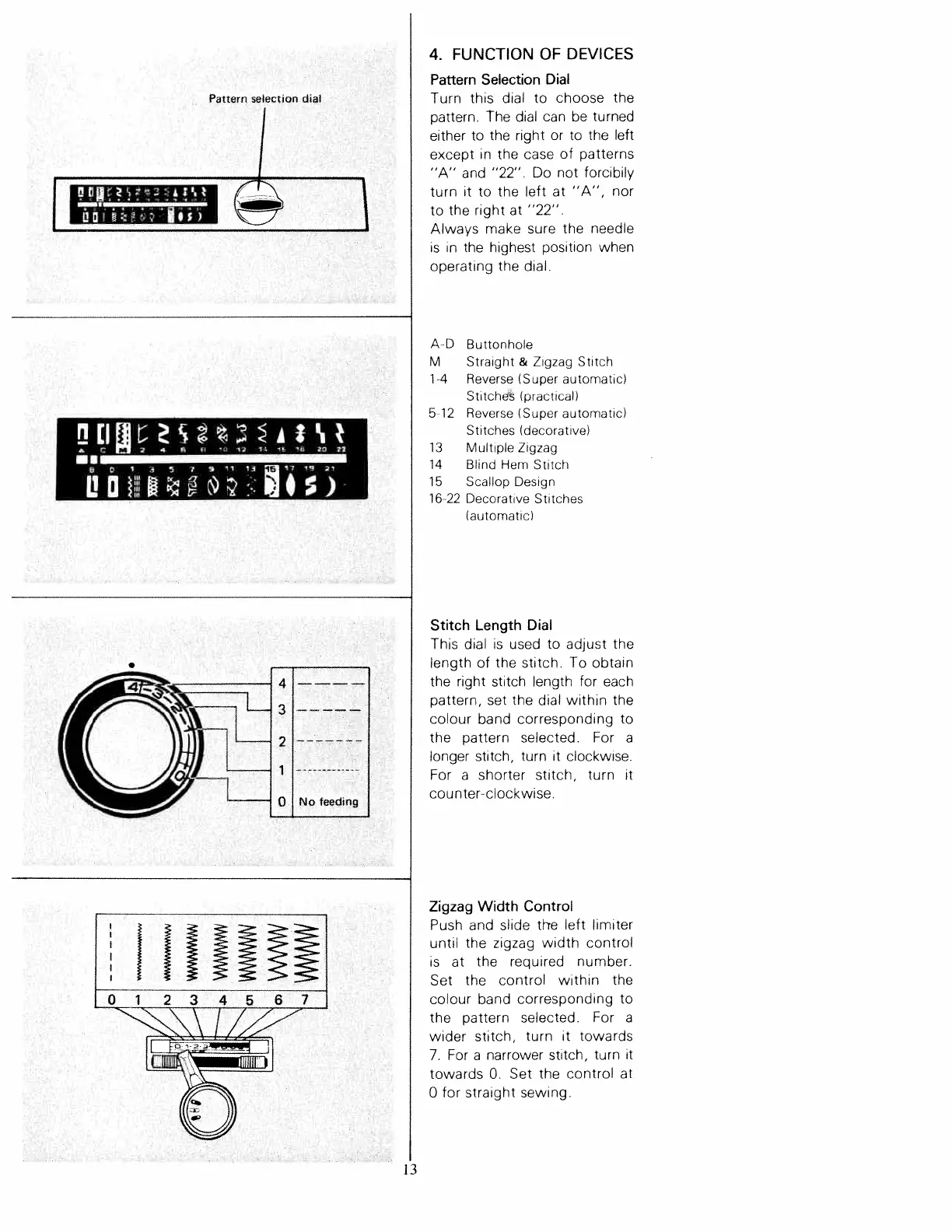
Pattern
Selection
Dial
Turn
this
dial
to
choose
the
pattern.
The
dial
can
be
turned
either
to
the
right
or
to
the
left
except
in
the
case
of
patterns
“A”
and
“22”
Do
not
forcibily
turn
it
to
the
left
at
“A”,
nor
to
the
right
at
“22”
Always
make
sure
the
needle
is
in
the
highest
position
when
operating
the
dial.
A
D
Buttonhole
M
Straight
&
Zigzag
Stitch
1
4
Reverse
ISuper
automatic)
Stitches
Ipracticall
5
12
Reverse
ISuper
automatic)
Stitches
Idecorative)
13
Multiple
Zigzag
14
Blind
Hem
Stitch
15
Scallop
Design
16
22
Decorative
Stitches
lautomaticl
Stitch
Length
Dial
This
dial
is
used
to
adjust
the
length
of
the
stitch.
To
obtain
the
right
stitch length
for
each
pattern, set
the
dial
within
the
colour
band
corresponding
to
the
pattern selected.
For
a
longer
stitch,
turn
it
clockwise.
For
a
shorter
stitch,
turn
it
counterclockwise,
Zigzag
Width
Control
Push
and
slide
the
left
limiter
until
the
zigzag
width
control
is
at
the
required
number.
Set
the
control
within
the
colour
band
corresponding
to
the
pattern
selected.
For
a
wider
stitch,
turn
it
towards
7.
For
a
narrower stitch,
turn
it
towards
0.
Set
the
control
at
0
for
straight
sewing.
Pattern
selection
dial
I
—I
L1l
sdI%)
A
*
‘i
,
C
4
1
‘0
3
14
‘0
14
20
21
BI
-
Ia
).
1
3
5
7
91113
171921
L
i
0
fl
13

Table of Contents

Related product manuals