EasyManua.ls Logo

White 8000 - Reverse Sewing Button; Drop Feed Lever; Foot Pressure Regulator; Reverse Stitch Control

Default Icon
49 pages
Print Icon
To Next Page IconTo Next Page
To Previous Page IconTo Previous Page
Loading...
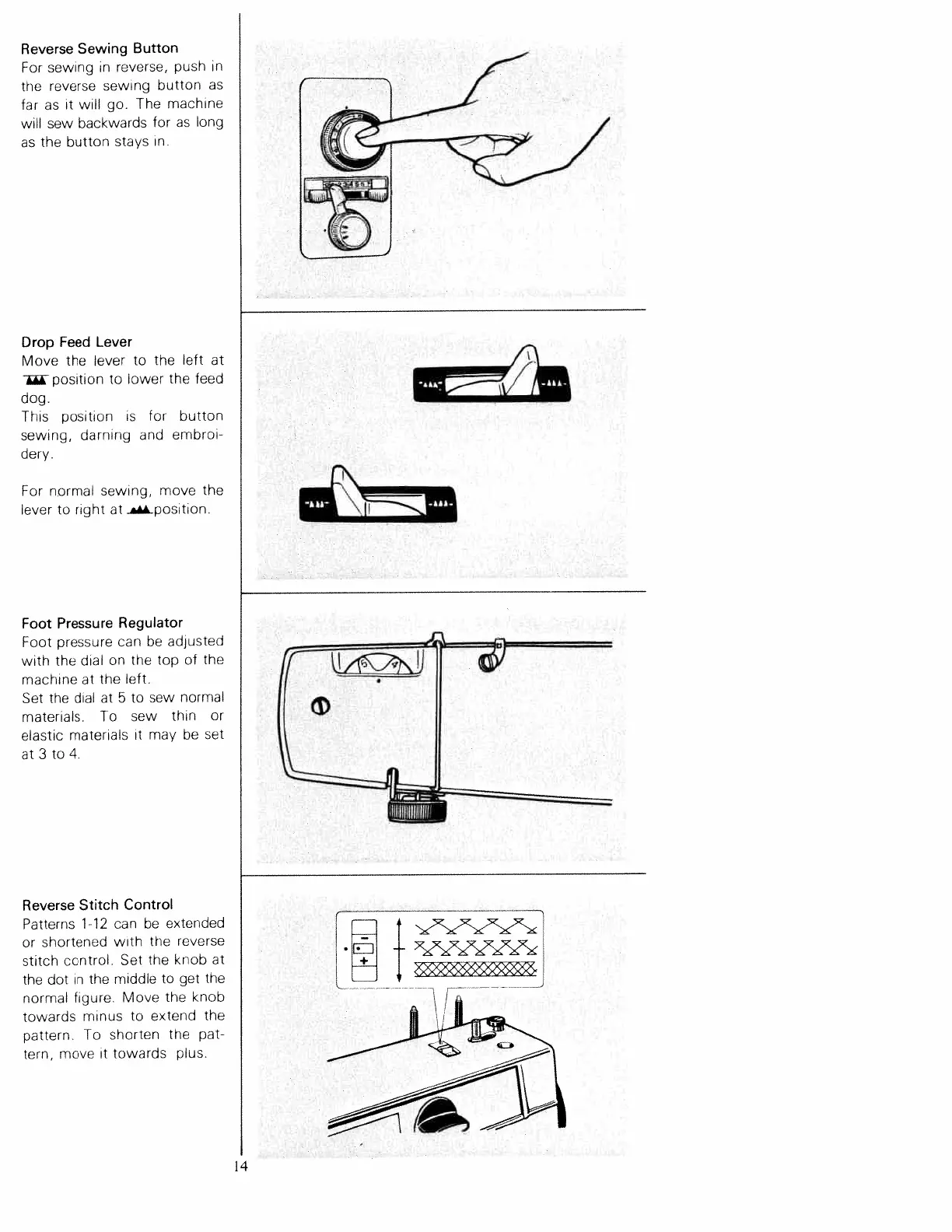
Reverse
Sewing
Button
For
sewing
in
reverse,
push
in
the
reverse
sewing
button
as
far
as
it
will
go.
The
machine
will
sew
backwards
for
as
long
as
the
button
stays
in.
Drop
Feed
Lever
Move
the
lever
to
the
left
at
position
to
lower
the
feed
dog.
This
position
is
for
button
sewing,
darning
and
embroi
dery.
For
normal
sewing,
move
the
lever
to
right
at
.position.
Foot
Pressure
Regulator
Foot
pressure
can
be
adjusted
with
the
dial
on
the
top
of
the
machine
at
the
left.
Set
the
dial
at
5
to
sew
normal
materials.
To
sew
thin
or
elastic
materials
it
may
be
set
at
3
to
4.
Reverse
Stitch
Control
Patterns
1-12
can
be
extended
or
shortened
with
the
reverse
stitch
control.
Set
the
knob
at
the
dot
in
the
middle
to
get
the
normal
figure.
Move
the
knob
towards
minus
to
extend
the
pattern.
To
shorten
the
pat
tern,
move
it
towards
plus.
I
f
1
•EJ
+3>322
+_
14

Table of Contents

Related product manuals