EasyManua.ls Logo

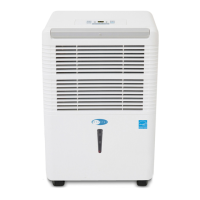
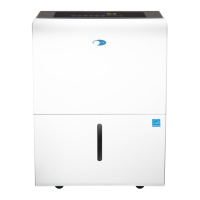
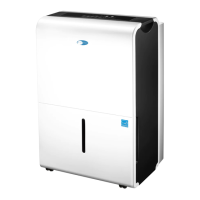
Whynter ELITE D Series - User Manual

Whynter ELITE D Series
18 pages
Print Icon
To Next Page IconTo Next Page
Loading...
Congratulations on your new Whynter product. To ensure proper operation, please read this Instruction Manual carefully before
using this product. Keep this manual in a safe place for future reference.
Model # : RPD-311DW / RPD-451DW
INSTRUCTION MANUAL
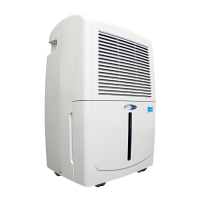
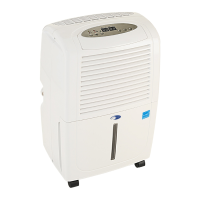
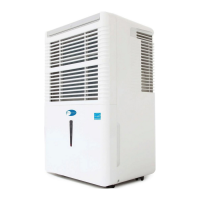
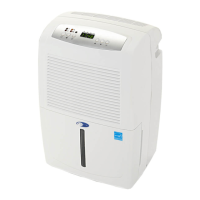
WHYNTER ELITE D–SERIES ENERGY STAR 30/45 PINT PORTABLE DEHUMIDIFIER

Questions and Answers

  • K
    kristinaholmesJul 28, 2025
    What to do if my Whynter ELITE D Dehumidifier does not operate?
    • A
      Alexis BellJul 29, 2025
      If your Whynter Dehumidifier isn't working, here are a few things to check: * First, ensure that there isn't a power outage. * Check the switch, fuse, or breaker, and flip the switch, change the fuse, or turn the breaker back on. Consider that too many appliances might be drawing power from one circuit, so try moving some to another circuit. * Verify that the power supply voltage is correct and move the appliance to another circuit if needed. * Inspect the power cord for damage; if damaged, only authorized personnel should replace it. * If the selected dryness level has been reached, set the unit to Continuous operation if you want to remove more moisture. * Lastly, make sure the drain bucket is empty and properly positioned.
  • K
    Kelli KingAug 3, 2025
    Why does my Whynter ELITE D run too much?
    • S
      Sydney MorrisAug 3, 2025
      Your Whynter Dehumidifier might be running too much due to several reasons: * Check if any windows or doors near the dehumidifier are open and close them. * The area you're trying to dehumidify might be too large, consider using an additional dehumidifier. * Airflow could be blocked, so clean the air filter. * If the dehumidifier is in Continuous mode, set the desired RH% level, and the appliance will stop once that level is reached.
  • T
    Tyler AriasAug 9, 2025
    What to do if my Whynter ELITE D Dehumidifier runs but the room is not dry enough?
    • M
      Martha JoyceAug 9, 2025
      If your Whynter Dehumidifier is running but the room isn't dry enough, consider these points: * The humidity setting (RH%) might be too high. Try setting it to a lower RH%, at least 10% lower than the current level. * Ensure the dehumidifier has at least 10 inches of clearance for proper ventilation. * If the room temperature is below 41°F, the appliance may not operate effectively. * Make sure that windows or doors are closed.
  • A
    Alicia DavisAug 15, 2025
    Why is there water on the floor near my Whynter ELITE D Dehumidifier?
    • P
      Patrick LambertAug 15, 2025
      If you find water on the floor near your Whynter Dehumidifier, check the following: * Ensure the drain bucket is installed securely. * Verify that the drain hose connection is tight and properly installed in the drain outlet. * If using the Drain Bucket method, confirm that the continuous drain assembly is not installed and the rubber drain cover is in place. * If using the Continuous/Gravity Drain method, ensure the hose is securely fastened to prevent leakage and is directed toward a suitable drainage outlet.
  • S
    Stephanie FarleyAug 21, 2025
    Why is there frost on the coils of my Whynter ELITE D?
    • R
      Robert QuinnAug 21, 2025
      Frost appearing on the coils of your Whynter Dehumidifier above the bucket can be normal if the unit has been turned on recently, due to refrigerant rushing through the coil. The frost should disappear within 60 minutes. This often happens when the appliance is operating in temperatures below 53°F. Also, the appliance will not operate satisfactorily if the room temperature is below 41°F.

Summary

Disposal Information

Safety Precautions

Introduction and Technical Data

How the Dehumidifier Works

Explains the process of moisture removal by the dehumidifier.

Energy Saving Tips

Provides guidance for optimal performance and energy efficiency.

Technical Specifications

Details the product's performance metrics and physical dimensions.

Parts and Controls Overview

Unit Components and Accessories

Identifies the main parts of the dehumidifier and included accessories.

Control Panel Functions

Details the operation of each button and indicator light on the control panel.

Operational Modes and Settings

Explains timer functions, humidity control, and energy saver mode.

Indicators, Errors, and Auto-Functions

Describes indicator lights, error codes, and auto-restart feature.

Operation Instructions

Air Filter Installation

Step-by-step guide for installing the air filter.

Starting the Dehumidifier

Instructions for the initial setup and operation.

Unit Positioning Guidelines

Recommendations for optimal placement and clearances.

Water Drainage Instructions

Continuous;Gravity Drain Method

Instructions for setting up continuous water drainage via a hose.

Drain Bucket Operation

Procedure for emptying the water collection bucket.

Maintenance Procedures

Cleaning Exterior and Air Vents

Guide for cleaning the main unit and its grilles.

Cleaning the Water Bucket

Steps for cleaning the drain bucket to prevent mold and mildew.

Cleaning the Air Filter

Instructions for maintaining the air filter for efficient operation.

End of Season Storage

Procedures for storing the dehumidifier when not in use.

Usage Scenarios

Managing Excess Moisture

Using the dehumidifier to prevent mold and improve air quality.

Health Benefits for Allergies

How the unit helps with respiratory problems and allergies.

Basement Moisture Control

Effective use in basements to prevent damage and improve efficiency.

Humid Climate Comfort

Enhancing comfort in humid regions by controlling indoor humidity.

Troubleshooting Common Issues

Unit Not Operating or Running Excessively

Solutions for power issues, continuous operation, or poor drying.

Frost, Noise, and Drying Problems

Addressing frost on coils, loud noise, and insufficient drying.

Leaks and Water Spills

Solutions for unit leaks and water on the floor.

One Year Limited Warranty

Whynter ELITE D Series Specifications

General IconGeneral
ModelELITE D Series
TypeDehumidifier
Water Tank Capacity1.6 gallons
Energy Star RatedYes
RefrigerantR410A
Operating Temperature41°F - 95°F
Voltage115V / 60Hz
Dehumidification Capacity50 pints/day
DrainageContinuous drainage option
Filter TypeWashable filter
FeaturesAuto Restart, Auto Defrost

Related product manuals