EasyManua.ls Logo

Whynter RPD-501WP - User Manual

Whynter RPD-501WP
19 pages
Print Icon
To Next Page IconTo Next Page
Loading...
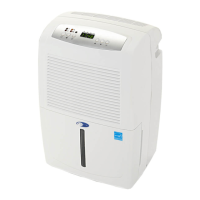
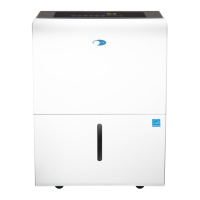
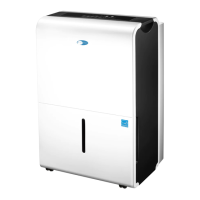
WHYNTER ENERGY STAR 50 PINT PORTABLE
DEHUMIDIFIER WITH PUMP
Congratulations on your new Whynter product. To ensure proper operation, please read this Instruction Manual carefully before
using this product. Keep this manual in a safe place for future reference.
Model # : RPD-501WP
INSTRUCTION MANUAL

Questions and Answers

  • J
    jenniferchapmanJul 29, 2025
    What to do if my Whynter Dehumidifier does not operate?
    • U
      uspencerJul 30, 2025
      If your Whynter Dehumidifier isn't working, several factors could be the cause. First, check for a power failure or outage and restore the power supply. If that's not the issue, see if the automatic switch, line fuse, or breaker has been tripped; flip the switch, change the fuse, or turn the breaker back on. Also, ensure that the power supply voltage is adequate and that the power cord isn't damaged (if it is, contact authorized personnel for replacement). The dehumidifier might have reached the selected dryness level, in which case you can set it to continuous operation. Finally, make sure the drain bucket is empty and properly positioned.
  • I
    Ian SullivanAug 3, 2025
    Why does my Whynter RPD-501WP run too much?
    • C
      Cody SantiagoAug 3, 2025
      Your Whynter Dehumidifier might be running excessively due to several reasons. Check if any windows or doors near the dehumidifier are open and close them. The area you're trying to dehumidify might be too large, requiring an additional dehumidifier. Also, ensure that air movement through the dehumidifier isn't blocked by cleaning the air filter. If the dehumidifier is in continuous mode, set the desired humidity level (RH%) to allow the appliance to stop once that level is reached.
  • C
    Christian LiuAug 7, 2025
    What to do if my Whynter RPD-501WP Dehumidifier runs but the room is not dry enough?
    • C
      Charles OwenAug 7, 2025
      If your Whynter Dehumidifier is running but the room isn't dry enough, consider these points. The humidity setting (RH%) might be too high; lower it by at least 10% below the current RH%. Ensure the dehumidifier has at least 10 inches of clearance for proper ventilation. Also, the room temperature might be too low, as the appliance operates best above 41°F. Finally, check that all windows and doors are closed.
  • B
    Brenda DanielsAug 11, 2025
    Why is there water on the floor from my Whynter RPD-501WP?
    • K
      kjacksonAug 11, 2025
      If you find water on the floor near your Whynter Dehumidifier, it could be due to a few reasons. Ensure the drain bucket is correctly installed. If you're using a drain hose, check that the connection is secure and properly installed. If using the drain bucket method, make sure the continuous drain assembly isn't installed and the rubber drain cover is in place. For continuous/gravity drain and water pump methods, verify the hose is securely fastened and directed towards a suitable drainage outlet to prevent leakage.
  • A
    Aaron BerryAug 15, 2025
    Why does my Whynter Dehumidifier leak?
    • K
      Kathryn ChenAug 15, 2025
      If your Whynter Dehumidifier is leaking, first check if the continuous/gravity drain hose is loose and secure it. If the drain bucket is cracked, contact the Whynter Service Department.
  • R
    Randy PughAug 20, 2025
    Why does frost appear on the coils of my Whynter RPD-501WP Dehumidifier?
    • W
      William PaulAug 20, 2025
      If you notice frost on the coils of your Whynter Dehumidifier, it could be normal if the unit was recently turned on; the frost should disappear within 60 minutes as refrigerant moves through the coil. However, if the room temperature is too low (below 41°F), this can also cause frost to appear.
  • W
    Walter SpearsAug 25, 2025
    Why does the pump indicator light blink on my Whynter RPD-501WP?
    • C
      Curtis RamosAug 26, 2025
      If the pump indicator light is blinking on your Whynter Dehumidifier, it could be because the water pump filter is dirty; try cleaning the filter. Another reason could be that the water pump drain hose is obstructed or kinked, so ensure it is free from obstructions.

Summary

DISPOSAL INFORMATION

Environmental Disposal Guidelines

Information on proper disposal of the appliance and its packaging for environmental protection.

SAFETY PRECAUTIONS

General Safety Warnings

Crucial safety instructions to reduce the risk of fire, shock, or injury during use.

INTRODUCTION

How the Dehumidifier Works

Explains the basic operational principle of the dehumidifier's fan and coils.

Energy Saving Tips

Provides guidance for maximizing the dehumidifier's performance and efficiency.

Technical Specifications

Lists the detailed technical data and specifications for the RPD-501WP model.

PARTS AND CONTROLS

Main Unit Components

Identifies the key external parts and outlets of the dehumidifier unit.

Control Panel Functions

Details the buttons, indicator lights, and display functions on the control panel.

Advanced Features and Indicators

Explains features like Energy Saver, Timer, Bucket Full, and Auto Defrost indicators.

Display Readouts and Error Codes

Describes display indications, error codes, and the auto-restart function.

OPERATION INSTRUCTIONS

Air Filter Installation

Instructions for installing the air filter before initial operation.

Initial Setup and Operation

Step-by-step guide on how to start and set the dehumidifier.

Unit Positioning Guidelines

Recommendations for placing the dehumidifier for optimal performance and safety.

WATER DRAINAGE INSTRUCTIONS

Drain Bucket Emptying

Procedures for safely removing and emptying the internal water collection bucket.

Continuous;Gravity Drainage Setup

Instructions for connecting a hose for continuous water drainage via gravity.

Water Pump Drainage Operation

Details on using the built-in water pump for draining water over longer distances.

MAINTENANCE

Cleaning the Unit and Water Bucket

Procedures for cleaning the air grille, main unit, and the water collection bucket.

Air Filter Maintenance

Steps for cleaning the air filter to ensure efficient operation.

Seasonal Storage Procedures

Guidance on preparing the dehumidifier for storage at the end of the season.

TIPS ON WHEN TO USE YOUR PORTABLE DEHUMIDIFIER

Recommended Use Cases

Discusses optimal scenarios for dehumidifier use, like managing moisture and allergies.

TROUBLESHOOTING

Common Operational Problems

Solutions for issues like unit not operating or running excessively.

Frost and Noise Troubleshooting

Addresses problems related to frost on coils and unusual noise.

TROUBLESHOOTING

Leak and Water Spillage Issues

Covers troubleshooting for leaks, pump indicator faults, and water on the floor.

ONE YEAR LIMITED WARRANTY

Warranty Coverage and Limitations

Details the terms, coverage, exclusions, and disclaimers of the limited warranty.

Whynter RPD-501WP Specifications

General IconGeneral
BrandWhynter
ModelRPD-501WP
CategoryDehumidifier
LanguageEnglish

Related product manuals