6 7
Volume control
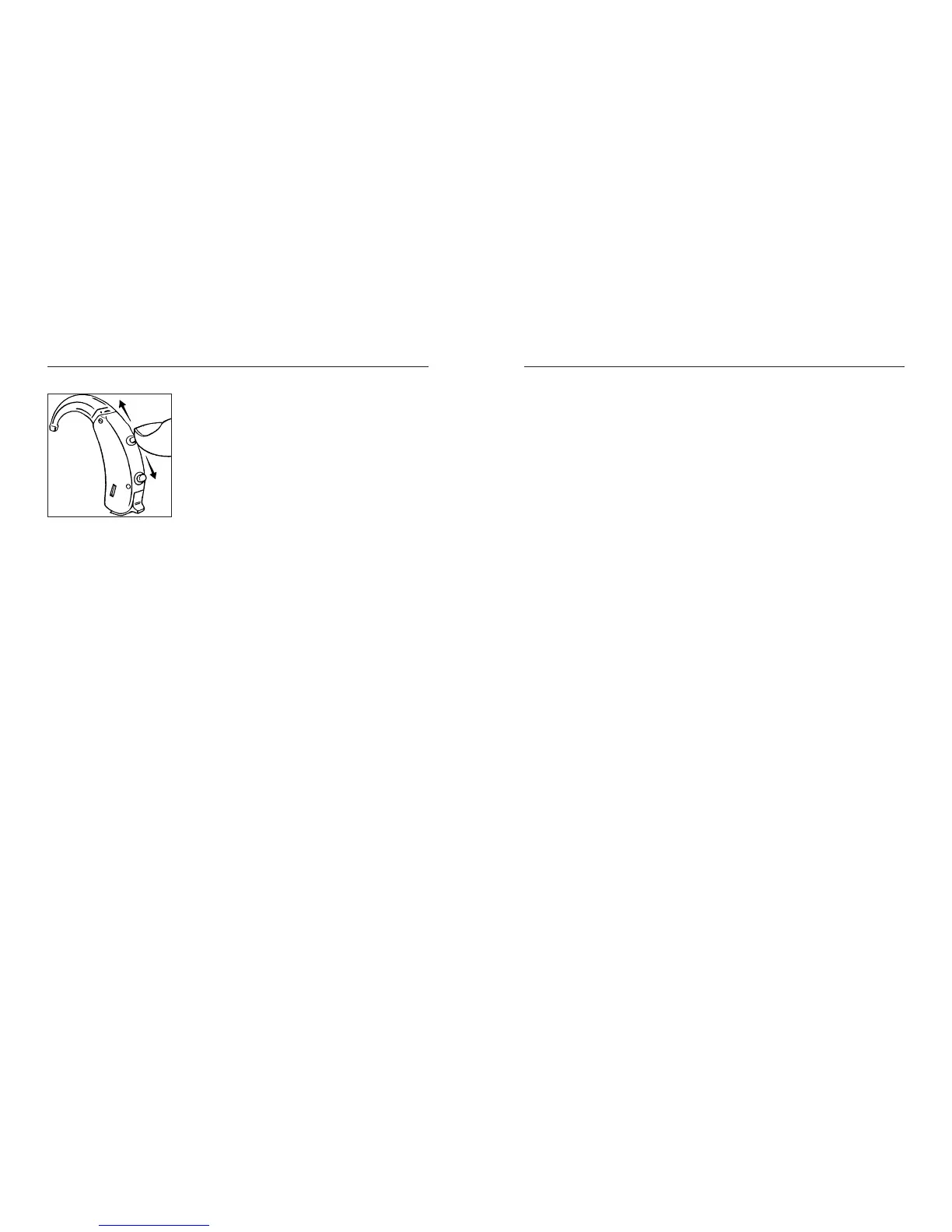
Your hearing aid has a digital
volume control, shaped like a
small lever. Push the lever up-
wards to raise the volume. Push
the lever downwards to lower
the volume. Use short touches
for minor corrections of the vol-
ume. Faster adjustments are obtained by keeping
the lever pressed for some seconds.
When you raise the volume, you will hear a beep-
tone for each step the volume is raised. When the
maximum adjustment level is reached, a steady
tone will sound until you release the lever.
When you lower the volume, you will hear a deep-
er beep-tone for each step the volume is lowered.
When the minimum adjustment level is reached,
a steady tone will sound until you release the le-
ver.
Bravo is equipped with a computer which has
been designed to adjust its sound automatically
in accordance with the sound environment around
you.
Several thousand times per second, Bravo analy-
ses the surroundings and tailors its sound accord-
ingly.
Therefore, with this digital instrument you only
need to adjust the volume to obtain an as natural
and comfortable sound as possible.
Any adjustment of the automatic volume setting
will be cancelled when your hearing aid is turned
off. Therefore, you must adjust the volume again,
if desired, each time you turn the hearing aid on.
Important: If the volume in your hearing aid is
too loud or too weak, or if you would like any fur-
ther information, consult the hearing healthcare
professional where you received your hearing
aid.



 To Next Page