Home
Widex
Hearing Aid
D-9
Page 13 (Hearing Aid Identification)
Widex D-9 - Hearing Aid Identification
48 pages
Manual
Save Page as PDF
To Next Page
To Next Page
To Previous Page
To Previous Page
Loading...
13
Ri
g
ht
/l
ef
t i
d
e
nti
f
ic
a
tio
n
If you wear h
ea
ring aid
s on b
oth
ea
rs
, the h
e
aring a
ids c
a
n be p
ro-
vide
d with colo
ure
d mar
k
s (
re
d ma
rk
= right a
nd b
lue m
ar
k = lef
t
).
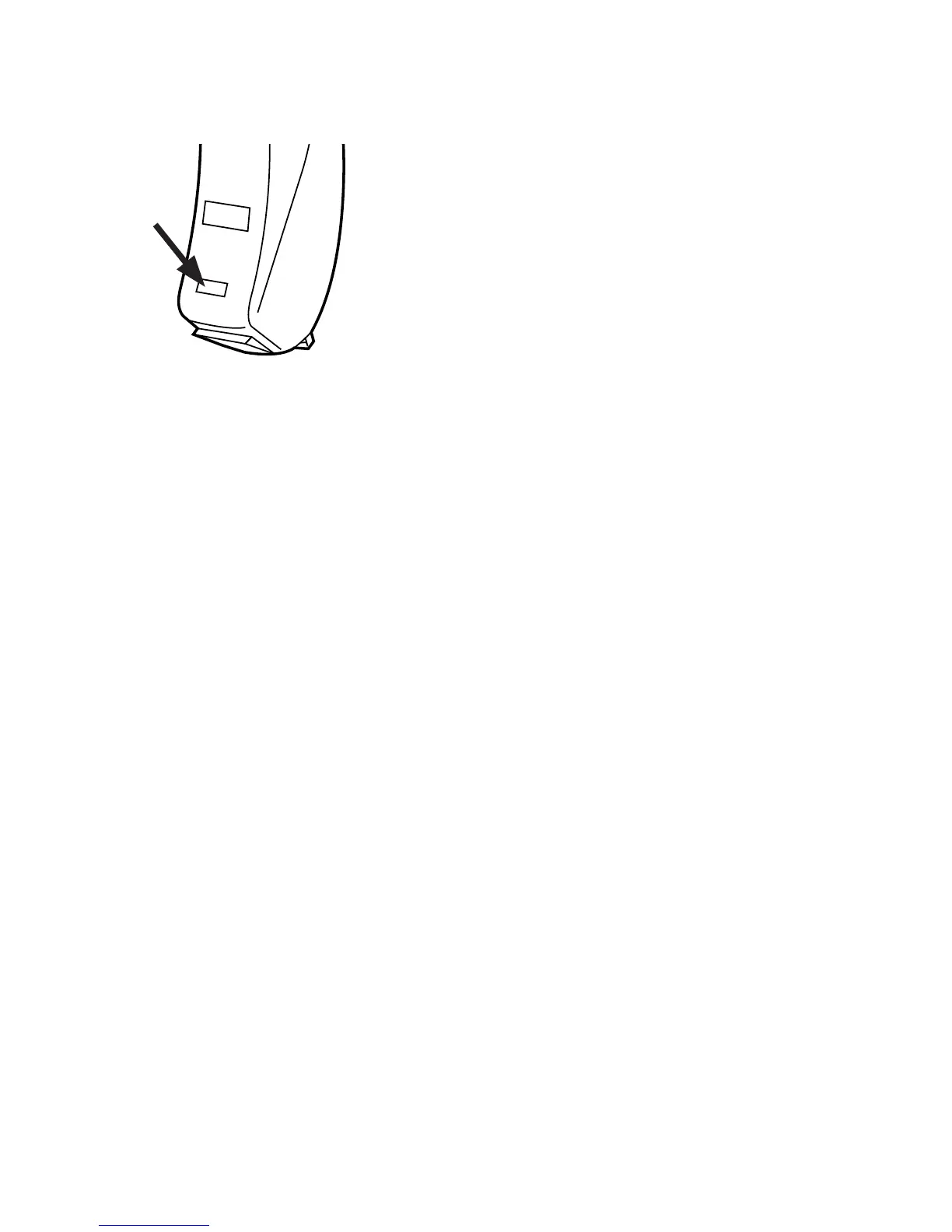
Th
e ar
row shows the p
osition of th
e
iden
t
ifica
t
ion
mark.
12
14
Table of Contents
Main Page
Table of Contents
3
Symbols
4
The Hearing Aid
5
Acoustic Indicators
8
The Battery
9
Inserting the Battery
9
Low Battery Indication
11
Turning the Hearing Aid on and off
12
Right/Left Identification
13
Positioning the Hearing Aid
14
Removing the Hearing Aid
15
Volume Adjustment
16
Lost Partner Alarm
18
Programs
18
Switching between the Listening Programs
22
Zen
23
Phone
23
Using a Telephone
24
Cleaning
25
The Hearing Aid
26
Accessories
27
In Case of Malfunction
31
Caring for Your Hearing Aid
33
Warnings
34
Advice
38
Adapting to Your Hearing Aids
39
Regulatory Information
41
Additional Program Forms
46
Related product manuals
Widex DAILY D-CIC
36 pages
Widex BTE R D CHARGE n CLEAN
228 pages
Widex M-DEX
130 pages
Widex COM-DEX
164 pages
Widex DREAM440
80 pages
Widex DEX COM-DEX
134 pages
Widex Senso Diva Series
40 pages
Widex Senso Diva SD-19M
21 pages
Widex EVOKE
4 pages
Widex EAR-SETS
44 pages
Widex MOMENT Series
44 pages
Widex mind 220 Series
68 pages










 To Next Page