
 Need help?
Do you have a question about the Widinovations Widlaser C500 and is the answer not in the manual?
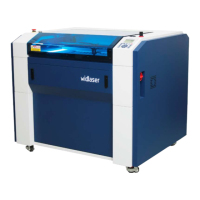
Introduces the widlaser C500 as a high-quality CO2 laser machine.
Introduces Widinovations, Ida, as the manufacturer of the widlaser C500.
Details procedures for inspecting the machine's packaging upon delivery.
Explains laser safety classes and risks associated with the widlaser C500.
Specifies electrical connection requirements and safety for the machine.
Outlines essential safety practices for operating the machine.
Lists materials that can be engraved and cut by the widlaser C500.
Describes optional accessories available for the widlaser C500.
Lists the primary components of the widlaser C500 machine.
Details the physical dimensions, labels, and characteristics of the machine.
Details the power requirements and grounding specifications for the widlaser C500.
Lists specifications for the laser component of the machine.
Provides step-by-step instructions for unpacking the widlaser C500.
Specifies the required clean, dust-free, and stable environment for installation.
Describes the dust/smoke exhaust and ventilation inlets of the machine.
Provides guidance on operating the widlaser C500 safely and securely.
Identifies and describes the external parts and control panels of the machine.
Details the internal components and parts of the machine.
Explains the assembly and types of lenses used in the widlaser C500.
Lists checks to perform before starting to work with the machine.
Explains the importance of focal distance and how to set it.
Provides a procedure to accurately verify and set the laser's focal distance.
Mentions the software provided on USB and refers to its manual.
Describes the function of the main safety door and its importance.
Guides on how to place and position material on the machine table.
Details the procedures for powering the machine on and off.
Provides a step-by-step guide for powering on the widlaser C500.
Provides a step-by-step guide for powering off the widlaser C500.
Explains the safety door interlock mechanism for starting jobs.
Outlines a schedule for daily, weekly, monthly, and annual maintenance tasks.
Provides detailed instructions on how to safely clean the machine's lenses.
Lists common problems, their possible causes, and recommended resolutions.
 General
| Print Technology | Laser |
|---|---|
| Resolution | Up to 1200 x 1200 dpi |
| Operating System Compatibility | Windows, macOS, Linux |
| Duplex Printing | Automatic |
| Connectivity | USB, Ethernet |

 To Next Page