The Spotify Software is subject to third party licenses found here:
https://www.spotify.com/connect/third-party-licenses
7.2 AIRPLAY 2
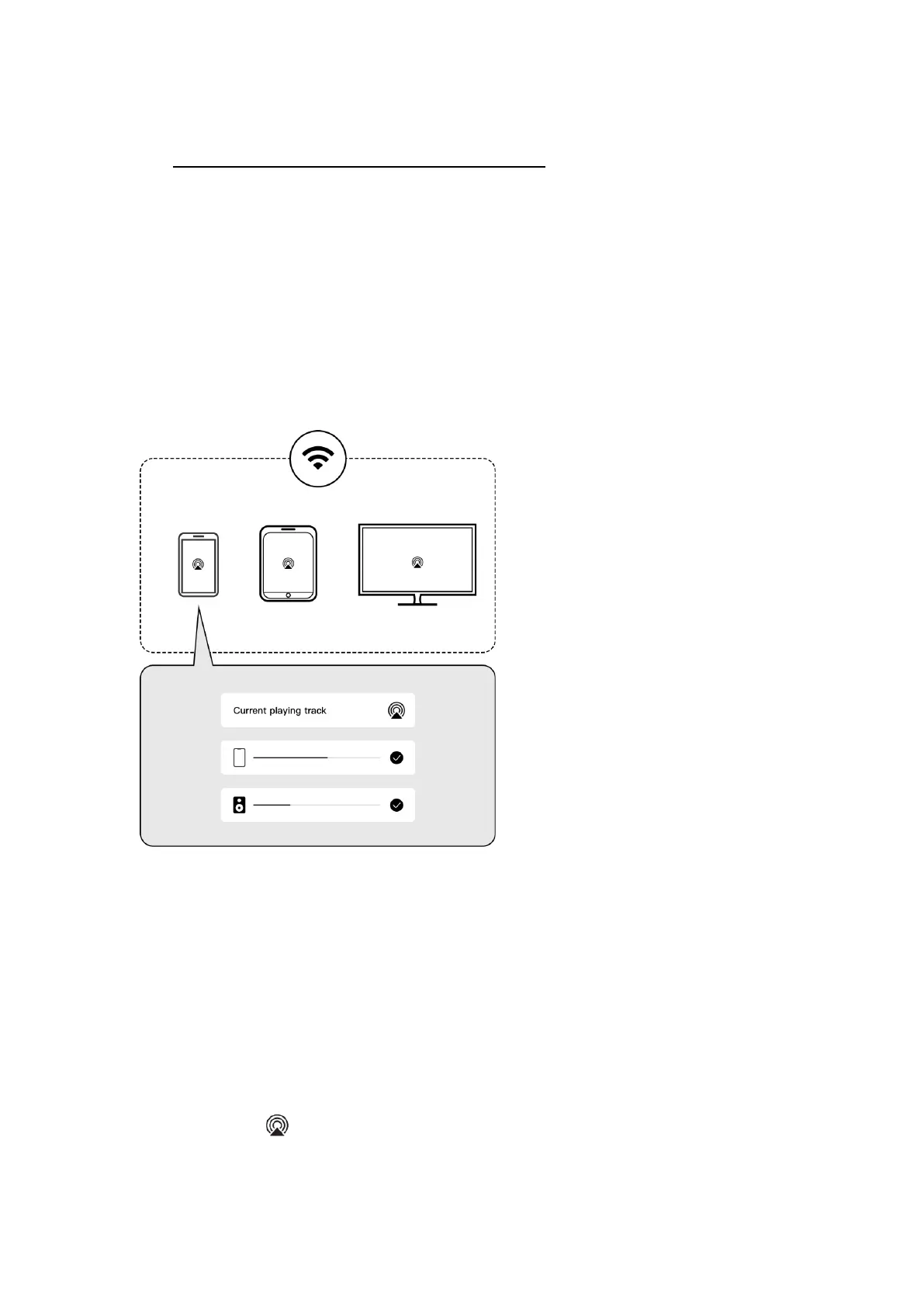
WiiM Pro turns your stereo into an AirPlay 2-enabled speaker to stream the music that you
love from iOS, Mac and PC devices or stream TV audio from Apple TV. It’s an easy and
affordable way to connect your Apple devices to your favorite audio equipment and
upgrade to an AirPlay 2 receiver.
With AirPlay 2, it lets you stream music from your iOS, MAC, PC and Apple TV device to
more than one product to create multiroom audio experience over WiFi.
The WiiM Pro can play AirPlay 2 audio, which allows you to quickly stream audio
from your Apple device to the external speaker or multiple speakers.
NOTES:
• To use AirPlay 2, you need an Apple device running iOS 11.4 or later.
• Your Apple device and WiiM Pro must be connected to the same Wi-Fi network.
• For more information about AirPlay 2, visit: https://www.apple.com/airplay
STREAM AUDIO FROM THE CONTROL CENTER
1. On your Apple device, open the Control Center.
2. Tap and hold the audio card in the top-right corner of the screen, then tap the
AirPlay icon .
3. Select your WiiM Pro device.


 To Next Page