12 STREAM AUDIO TO WIIM PRO WITH BLUETOOTH
Bluetooth wireless technology lets you stream music from mobile devices such as
smartphones, tablets, TV and laptop computers. Before you can stream music from a
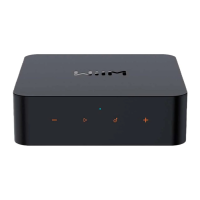
device, you must first pair your mobile device to the WiiM Pro. You can put the WiiM Pro
into the pairing mode by press and hold the volume ‘+’ and ‘-‘ buttons together for 2
seconds.
The Bluetooth supports A2DP and AVRCP profile and both SBC and AAC codec are
supported.
13 ADVANCED FEATURES
13.1 UPDATE THE SPEAKER
● The speaker updates automatically when connected to your Wi-Fi network.
● Upgrade from 2:00-5:00 a.m. in your time zone. During the silent upgrade, there
should be no sound and no indication.
13.2 DISABLE/ENABLE WI-Fi
You can disable Wi-Fi if you want to connect your device with your network via
Ethernet only. You can do so in the device setting and WiFi status page.
14 FAQ
If you experience problems with the audio streamer, try these solutions first:
● What can I do if I cannot find device?
Ensure that the network is available and the device is powered on properly.
Restart the device.
Check the LED on the device is solid white.
If not, reconfigure the device to the network.
● What can I do if my device has no sound?
Ensure that the power amplifier is powered on normally.
Ensure that the 3.5mm (1/8 ") end of the cable and optical fiber line is working properly
and the interface is not loose.
Make sure the amplifier and equipment are at a normal audible volume.
● What can I do if my device cannot power on normally?
Check the device status and ensure that the power cable works properly.
SUPPORT
If you could not resolve your issue, check the table below for troubleshooting tips. If you
are unable to resolve your issue, please check our support and send us an email about


 To Next Page