28 WIKA operating instructions, model CPG1200
EN
14603921.02 06/2023 EN/DE
6. Commissioning, operation
6.3 Instrument operation/Basic functions
6.3.1 Switching on/Switching off
▶
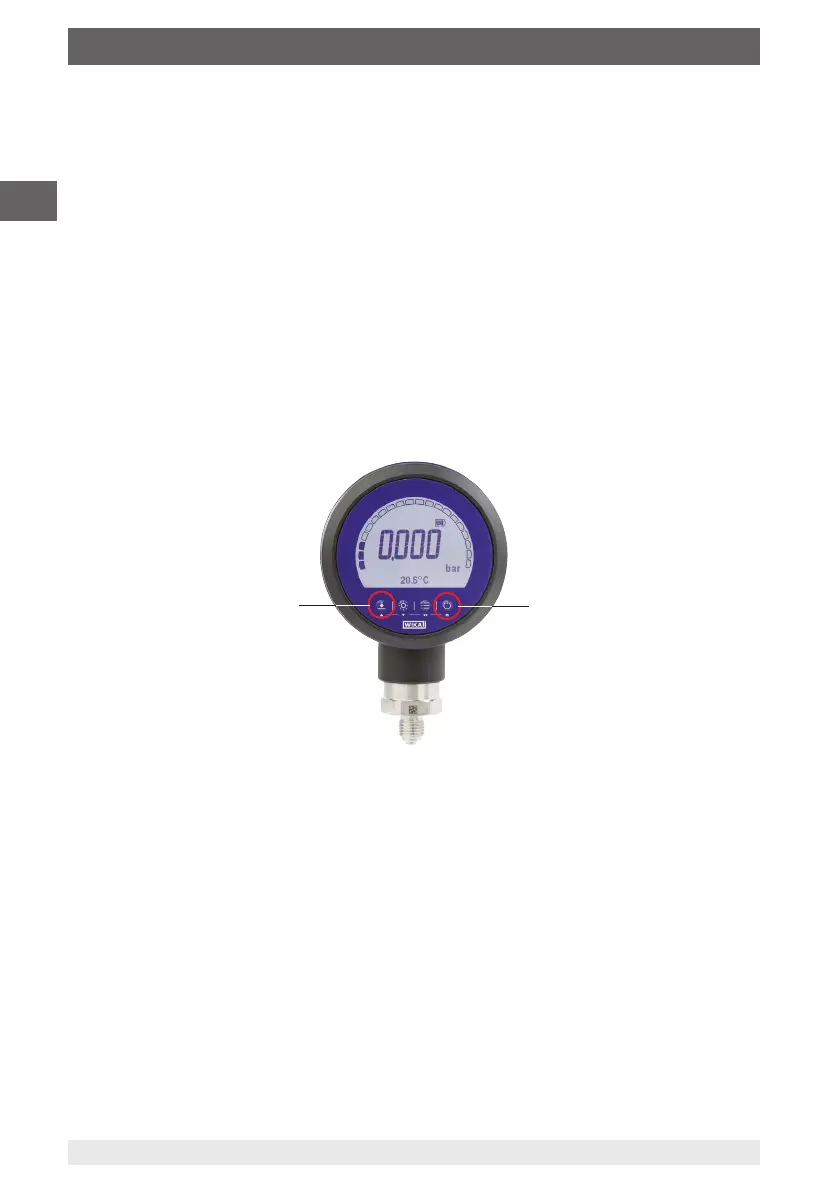
Make a long press on the [On/Off] button to switch on the digital pressure gauge.
▶
Push the button for 2 seconds to switch it off.
After switching on, the start-up screen with pressure range is shown on the display for
approx. 2 seconds.
6.3.2 Zero point adjustment
Zeroing the indication value to 0
▶
Press the [ZERO/▲] button.
For gauge pressure measuring ranges, the CPG1200 must be set to 0 with the
[ZERO/▲] button before each use.
6.3.3 MAX/MIN
The CPG1200 stores the minimum and maximum pressure in the memory.
This value can be activated under “Menu” / “Measure mode” / “Peak Values” and is
displayed in the matrix field.
[ON/OFF] button
[ZERO/▲] button



 To Next Page