48 WIKA operating instructions, model CPG1200
EN
14603921.02 06/2023 EN/DE
3. Switch the Bluetooth
®
“On” using the [LIGHT/▼] button or the [ZERO/▲] button.
4. Confirm the selection with the [MENU/◀▶] button.
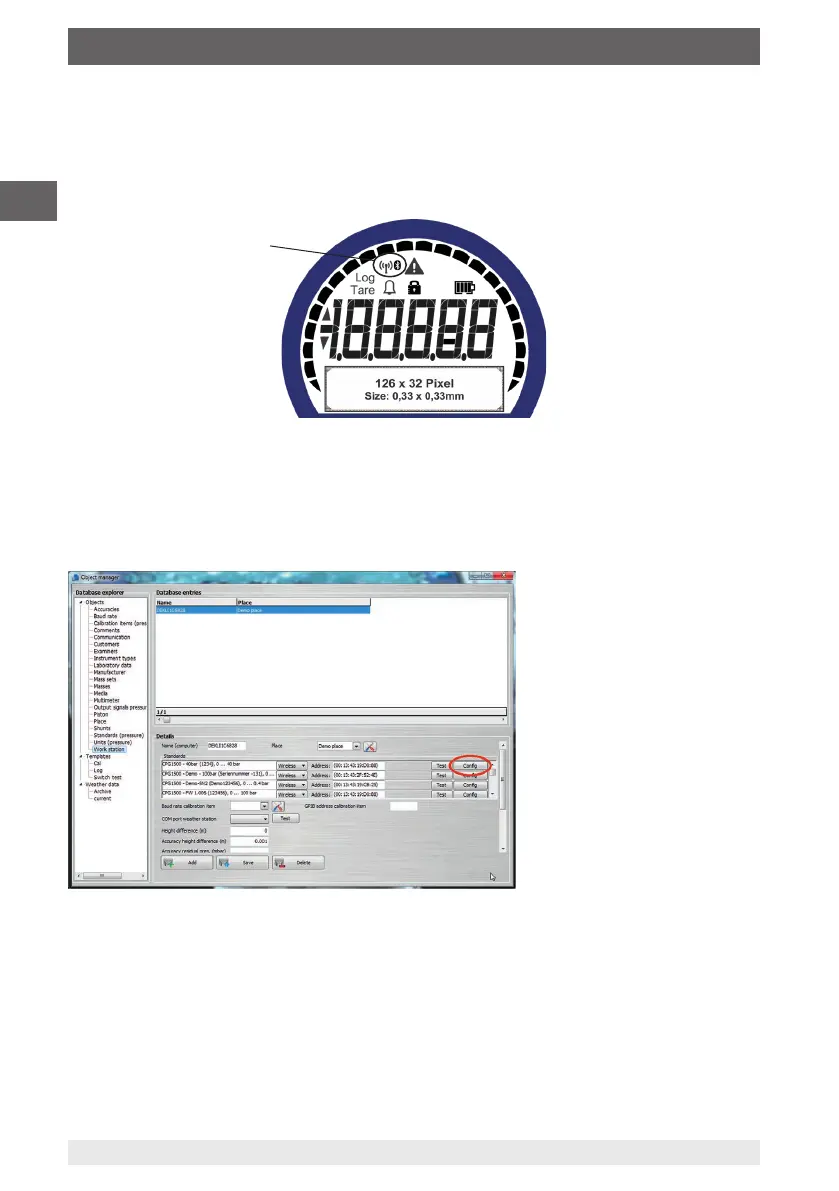
The Bluetooth
®
symbol in the display flashes when the Bluetooth
®
is switched on.
The Bluetooth
®
symbol is displayed continuously when a connection has been created.
If no Bluetooth
®
connection can be established with an instrument within 30 seconds,
Bluetooth
®
is deactivated. For further information, see also chapter 5.6.4 “Bluetooth®”.
7.5.2 WIKA-Cal configuration (also possible with the demo version)
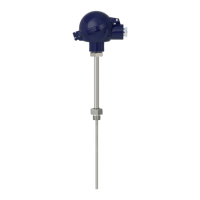
1. In the WIKA-Cal, define CPG1200 as standard in “Object manager” / “Standards
(pressure)” and assign it to the workplace.
2. Open the menu item “Workstation” / “Object manager”.
3. Call up the Wireless function.
⇒
The wireless monitor opens.
4. Click in the address field.
⇒
The address will be displayed automatically. If required, correct this.
Bluetooth
®
symbol
7. Operation via menu functions



 To Next Page