49WIKA operating instructions, model CPG1200
EN
14603921.02 06/2023 EN/DE
The communication is working properly if the pressure value displayed on the
instrument is shown after pressing the [Test] button.
If the “Bluetooth” in the CPG1200 is not activated, an error message “Activate
Bluetooth in the CPG1200“ appears, see chapter 7.5.1 “Activating Bluetooth® in the
CPG1200”
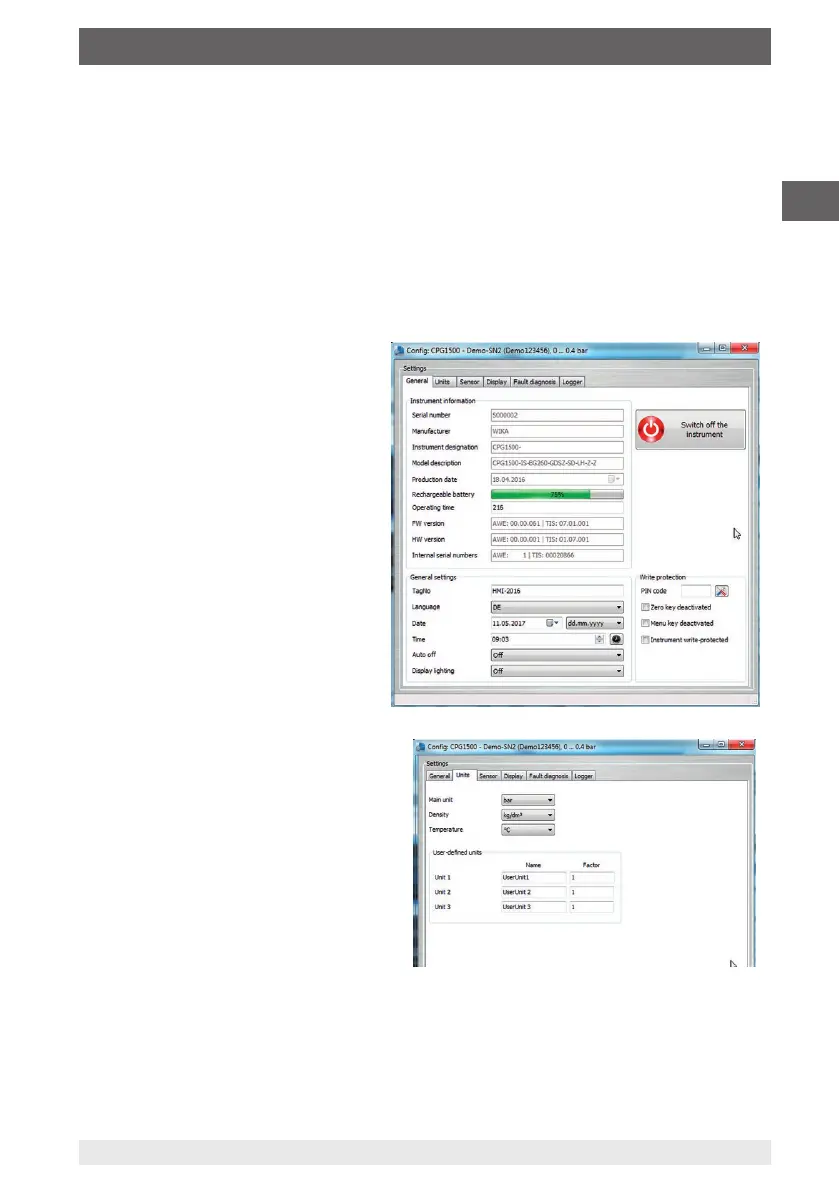
5. Access the configuration of the instrument via [Config] in the dialog window.
The “General”, “Units”, “Sensor”, “Display”, “Fault diagnosis” and “Logger”
functions are available in the configuration window.
General
Here are all the general parameters of
the CPG1200 used.
It features the write protection via a
PIN code. This allows the setting to
be protected against unauthorised
access.
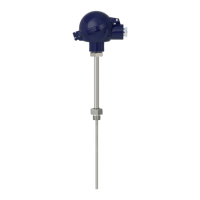
Units
You can set specific pressure units with
associated factor or enter user-defined
units.
Sensor
The sensor values can be displayed and be readout.
Display
Here you can set the display.
7. Operation via menu functions



 To Next Page