50 WIKA operating instructions, model CPG1200
EN
14603921.02 06/2023 EN/DE
Fault diagnosis
An error description and error code are displayed.
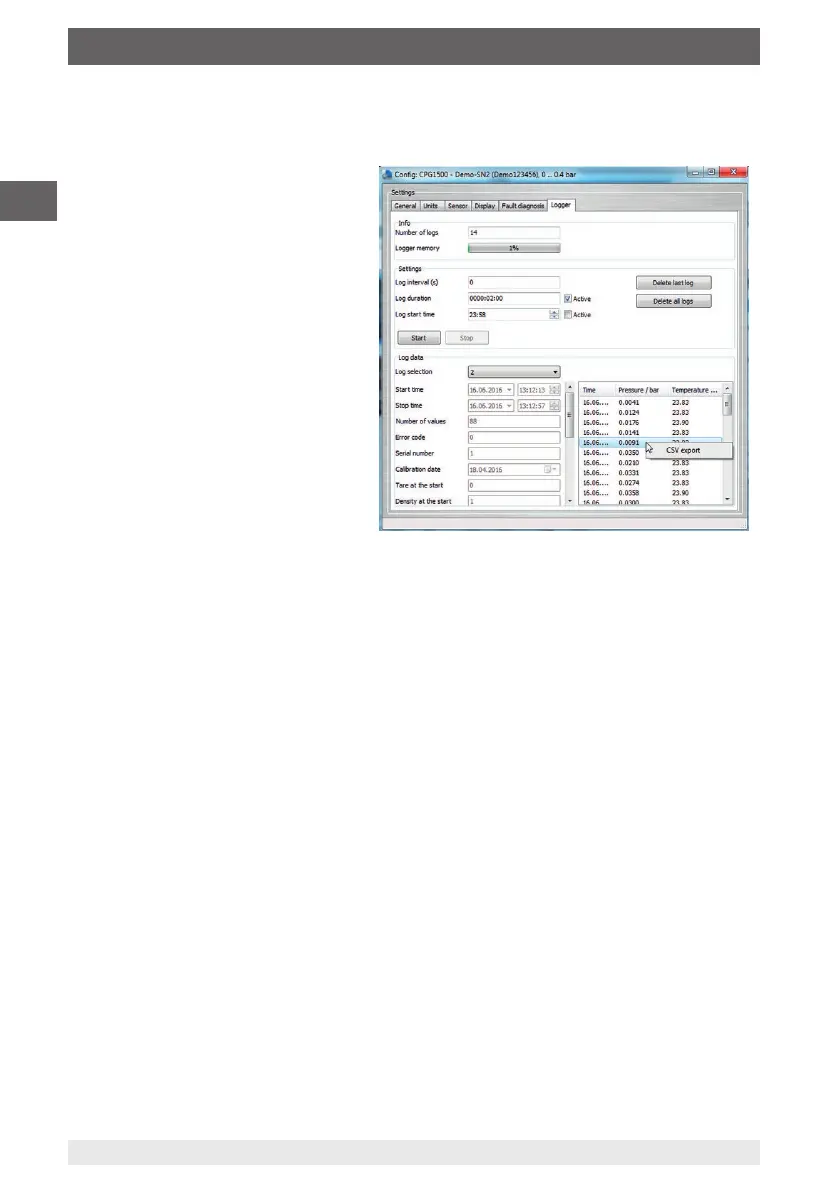
Logger
Here you can configure and start the
logger.
The logger data are shown and can
be downloaded as CSV file by a right
click on the mouse.
7.5.3 WIKA-Cal Log-Template
The following options are available with the “Log-Template”:
New log
The “New log” function opens a new logger protocol.
Following the input of all parameters, the “Wireless address” line must be pressed in
the communication window. Select the CPG1200 used and confirm.
By pressing the [Measuring results] graphic, the logger process is started.
Relog
Logger processes can be repeated.
Download
The logger sequences stored on the CPG1200 can be downloaded and archived using
“Download”.
7. Operation via menu functions



 To Next Page