DG-10-S
DG-10-E
7. Starting, operation
GB
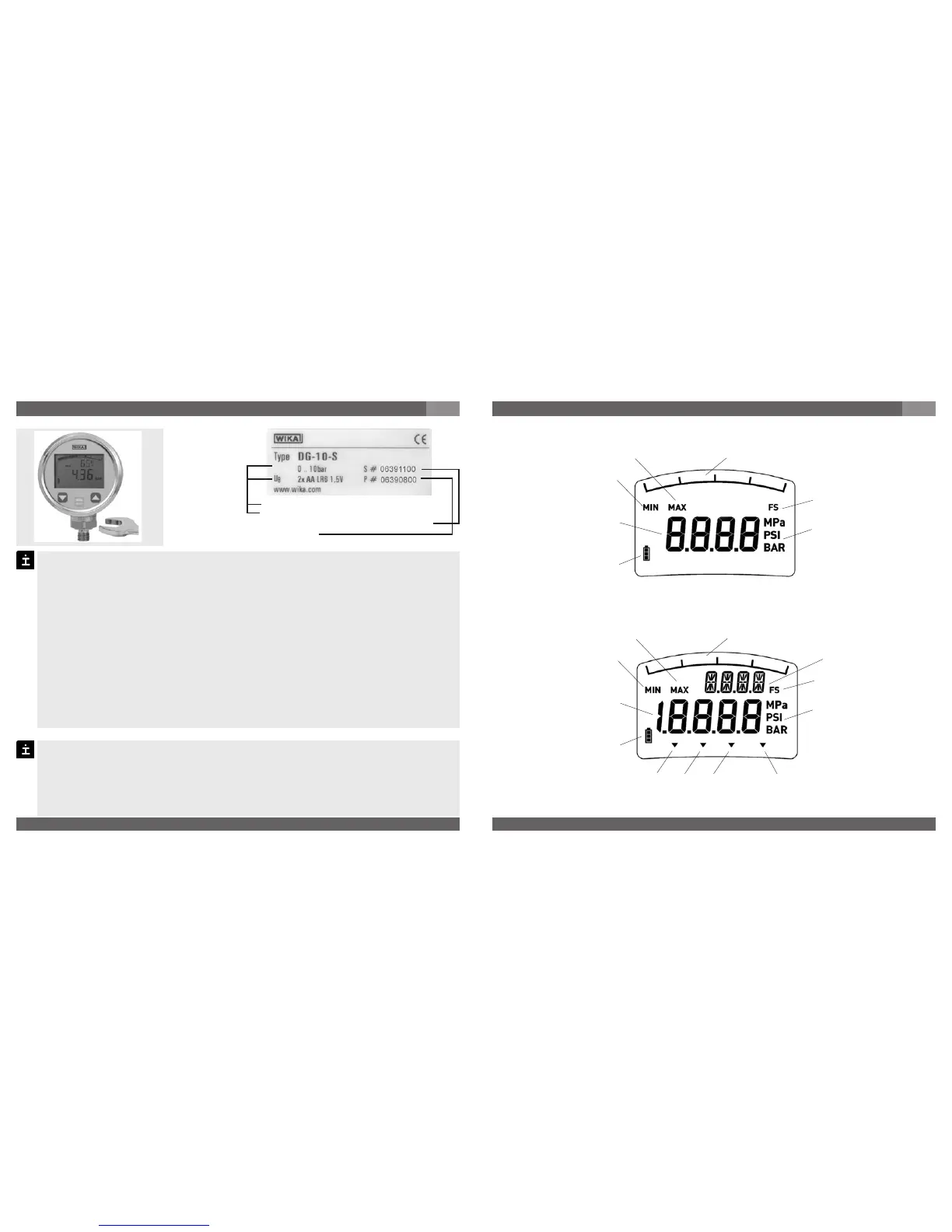
Pressure range
Power supply
Serial No. with coded manufacture date
Product No.
S #
P #
Mechanical connection Product label (example)
For Model DG-10 you have to provide for a sealing element; exceptions are instru-
ments with self-sealing threads (e.g. NPT thread).
Please refer to our data sheet “Pressure gauge sealing washers AC 09.08” in WIKA’s
product catalog Pressure and Temperature Measurement or our website
www.wika.de for details about sealing washers.
When mounting the instrument, ensure that the sealing faces of the instrument and
the measuring point are clean and undamaged.
Screw in or unscrew the instrument only via the flats using a suitable tool. The
appropriate torque depends on the dimension of the pressure connection and on
the sealing element used (form/material). Do not use the case as working surface for
screwing in or unscrewing the instrument.
When screwing the digital gauge in, ensure that the threads are not jammed.
For tapped holes and welding sockets please see Technical Information IN 00.14 for
download at www.wika.de -Service
Operate the digital gauge with 2 Mignon batteries AA.
If the charge state of the batteries is low, a flashing battery symbol will appear on the
display. In this case, replace the batteries.
Open the battery compartment cover on the back of the digital gauge.
Replace the batteries with 2 new Mignon cells. Close the cover of the battery
compartment.
Power supply
7. Starting, operation
GB
Description of display screen
Max. value
Min. value
Main display
Battery status
Bar graph display
Full scale
Unit
Max. value
Min. value
Main display
Bar graph display
Full scale
Unit
Special function Tare
2nd display
Battery status



 To Next Page