64
Cotats see laout
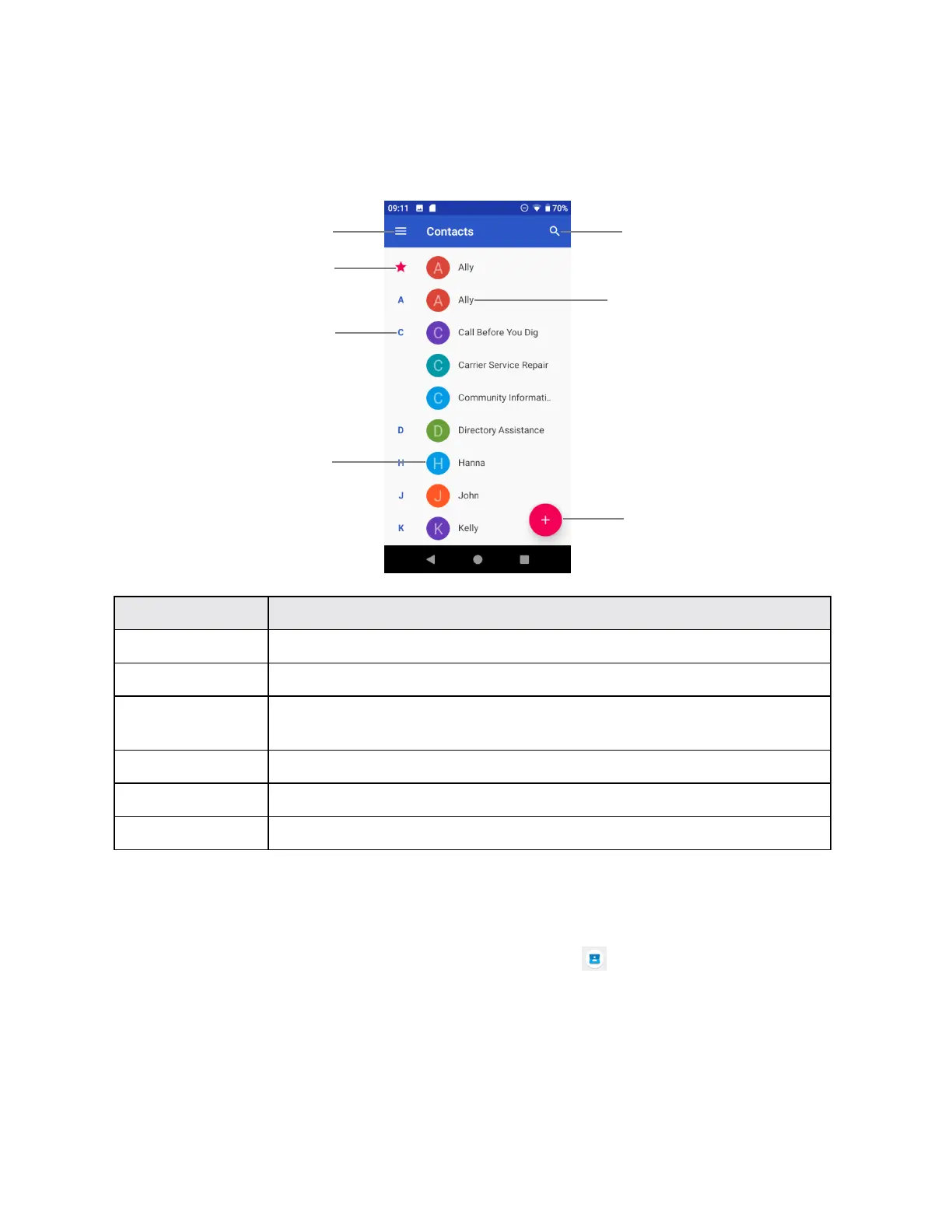
The following illustration show‟s your Contacts app layout and describes the various features.
Tap to show contact‟s details.
Tap to show thumbnail of contact entry. Tap an icon to place a call, send
a message, etc.
Browse contacts by letter.
Edit a otat
Once you‟ve added a contact, you can add or edit any of the information in the entry, assign a
caller ID picture, customize with a unique ringtone, and more.
1. From home, swipe up to access Apps, and tap Contacts .
2. Tap a contact to view its details



 To Next Page