78
3. Tap a label for the thread.
Ahie Gail theads
Remove sent and received Gmail threads so they do not appear in the inbox. When replies
arrive for archived threads, they appear in the inbox again.
1. From home, swipe up to access Apps, and tap Gmail .
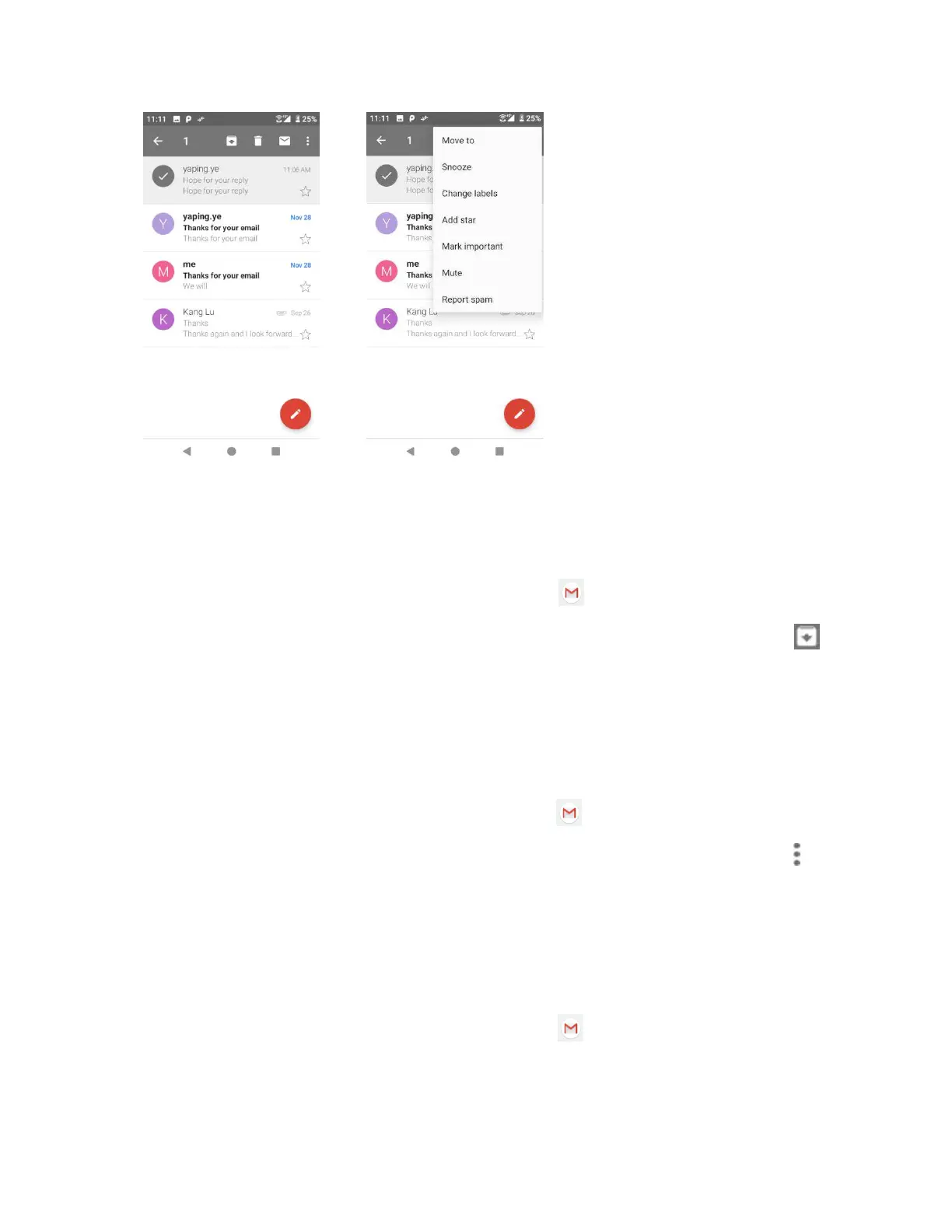
2. Touch and hold a conversation thread to add a checkmark to it, and then tap Archive .
Mute Gail theads
If registered on a mailing list, there will be threads with always-continuing conversations. For
long threads that are not important, mute the threads and they will no longer appear in the
inbox. When mail arrives that includes user's address as a recipient or in Cc, mail will again
appear in the inbox.
1. From home, swipe up to access Apps, and tap Gmail .
2. Touch and hold a conversation thread to add a checkmark to it, and then tap Options >
Mute. The thread is now hidden.
Delete Gail theads
If you no longer wish to keep a Gmail conversation thread, you can simply delete it from the
inbox.
1. From home, swipe up to access Apps, and tap Gmail .



 To Next Page