14
EN
INSTRUCTION MANUAL · AIR CONDITIONER
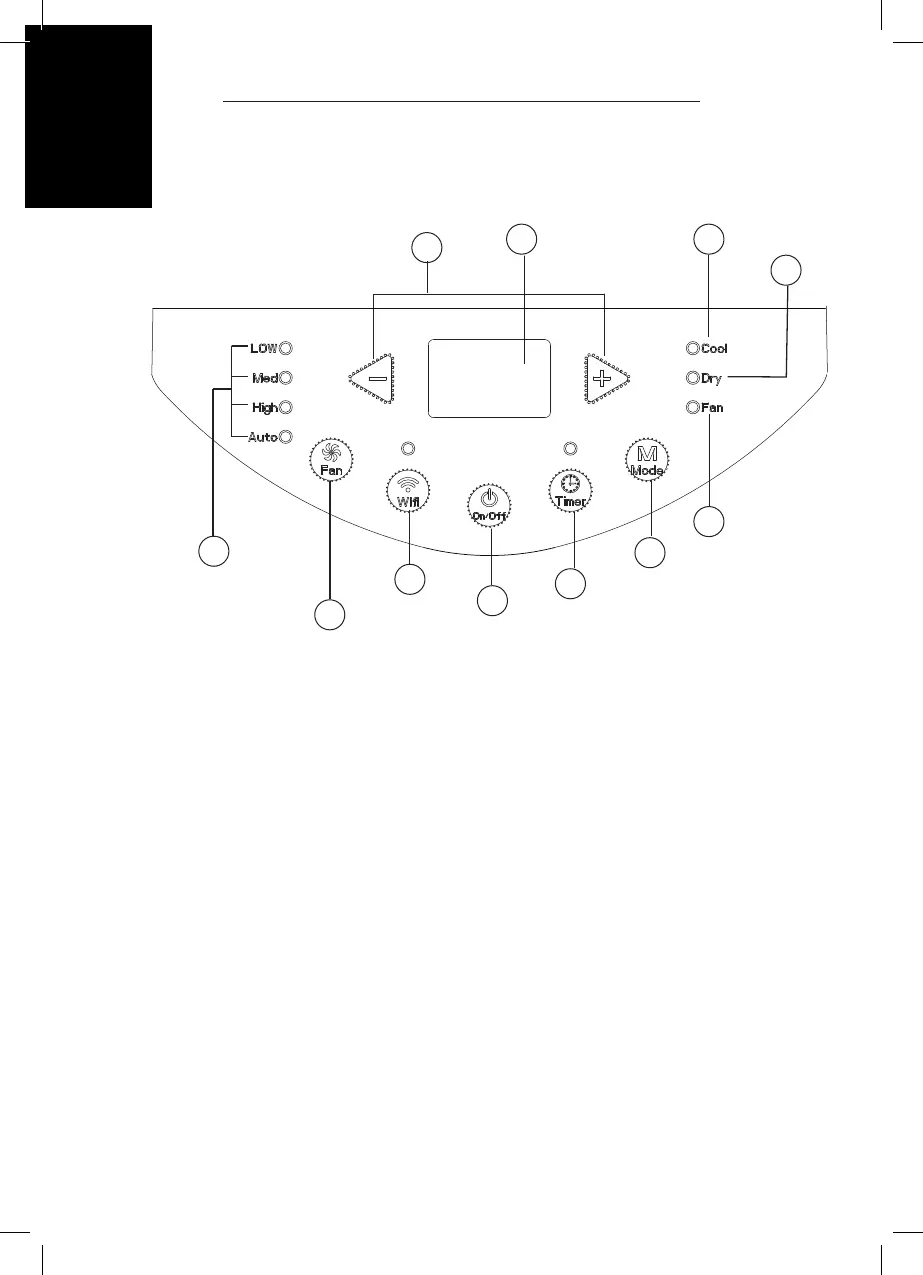
PRODUCT OVERVIEW – CONTROL PANEL
1. ON/OFF button
2. +/- button
3. Mode button
4. Fan button
5. Timer button
6. Wi- button
7. Display
8. Cool mode indicator
9. Dry mode indicator
10. Fan mode indicator
11. Fan speed indicator
1
2
3
4
6
7 8
9
5
10
11
USE
• After connecting the air conditioner to the power supply, it will sound a beep.
After that, you can operate the air conditioner by the control panel.
• Under ON status, after each pressing of the button on control panel, the air
conditioner will give out a sound. Meanwhile, corresponding indicator on
control panel will be bright.


 To Next Page