12
OPERATION
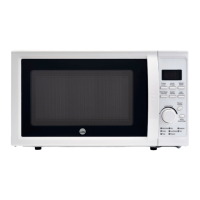
Control panel
• MENU ACTION SCREEN
Cooking time, power, action indicators, and
clock time are displayed.
• POWER LEVEL
Touch this button a number of times to set
microwave cooking power level.
• CLOCK/PRESET
Touch this button to start setting the oven
clock and ending by touching it again.
Used to set a preset program to start the oven
at a specified time.
• WEIGHT ADJUST
Touch this button to select specify food
weight or number of servings.
• MULTI STAGE COOKING
Touch to several consecutive functions.
• SPEED DEFROST
Touch to defrost food by time.
• AUTO DEFROST
Use to defrost food by weight.
• MENU/TIME
Turn the dial to set cooking time or menu.
• START/QUICK START
Touch to start a cooking program.
Simply touch it a number of times to begin
express cooking without previously setting
power level and cooking time
• PAUSE/CANCEL
Press to cancel setting or reset the oven
before setting a cooking program.
How to set the oven controls
Each time a button is touched, a beep will
sound to acknowledge the touch.
WMO-D20L700W_IM.indb 12 07.09.16 15.20


 To Next Page