page.
b. Delete All.
4.3 Format of SD Card
a. No
b. Yes: to format SD card via camera.
Press “←” and “→” for selection, “Yes” to confirm, “No” to exit to previous page.
4.4 Auto Power Off
In Test mode, camera will automatically enter PIR Auto mode if no keypad touching within 60
sec. Please manually turn ON it as if you want to do some further configuration.
Note: camera stay in “Test” mode if camera is in Menu configuration pages.
4.5 Operation Menu
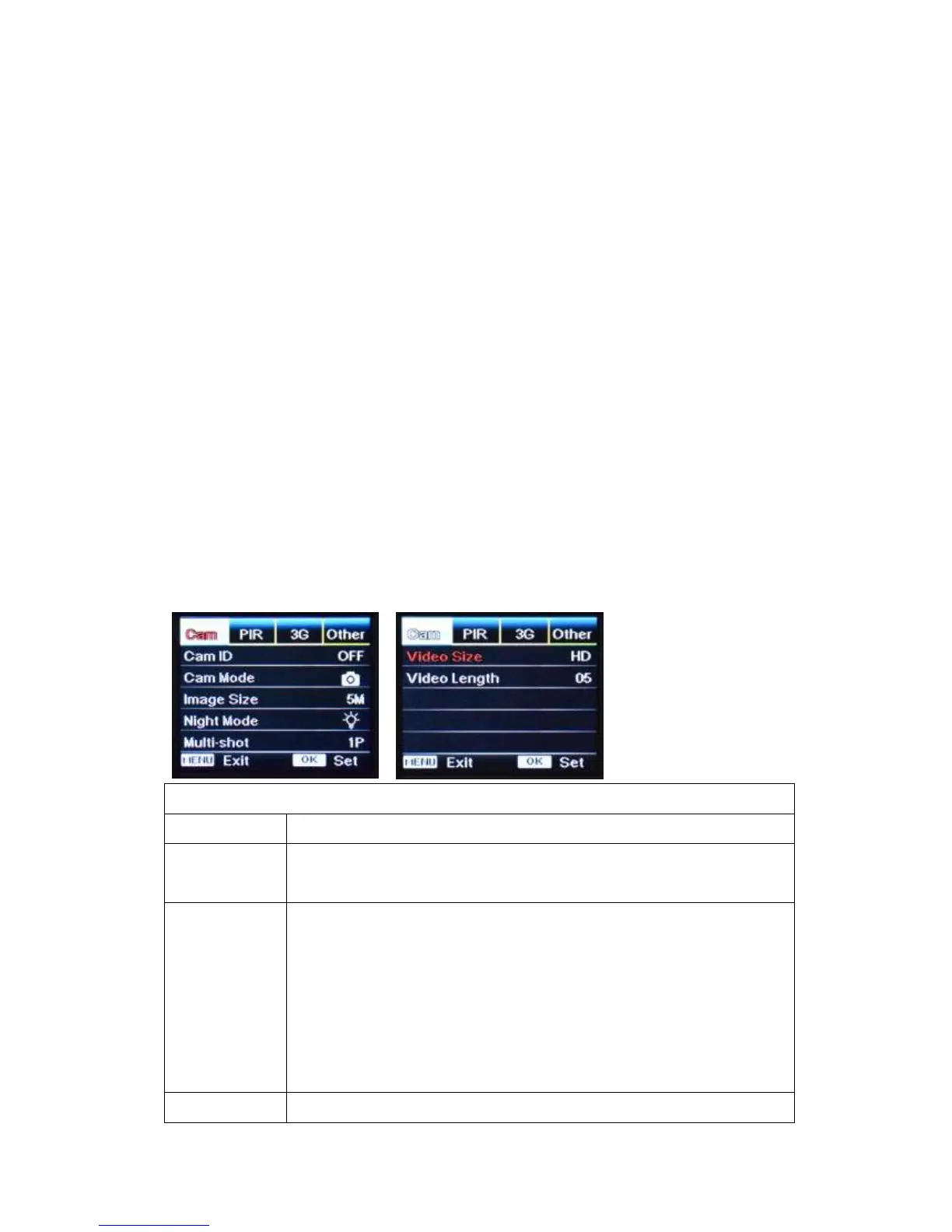
Test mode, Press “Menu” once to enter camera setting menu; to navigate setting interface by
pressing “←”, “↑”, “→”, or “↓”, press “OK” for selection, “Menu” to exit to previous page, and
“Menu” to switch alpha/ digits/ symbols.
Note: For some settings, user needs to press “Menu” to save & exit the configuration
after pressing “OK” to confirm; (Cam ID, Deley, Time Lapse, Timer, Password)
Select “ON”, press “OK”, to set 4 digits/ alphabets for each camera. Such
function can help user to identify photos are from where and which camera.
Photo, PIC+VIDEO, Video
1) Switch ON “Photo/Video Switch” to Pic icon—Photographing mode, or
PIC + Video mode;
2) Select “PIC+VIDEO”, camera shoots photo(s) first, then video upon
same trigger event based on Video Length and Multi-shot user
configured.
3) Switch Down “Photo/Video Switch” to Video icon—Video Recording
mode


 To Next Page