MAINTENANCE
CLIPPER 86038240
4-3
Only qualified maintenance personnel are to
perform the following repairs.
Seul le personnel d'entretien qualifié peut
effectuer des réparations.
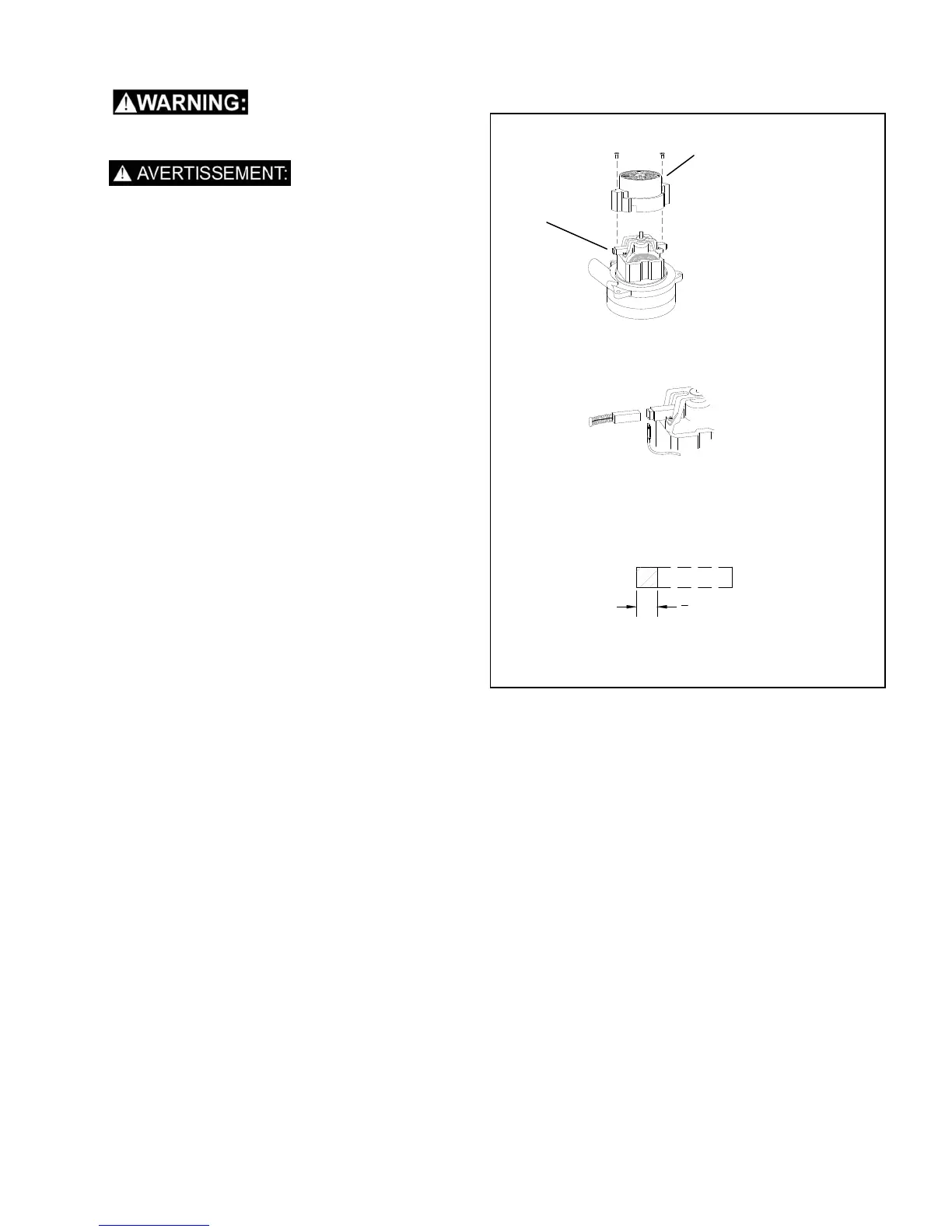
VACUUM MOTOR REPLACEMENT
1. Turn off all switches and unplug machine.
2. Remove recovery tank.
3. Remove the (2) screws that fasten the solution
tank to the frame, and tilt tank back to expose
the inside of the frame.
4. Locate the vacuum motor wires and disconnect
at the connector. Close the solution tank.
5. Remove the (6) screws holding the vacuum
motor cover (p/n 27809) to the solution tank.
6. Remove the vacuum motor.
7. Reverse process to install vacuum motor.
Vacuum Motor Carbon Brushes Replacement
End Cap
Carbon
Brushes
If armature commutator is grooved, extremely pitted or not
concentric, the motor will need to be replaced or sent to a
qualified service center.
Important:
These brushes wear quicker as the length shortens due to
increased heat. Spring inside brush housing will damage
motor if brushes are allowed to wear away completely.
Periodically check the length of the carbon brushes. Replace
both carbon brushes when either is less than 3/8" (9.5mm)
long.
3
8
[9.5mm]
WARNING: The green
ground wire must be
attached for safe operation.
See wiring diagram.
AVERTISSEMENT: Le fil à
la terre vert doit être attaché
pour un fonctionnement en
toute sécurité. Voir le
schéma de câblage.


 To Next Page
 Loading...