10
Maintenance
Unplug machine from electrical outlet before
doing any maintenance.
Changing The Paper Bag
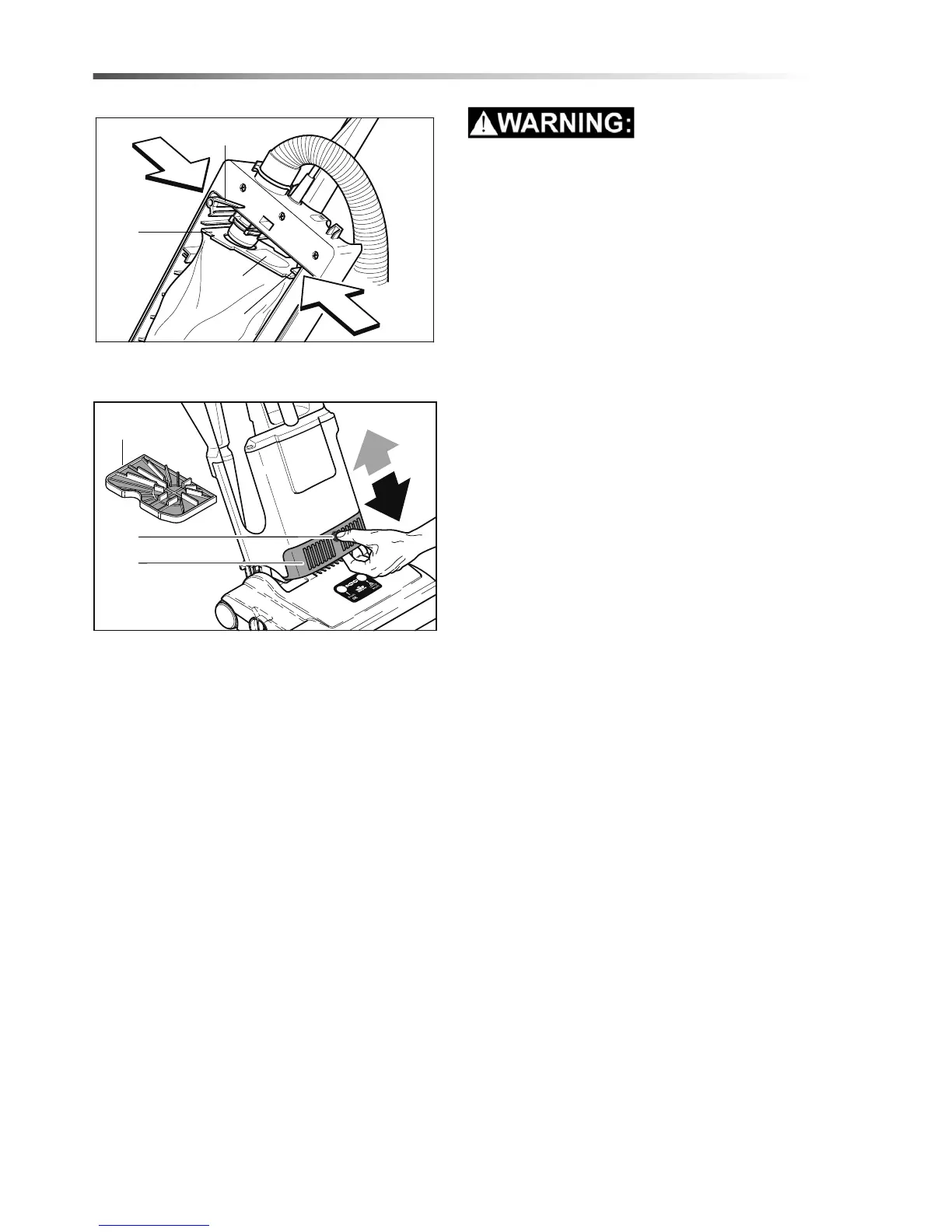
To change the dust bag: Remove back cover. Push
down lever (20). Lower dust bag from connecting
tube. Close aperture of dust bag top with cardboard
cover (21 A). To fit new dust bag: Insert top of dust
bag (21) into slot (22). Push lever (20) down and fit
aperture of dust bag top over connecting tube. Return
lever so that it is in horizontal position.
Changing Filters
Motor filters (23) Replace after 20 filter bags have
been used.
Exhaust filter (24) - Change when it becomes dirty.
Press the button (25) and pull the filter forwards. To
insert a new filter, locate the filter into the motor
housing and push up until the button (25) engages
into place.
NOTE: Hospital grade filters are available.
86404570 VERSAMATIC 14 & 18 120V






 To Next Page