14
Maintenance
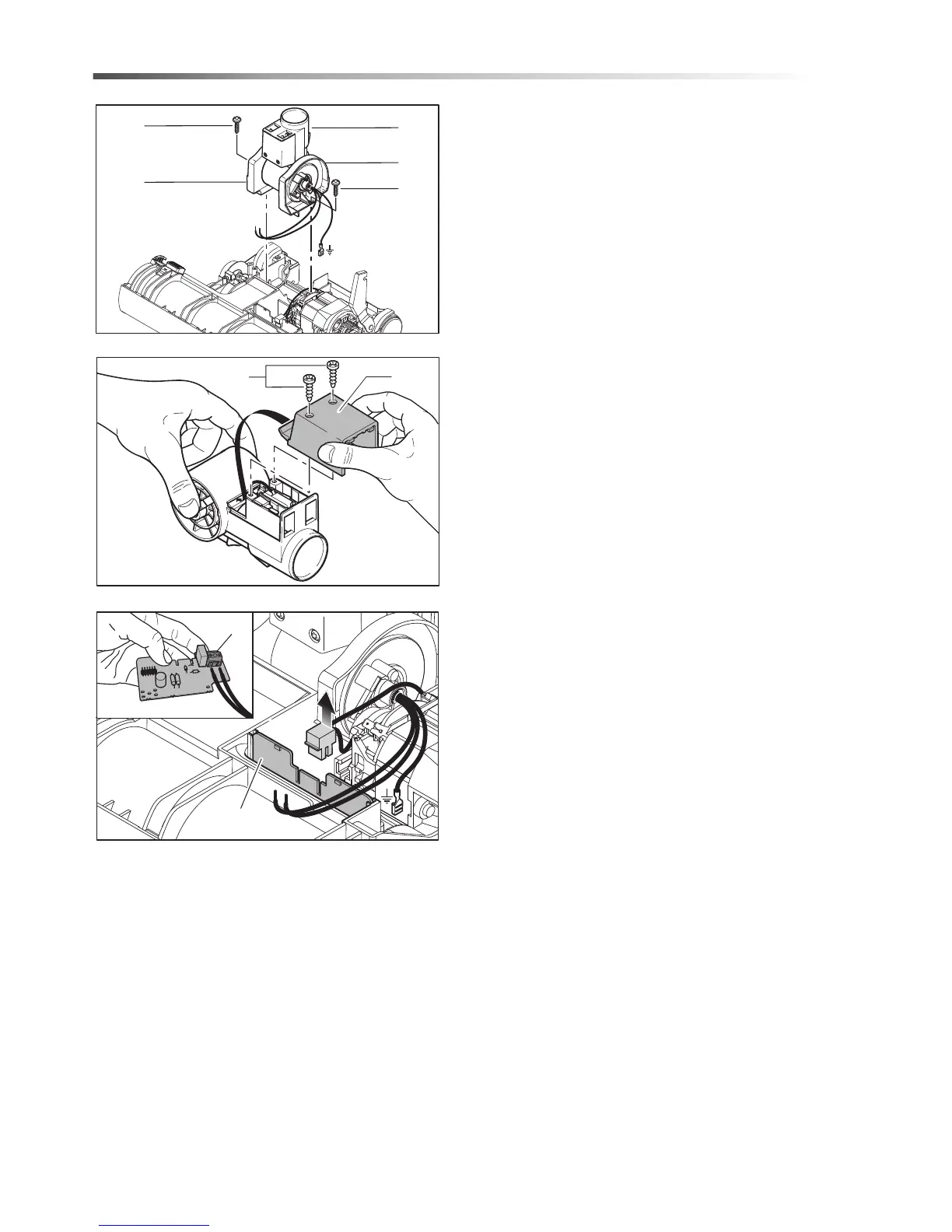
Removing The Swivel Neck
To remove the swivel neck (35) remove the two small
screws (36) from the swivel neck supports (37) then
lift the swivel neck assembly from the chassis.
NOTE: On re-assembly ensure that the wires from
the swivel neck are not trapped when the power
head cover is replaced.
Removing The Swivel Neck Cover
Remove the retaining screw (38), slide the cover (39)
downwards then lift out.
NOTE: On re-assembly check that the leads do not
become trapped.
Changing The Electronic Controller
Disconnect the lead from the motor. Lift the controller
(34) upwards from the motor. Lift the controller
upwards from the swivel neck.
86359530 VERSAMATIC 14 & 18
36
X
36
37
35
37






 To Next Page