EasyManua.ls Logo

Winegard GM-9000 - User Manual

Winegard GM-9000
8 pages
Print Icon
To Next Page IconTo Next Page
Loading...
2452398
Rev0 2-18
Instruction Manual
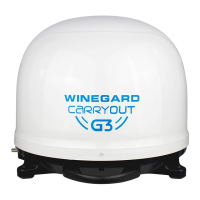
GM-9000
|
POWER INSERTER
See page 2 for setup instructions
SD/HD SD/HDSD
GM-9035
For up-to-date information on receiver compatibility and programming,
For help, email info@solidsignal.com or call 1-877-312-4547
DO NOT RETURN ANTENNA TO PLACE OF PURCHASE

Questions and Answers

  • Q
    qodonnellJul 27, 2025
    How to fix unlit Vin indicator on Winegard GM-9000 power inserter?
    • V
      Victoria SantosJul 27, 2025
      If the Vin indicator is unlit on the power inserter, it means there is no DC power going into the power inserter. Ensure the supplied power adapter is plugged into the outlet and that the outlet is providing AC power. Also, make sure the power adapter is connected to the power inserter.
  • M
    Michael BassJul 31, 2025
    Why does my Winegard GM-9000 Antenna continuously search without acquiring satellites?
    • P
      Phillip McfarlandJul 31, 2025
      Obstructions like trees, buildings, or even heavy rain or snow can block the satellite signal. Make sure the southern sky is clear. If there's snow or dew on the dome of your Winegard Antenna, gently brush it off. In heavy rain or snowfall, you might need to wait for the weather to clear.
  • E
    Emily SotoAug 4, 2025
    What to do if Winegard GM-9000 locks signal but receiver shows no picture?
    • K
      Katie EdwardsAug 4, 2025
      If the Winegard Antenna appears to lock onto a signal, but your receiver isn't showing a picture or signal reading, it's likely that your receiver isn't properly configured for the Carryout G3 antenna. You should verify the switch settings are correctly set for your provider. Also, reconfigure the receiver according to the instructions.
  • L
    lsmithAug 8, 2025
    Why is antenna indicator unlit on Winegard GM-9000 Antenna power inserter?
    • B
      Brandy FryAug 8, 2025
      If the antenna indicator is unlit on the power inserter, there might be no communication between the power inserter and the Carryout G3 antenna. Ensure the included 25’ coaxial cable is properly connected between the power inserter’s ANTENNA port and the Carryout G3 PRIMARY port. Also, make sure the power button on the power inserter is pushed to the ON position. If the issue persists, try replacing the 25’ coaxial cable with a different RG6 coaxial cable or connect the coax directly, bypassing any interior/exterior pre-wires.
  • J
    Jenna RodriguezAug 12, 2025
    Why is the receiver indicator unlit on my Winegard GM-9000 power inserter?
    • P
      Patrick CarterAug 12, 2025
      If the receiver indicator is unlit on the power inserter, it indicates no communication between the receiver and the power inserter. Ensure the 3’ coaxial cable between the receiver and the power inserter’s RECEIVER port is properly connected. For DIRECTV users, ensure the receiver is compatible and configured correctly. If the cable is connected and the receiver is properly configured, try using a different RG6 coaxial cable.
  • L
    Laura ZunigaAug 17, 2025
    What to do if Winegard Antenna indicator is flickering?
    • D
      deborah50Aug 17, 2025
      If the antenna indicator is faintly lit or flickering on the power inserter, it suggests intermittent communication between the power inserter and the Carryout G3. Ensure the included 25’ cable is being used and is properly connected between the power inserter ANTENNA port and the Carryout G3 PRIMARY port. Consider replacing the 25’ coaxial cable with a different RG6 coaxial cable, and connect the coax directly, avoiding any interior/exterior pre-wires.
  • J
    John FlowersAug 21, 2025
    Why is receiver indicator faintly lit on Winegard GM-9000 Antenna?
    • B
      brett87Aug 22, 2025
      If the receiver indicator is faintly lit or flickering on the Winegard Antenna power inserter, it means there's intermittent communication between the receiver and the power inserter. Try replacing the 3’ coaxial cable with a different RG6 coaxial cable.

Summary

Specifications

Compatible Receivers

Lists compatible receiver models for DIRECTV and DISH services.

Supported Satellites

Details supported satellites for DIRECTV, DISH, and Bell TV services.

Switch Settings

Power Inserter Switch Configuration

Diagrams for setting the power inserter switches for different providers.

Installing the Handle

Choosing a Location

Wiring the Antenna

Antenna Wiring Diagram

Illustrates coaxial cable connections for antenna, power inserter, and receiver.

DIRECTV Receiver Setup

Setup Procedure

Step-by-step guide for setting up the receiver with the antenna.

Program Guide Data

Explains how the receiver obtains and stores program guide data.

DISH Receiver Setup

Setup Procedure

Guide for setting up the receiver with the antenna for DISH service.

Check Switch Status Test

Details the process of checking the receiver's switch status.

Program Guide Download

Explains the program guide download process after setup.

Using Outside Receptacle

Transporting & Maintenance

Optional Accessories

Lists optional accessories like roof and tripod mounts.

Product Warranty Information

Return Authorization Policy

Details the process for obtaining a Return Material Authorization (RMA).

Satellite Receiver Warranty Reference

Refers to the manufacturer's limited warranty policy for satellite receivers.

Winegard GM-9000 Specifications

General IconGeneral
BrandWinegard
ModelGM-9000
CategoryAntenna
LanguageEnglish

Related product manuals