EasyManua.ls Logo

Winegard Pathway X1 - User Manual

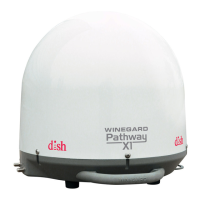
Winegard Pathway X1
8 pages
Print Icon
To Next Page IconTo Next Page
Loading...
2452314
Rev4 5-14
Instruction Manual
www.winegard.com/pathway
For receivers and programming, call 1-866-609-9374
For up-to-date information on receiver compatibility and programming,
visit www.winegard.com/receivers
For help, email help@winegard.com or call 1-800-788-4417
Do not return antenna to place of purchase

Questions and Answers

  • M
    Mr. Tyler MooreJul 27, 2025
    How to fix Winegard Antenna Mobile Antenna Setup if it does not appear?
    • E
      Edward MatthewsJul 27, 2025
      If the Mobile Antenna Setup does not appear for your Winegard Antenna, it might be due to a lack of communication between the receiver and the satellite dish. Check the wiring, verify the connection to the Main port, and ensure you have a good coax cable. It could also be that the receiver software is not compatible. Make sure you are using a compatible DISH Solo HD receiver and connect the receiver to a fixed/home satellite dish for a software update.
  • R
    Richard WallaceAug 1, 2025
    What to do if Winegard Antenna shows Error Code 150, “All Satellites Not Found”?
    • L
      Lauren BarnesAug 1, 2025
      If your Winegard Antenna displays Error Code 150 indicating that all satellites are not found, it could be due to obstructions blocking the satellite signal. Try moving the antenna to a location free from blockages. Alternatively, if you're in the extreme Northeast or Northwest, satellite coverage issues might be the cause; attempt a re-scan on the receiver.
  • A
    Alexis PattersonAug 6, 2025
    What to do if Winegard Pathway X1 shows Error Code 151, “No Satellites Found”?
    • T
      turnerritaAug 7, 2025
      If your Winegard Antenna displays Error Code 151, and no satellites are found, this could be due to a couple of reasons. First, check for any obstructions blocking the satellite signal and try moving the antenna to a clearer location. Also, examine the coax connections to ensure they are secure and didn't become loose during the scan.
  • I
    Ian SullivanAug 11, 2025
    What to do if I see Error Code 150 “All Satellites Not Found” on my Winegard Pathway X1 Antenna?
    • H
      houstonsarahAug 11, 2025
      Error code 150, indicating that all satellites were not found, may appear on your Winegard Antenna due to obstructions blocking the satellite's signal. Try moving the antenna to a location free from blockages. Also, satellite coverage issues in the extreme Northeast or Northwest can cause this error. In this case, try rescanning on the receiver.
  • J
    James FlowersAug 17, 2025
    What to do if I see Error Code 151 “No Satellites Found” on my Winegard Pathway X1 Antenna?
    • R
      Robert HughesAug 17, 2025
      If you encounter Error Code 151, which means no satellites were found, with your Winegard Antenna, it could be due to a few reasons. First, check for any obstructions blocking the satellite signal and try moving the antenna. Second, verify that the coax connections are secure, as they may have loosened during the scan. Finally, try rescanning on the receiver.
  • A
    ashleyhoganAug 21, 2025
    Why does the Mobile Antenna Setup not appear for my Winegard Pathway X1?
    • C
      Christine ChandlerAug 21, 2025
      The Mobile Antenna Setup might not appear due to a lack of communication between the receiver and the satellite dish. To resolve this, check the wiring, verify the connection to the Main port, and ensure you're using a good coax cable. Also, ensure that a compatible DISH Solo HD receiver is being used. You may need to connect the receiver to a fixed/home satellite dish for a software update.

Summary

Installation and Setup

Installing the Handle

Attaching the handle to the antenna base using screws.

Selecting a Location for the Pathway X1 Antenna

Choosing an optimal spot with a clear view of the southern sky.

Connecting the Antenna to the Receiver(s)

Wiring the antenna to the satellite receiver via coaxial cable.

DISH Receiver Setup

Receiver Setup for New Receivers

Initial setup process for new receivers using an Installation Wizard.

Troubleshooting

On Screen

Solutions for common on-screen error messages and issues.

Winegard Pathway X1 Specifications

General IconGeneral
BrandWinegard
ModelPathway X1
CategoryAntenna
LanguageEnglish

Related product manuals