9
Chapter 2 Installation Instructions
NF4K8AB Series User Manual
1.Locate the CPU retention mecha-
nism base (surrounds the CPU
socket).
Installation of CPU Fan
New technology allows processors to run at higher and higher frequencies.
To avoid problems arising from high-speed operation, for example,
overheating, you need to install the proper fan. The following procedure is
provided for reference only, please refer to your CPU fan user guide for the
actual procedure.
2.If required, apply a light coating of
silica gel to the top of the CPU.
NOTE: The CPU heatsink may have
a pre-applied thermal compound. In
that case, the silica gel is not required.
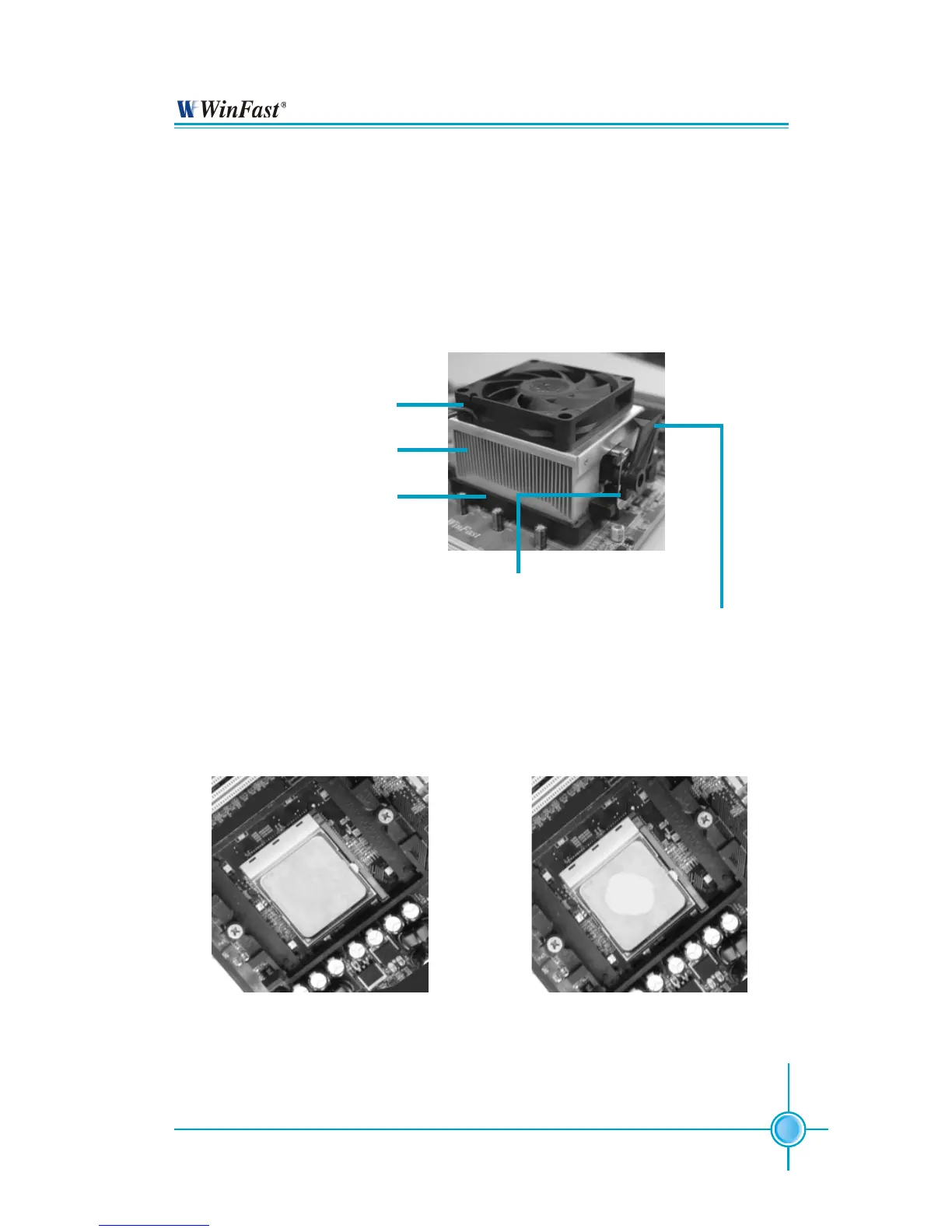
CPU Fan
CPU Heatsink
CPU Retention Mechanism
CPU Retention Bracket
CPU Retention Lock


 To Next Page