10
Chapter 2 Installation Instructions
NF4K8AB Series User Manual
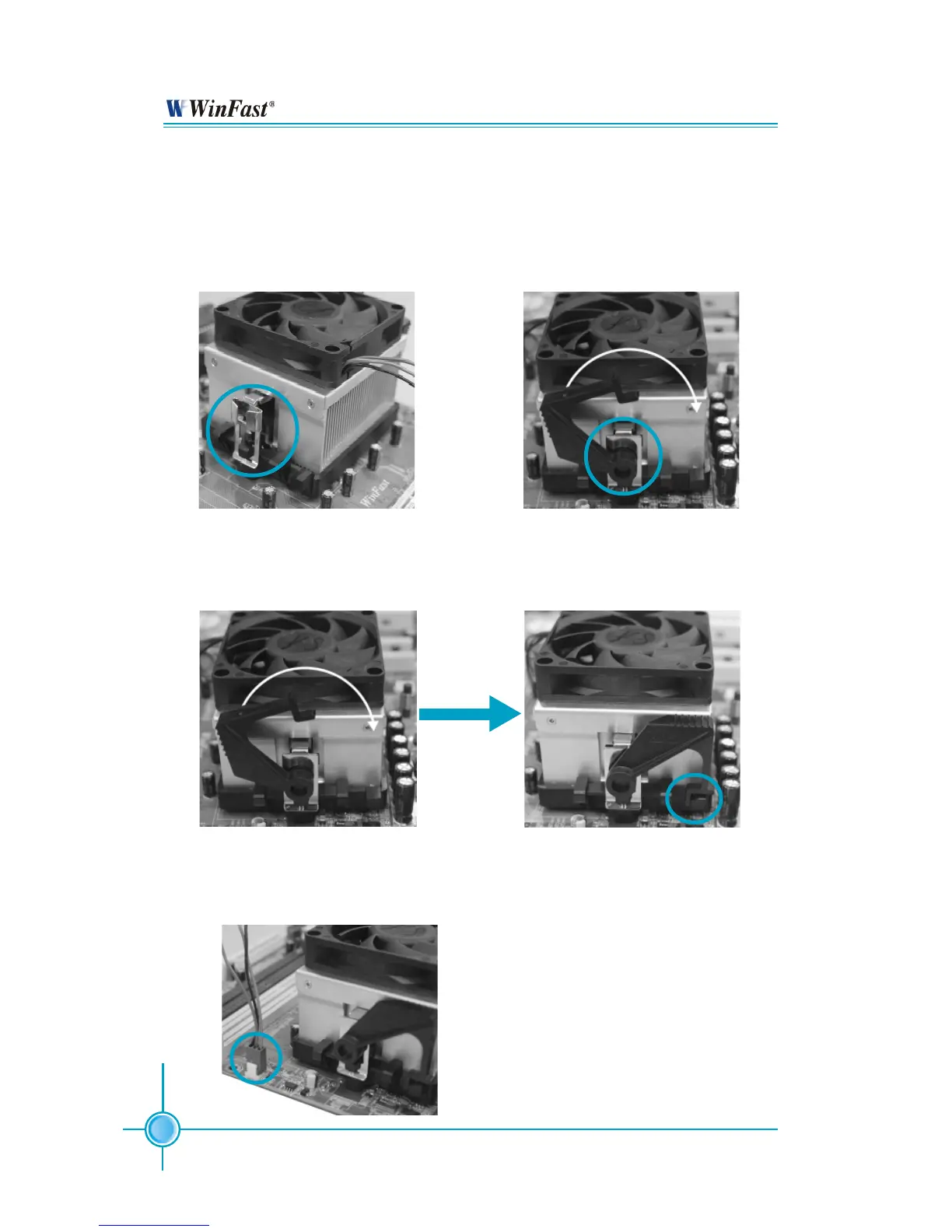
5.Push down the retention bracket lock on the retention mechanism to secure
the heatsink and fan to module base.
6.Connect the fan’s power cable to the appropriate 3-pin terminal on the
motherboard.
4.Align the other end of the reten-
tion bracket to fasten the cooling
set on the top of the retention
mechanism.
3. Place the cooling set onto the re-
tention mechanism. Attach one end
of the retention bracket to retention
mechanism.


 To Next Page