EnsurethatyourWingtraOneispoweredoff
EnsureyouhavethenewestWingtraPilot.StartWingtraPilot(restartWingtraPilotincaseitwas
alreadyopen)
Inthewelcomemenu,clickon"UpgradingtheWingtraOneFirmware"
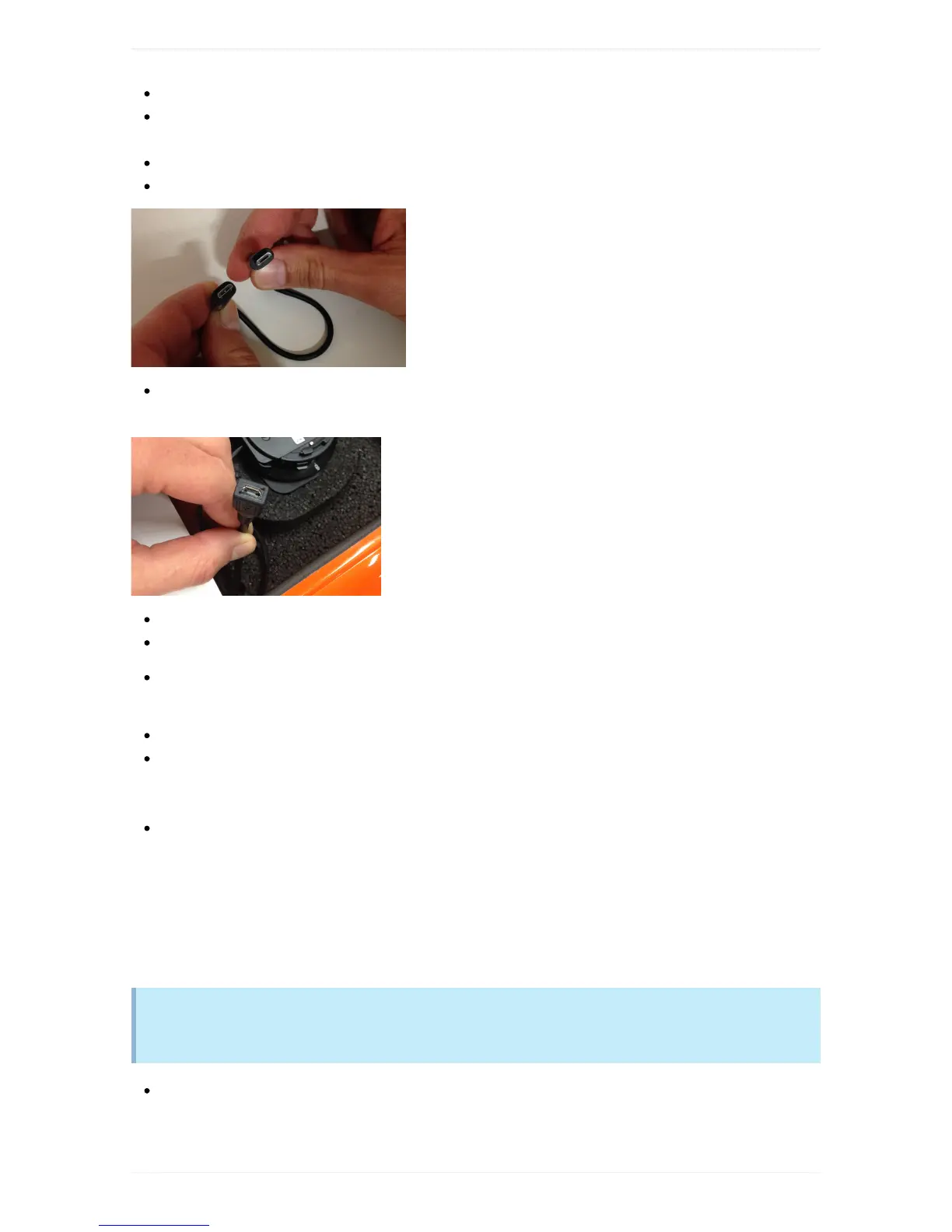
Takethesmallmicrousb-to-microusbcableprovidedintheWingtraOnepackage
Connecttheendoftheconnectorwhichismarkedwith"OTG"toyourtabletandtheotherendtothe
microusbportonWingtraOne(showninthepicturebelow)andwaitfor10seconds.
Ifthereisadialogaskingforpermission,click“UsebydefaultforthisUSBdevice”andgiveaccess.
WaitfortheorangeFirmwaredialogboxontherighthandsideandclick"Ok"tostarttheupgrade.
Navigateto/storage/emulated/0/Download/Release_1_4/Release_1_4/andselectthefirmwarefile
(WingtraOne_1_4_x.px4)
Waitfor2minutesasWingtraOnefirmwareisupgraded
Youwillreceiveamessage“Upgradecompleted”andhearthebuzzerofWingtraOne.Thedialogbox
askingforpermissiontotheUSBportmaypopupagain.Selectagain“UsebydefaultforthisUSB
device”andclick“Ok”.
DisconnectthemicrousbconnectionandrestartWingtraPilot
IfupgradeofWingtraOnefails,pleasedisconnecttheWingtraOnerestarttheWingtraPilotappandtrythe
upgradeprocessagain.Incaseitfailsagain,contacttheWingtraSupport.DonotflyifonlyWingtraPilotis
upgradedbutWingtraOnestillisrunningonoldcode.
Step4:Upgradethemanual
Wedecidedtoreplacethe.epubwithaconventional.pdffileforbetterreadabililtyanduser
experienceonthetablet
OpenPlayStoreanddownloadAdobeAcrobatReader.Theappisforfreebutyoumayhavetologin
withagoogleaccount.Eitheruseapresonaluseraccountorusethewingtrauseraccount:
user.wingtra@gmail.com,PW:wingtra.1



 To Next Page