Geotagging
ThecollectedimagesaresavedontheSDcardinthecamerawithoutassignedGPSinformation
(geotags).Thecurrentworkflowincludessomeuserinputtoassignthegeotagstotheimages.
LeaveWingtraOnepoweredafterlandinguntilthegeotagsaredownloadedtothetablet(Step1:
DownloadGeotags).
StepstoGeotagyourImages
Step1:DownloadGeotags
Afterlanding,WingtraPilotstartsdownloadingthegeotagsautomaticallyanddisplaystheprogress:
Bepatientandwaituntilthedownloadsucceeds.Ifthedownloadfails,clickon"Retry"andwalktowards
WingtraOnetogetbetterconnection.Wehighlyrecommendtogeotagalwaysrightafterflight.Clickon
"GeotagImages"todoso.
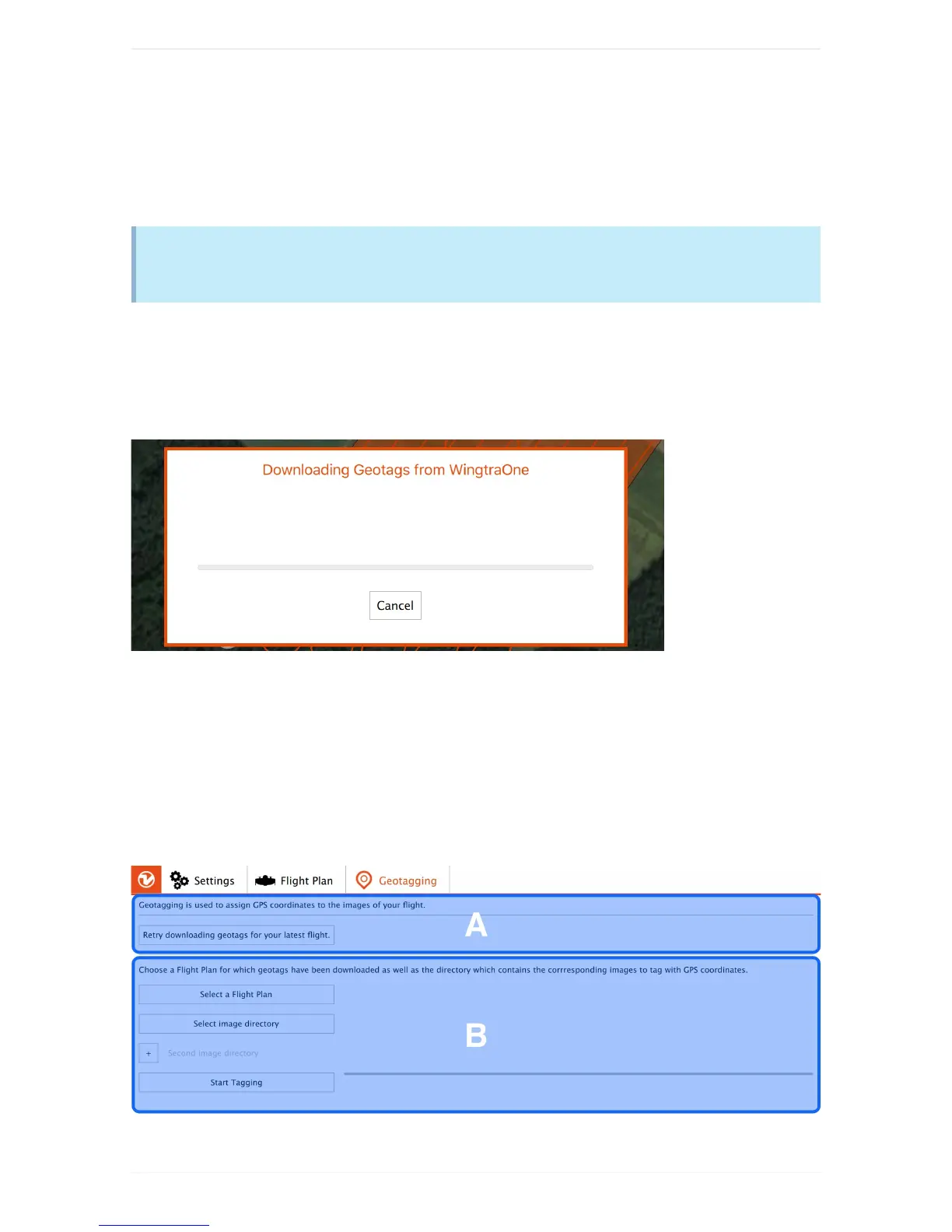
Step2:GeotagyourImagesontheTablet
PoweroffWingtraOne,gettheSDcardfromthecameraandinserttheSDcardtothetablet.Checkifthe
rightFlightPlanisselected(changeifnot),selectthedirectoryontheSDcardcontainingallimagesas
imagedirectory,andclickon"StartTagging"(B).



 To Next Page