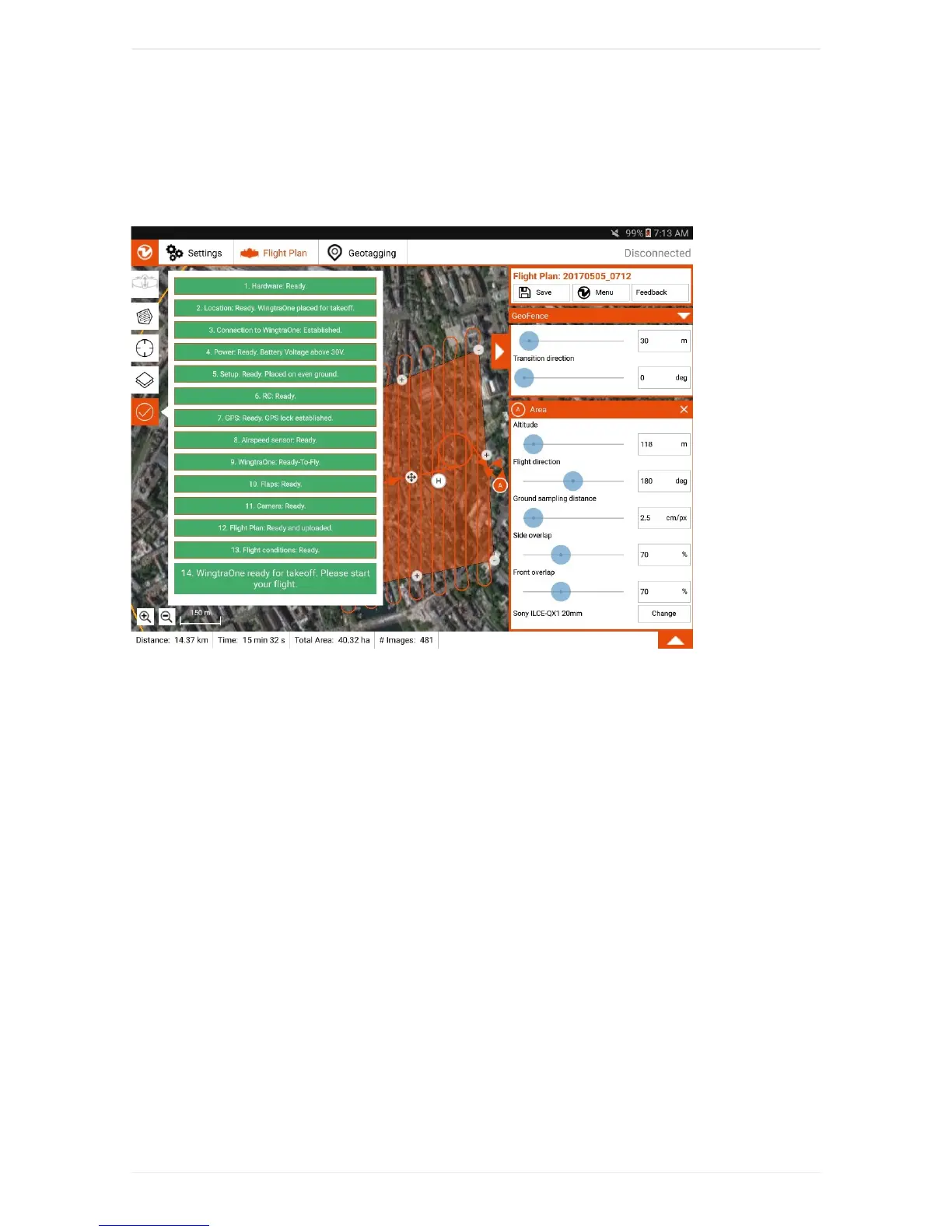
PreflightChecklist
YouareguidedthroughtheprocessofsettingupyourWingtraOnebythepreflightchecklistwithin
WingtraPilot.
Astheoperator,youhavetogothroughthepreflightchecklistwithinWingtraPilotbeforeyoucanstartthe
flight.Ifanyofthepreflightchecksfails(e.g.sensorfailure),therespectivepreflightcheckturnsredand
startingtheflightisnotpossible.Belowyoucanfindanexplanationforeverycheckpointinthepreflight
checklistandtroubleshootingadviceifacheckfails.
1.Hardware:Distancesensorclean?Propellersnotdamagedandwellattached?Cameralid
removed?
Checkifthedistancesensorisdustyoriscoveredbysomething(snow,tape,...).Thedistancesensoris
locatedatthetailofWingtraOne,nexttothemiddlestand.Ifitisnotcleanorifyouarenotsureifitis
clean,takethetimetocleanitwithacleanblanket.
Visuallycheckifpropellersarenotdamagedandwellattached.Trybyhandtounscrewthepropeller
(holdmotorwithonehandandthepropellerwiththeotherhandandtrytoopenit).Ifthepropeller
unscrewsbyhand,tightenthenutwiththehex-wrenchtoolasmuchasyoucan.Seethemaintenance
chapterforhowtoreplaceapropellerifdamaged.
Removethecameraprotectionlid.PutitinthePilotBox,itiseasytolose.
Confirmbyclickingthecheckpointinthechecklist.DonotflyifanypartofWingtraOneisdamaged.
2.PlaceWingtraOneontakeoffpoint.



 To Next Page