WingtraOnewilltakeoff,risetoyour"transitionaltitude"aboveHome,transitionintoforwardflight,flyto
thedrawnloitercircle,loiteruptotheareaaltitudeandstartdatacollection.Afterfinishingdatacollection,
itwillflybacktotheloitercircleatthealtitudeofthelastarea,loiterdownto"transitionaltitude",flyback
totheHomepoint,transitionaboveHome,andland.
NotethatifyouarenotconnectedtotheWingtraOneorifthereisnoGPSlock,Homeisaddedtothe
centerofthescreen—wherethelocationinWingtraPilotissettothelocationofthelastflight.Tochange
thelocation,selectthe“StreetMap”tiles,navigatetoyourposition,andswitchbackto"SatelliteMap".
Step2AddArea(s)
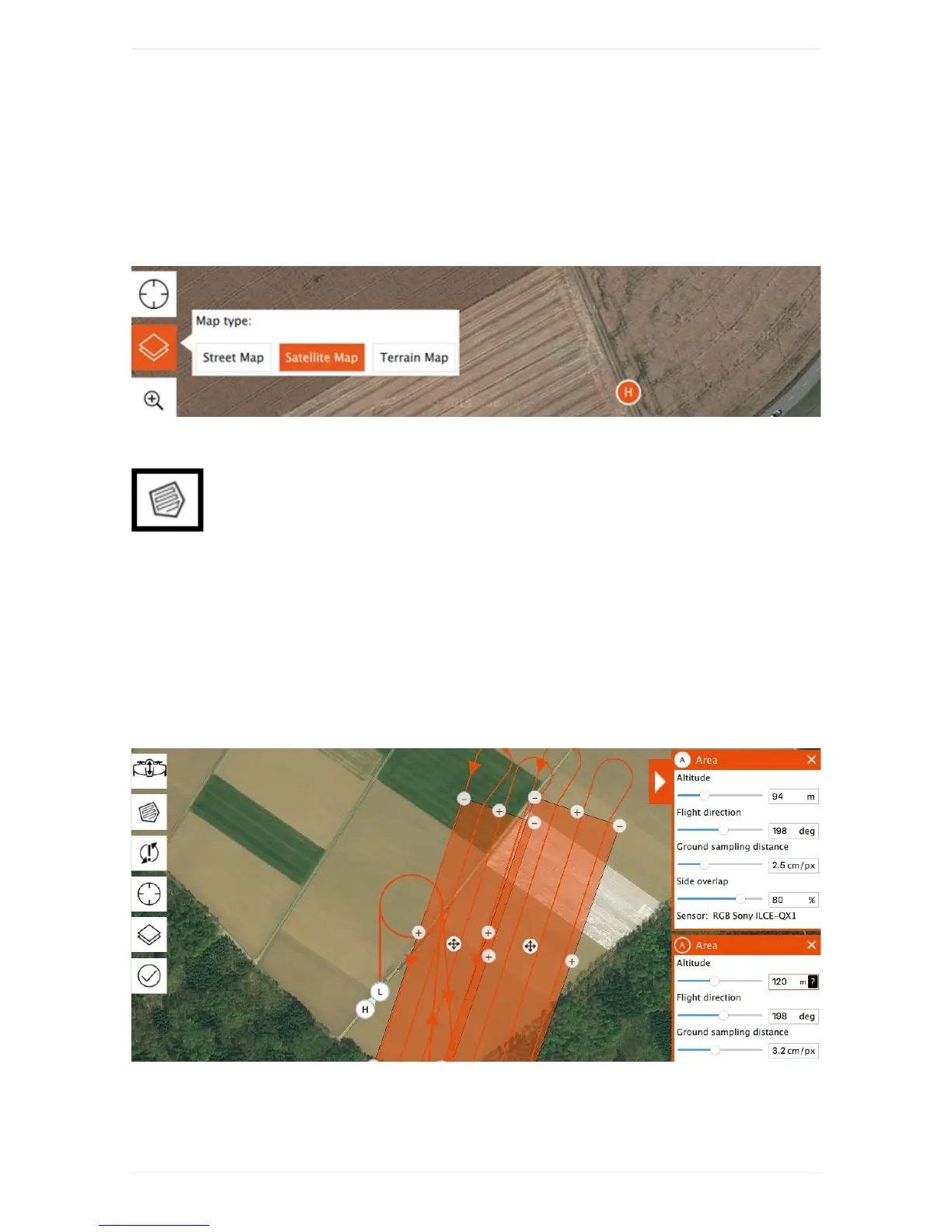
Youcanaddoneorseveralarea(s)fordatacollectiontoyourFlightPlanbyclickingonthe
areaitem(A).Chooseyourdesiredgroundsamplingdistance(or,alternatively,yourdesiredaltitude)on
therightsideandadjusttheflightdirectionifneeded.Movethecorners(minussigns)andaddadditional
cornersuntilyoudrawthearea(s)thatyouwanttomap.WingtraPilotwillwarnyouifyousetupamission
thatistoolarge.
Youcanalsoadjustthesideoverlapoftheimages.Decreasetheoverlaptomaximizethearea/minimize
theflighttime.Increasetheoverlaptooptimizethefinalmapquality.Reliableorthomosaicscanbe
createdwithimagerydownto60%sideoverlapforflatareas.Formoresophisticatedlandscapesyou
havetoincreasetheoverlap,seethetroubleshootingsectionbelowformoredetails.
Step3(Optional)AdjustGeofence



 To Next Page