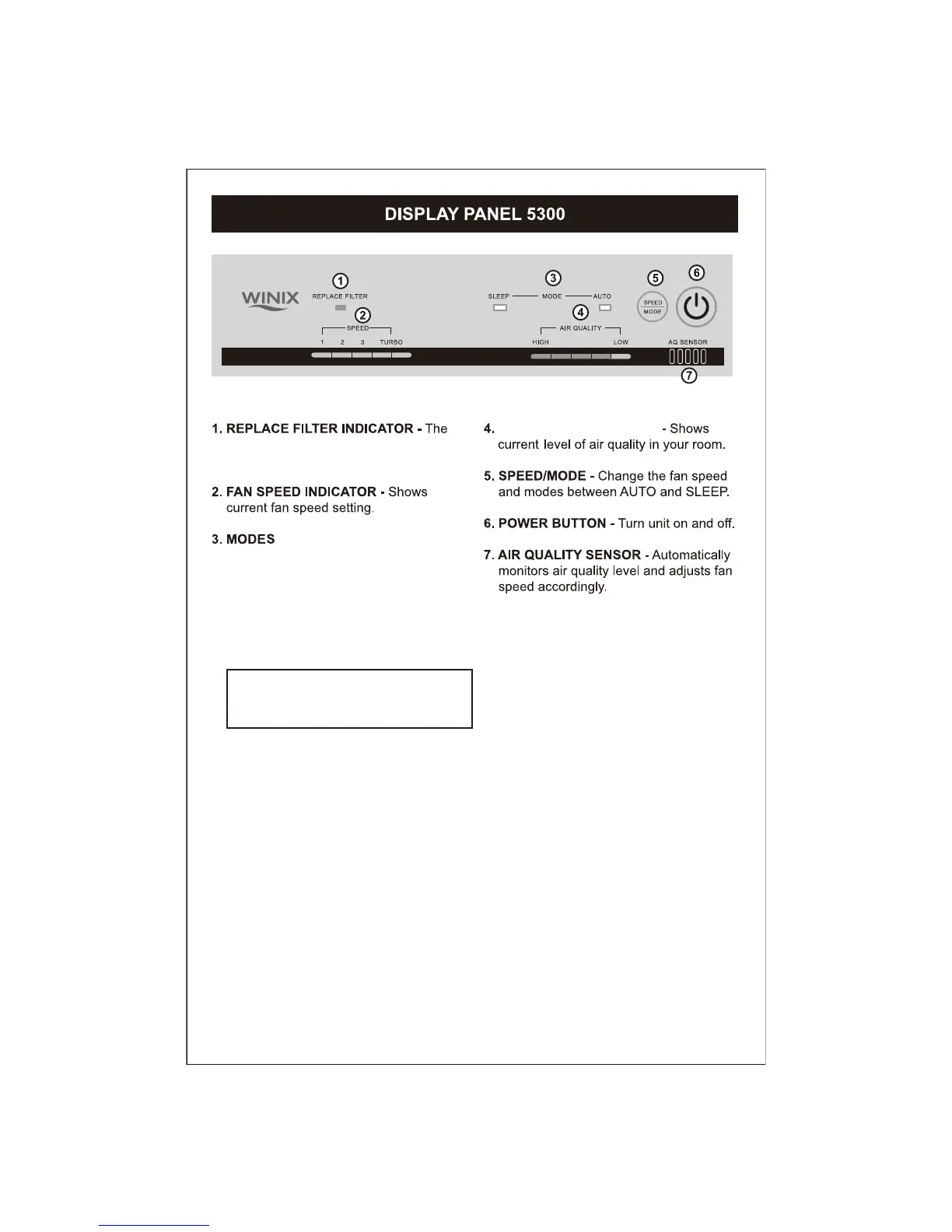
indicator will illuminate when to replace
the Washable HEPA Filter.
- Auto: The unit is set to default to AUTO
mode when it is first turned on.
The sensor will automatically adjust
fan speed as needed.
- Sleep: When in SLEEP mode, the control
panel will dim and the unit will operate
quietly at the lowest fan speed.
AIR QUALITY INDICATOR
Note: To get back into AUTO mode,
SPEED/MODE button must be pressed
on unit until AUTO light is lit.
7
www.sylvane.com 1-800-934-9194



 To Next Page