1817
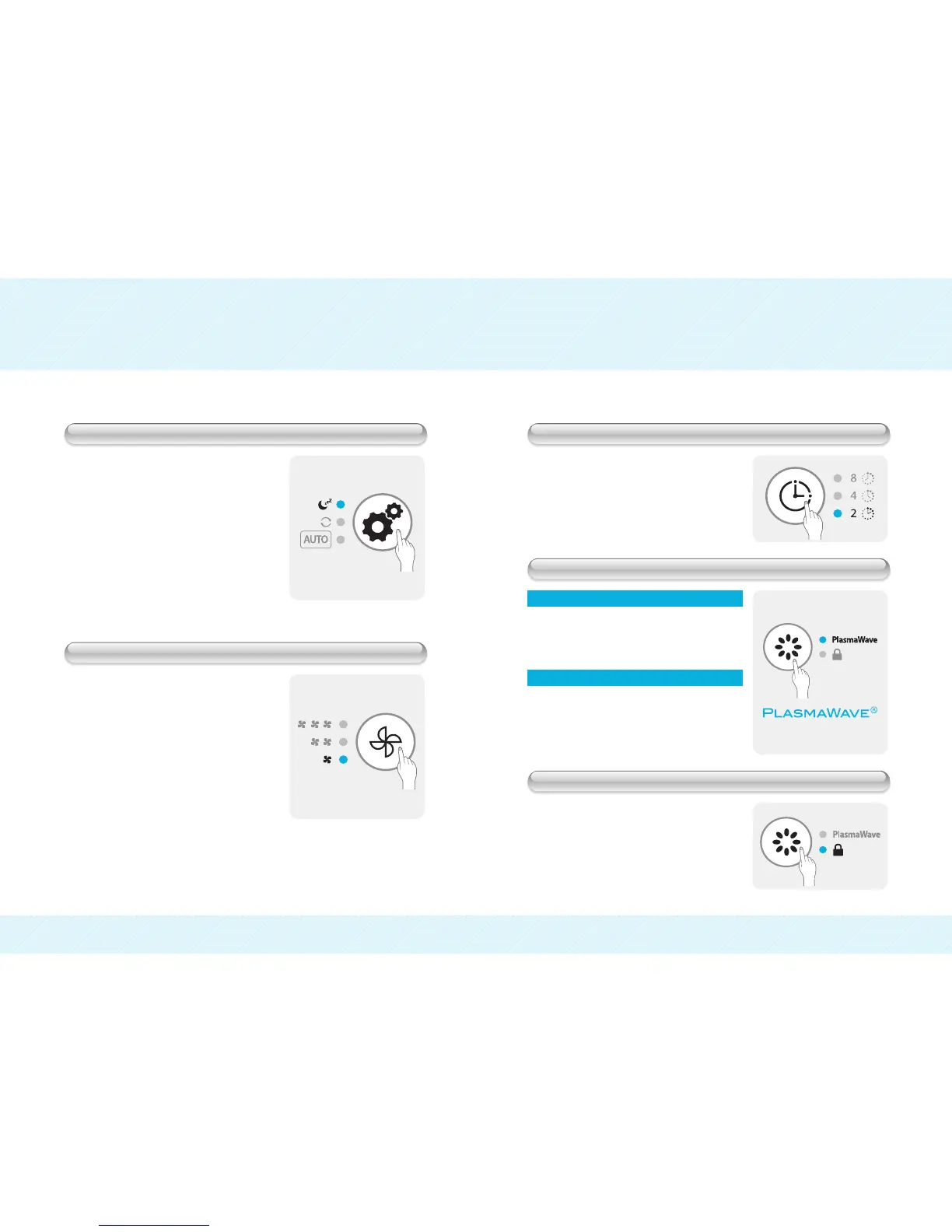
● Push the FUNCTION button to select
Sleep Mode.
The MODE button will cycle the unit between
the following:
Auto
Continuous Sleep
During Sleep Mode the unit will set fan speed to
lowest setting and the display will turn off,
except for the low fan speed indicator.
● Push the FAN SPEED button to change
the Fan Speed.
The FAN SPEED button will cycle the unit
between the following:
Low
Med High
● Push TIMER button to set a timer.
The TIMER button will cycle through the unit
timer settings:
2 hours
4 hours 8 hours
● Push PLASMAWAVE/LOCK button for
more than 3 seconds to activate Lock.
● Push PLASMAWAVE/LOCK button to
operate PlasmaWave
.
Use this button to turn PlasmaWave
function
ON/OFF
During Humidification process
During PlasmaWave
operation only
● Push PLASMAWAVE/LOCK button to
operate PlasmaWave
while the unit is
OFF.
Use this button to turn PlasmaWave
function
ON/OFF without using the humidification
function of the unit.
OPERATION
Sleep Mode
Adjust Fan Speed
Adjust Timer
PlasmaWave
Technology
Lock Button
▼


 To Next Page