8
5. Let it clean
The robŽƟc cleaner shall run around the pool ŇŽor and vacuum the debris automaƟcally for max.
60 minutes. It will automaƟcally reverse when it touches the wall. The cleaner will move to the
pool wall automaƟcally and stop running when it runs out of baƩery.
6. Retrieve the cleaner
To retrieve the robot, grasp the Ňipper and pull it out of the water and away from the pool. Power
oī the robot. Use the retrieving hook if needed.
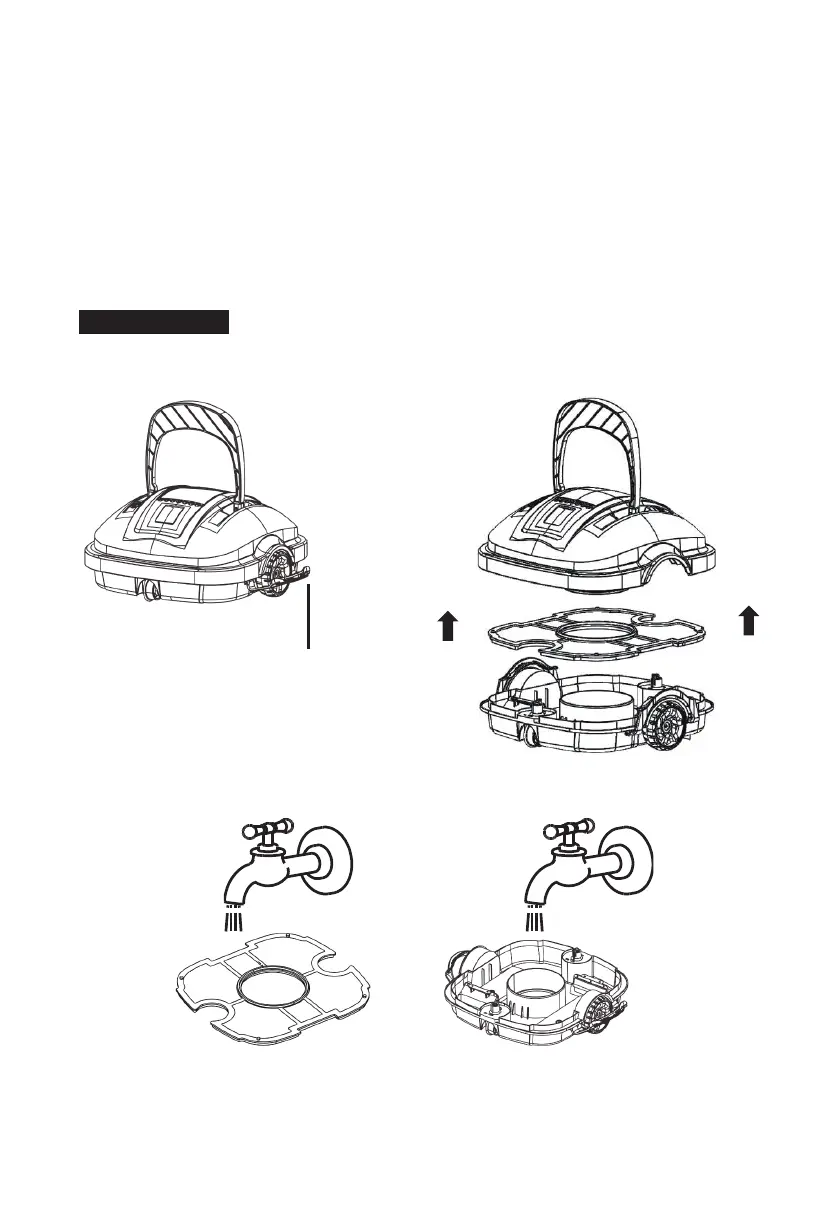
5.3 Clean aŌer use
1. Open all lock buckles, detach the top cover, and remove the Įůter screen.
2. Rinse oī all the dirt and debris with running water.
3. Wipe the robŽƟc cleaner with a clean cloth and let it air dry.
Lock Buckle



 To Next Page