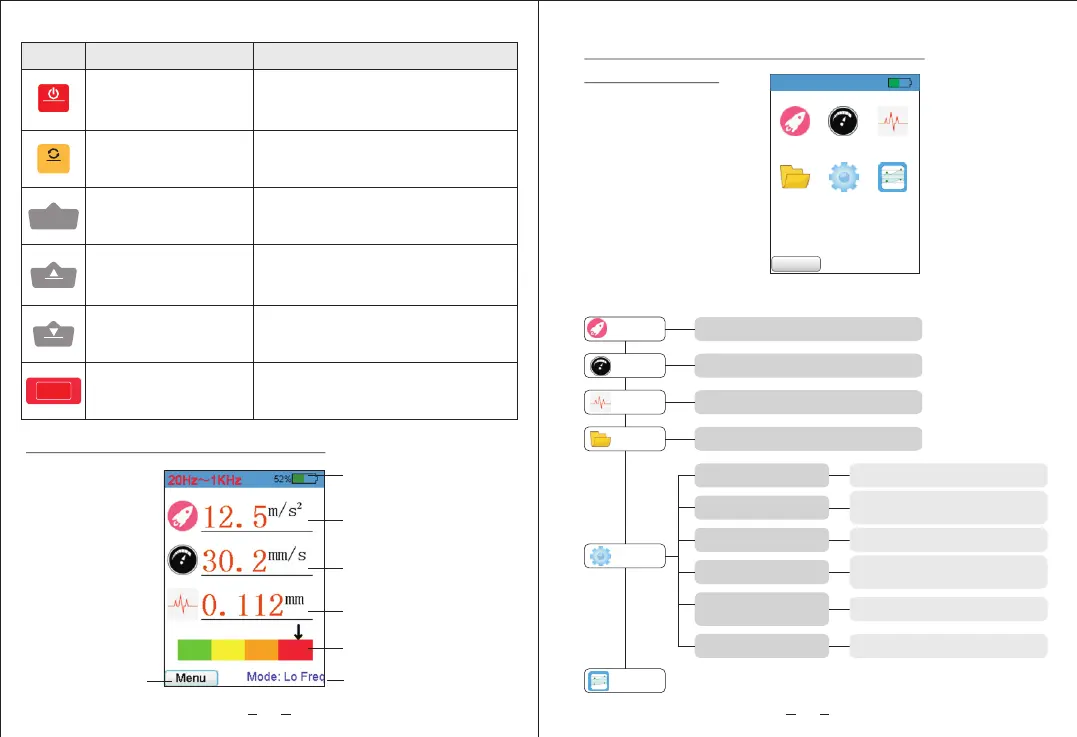
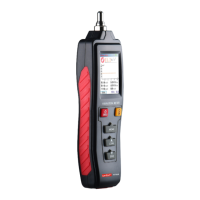
2) Instruction of full display interface
Rotate/OK button
Power on/off/menu
button
Measurement button
Up/frequency button
Down/save button
Measurement button
on the bottom
MENU
Short press to turn on the meter,
long press to turn it off; after
powering on, short press to
switch menu or return
During measurement,
short press to rotate screen
setting and confirm selection
Long press to start measurement
Short press to start measurement
During measurement, short press
to switch between high and low
frequency settings and make
selection.
During measurement, press to
save selection settings and
make selection.
Buttons
Names of parts
Function Description
SAVE
LO/HI
MEAS
MENU
OK
MEAS
4
52%
Accelerate Velocity
Distance
File
Settings
Calibration
Back
3) Menu interface description / divergence
diagram of menu
a.Divergence diagram of menu functions:
Accelerate
Enter acceleration mode
Velocity
Distance
File
Settings
Calibration
Enter speed mode
Enter displacement mode
Enter and view memory data
Select language
Screen brightness
Flashlight
Chinese/English
Low/medium/high
brightness
Turn on/off
Shutdown time
Restore factory
setting
Machine level
Select automatic
shutdown time (0-9 mins)
Yes/No
Set machine level
5
Menu selection
High/low frequency
mode
Battery indicator
Acceleration
measurement value
Speed value
Displacement value
Vibration intensity


 To Next Page