FM Mode
You can listen to the ordinary FM radios without wifi
connection.
Take out the wire antenna supplied in the package, plug it
into the antenna socket on the rear side of the adaptor,
extend it perpendicular to the radio unit or in other
direction / length of the antenna may be required to
optimize the reception level.
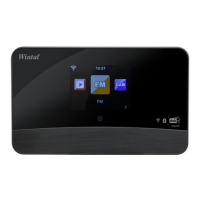
Choose FM from the main menu or use the <Mode> button
to switch to FM radio.
Auto preset scan
There is an option to auto preset the FM stations. Press
and release OK button, it will prompt you for Auto Scan.
Choose Yes to start. It will start auto scanning the local FM
radio stations that can be received and stores the
channels as presets automatically. To play a particular
channel from the presets:
1. Press and release the button to recall the Preset
list.
2. Press ▲ / ▼ to choose your desired channel.
3. When you reach the desired station, press OK to listen
to the channel.
It can store up to 99 presets.
Manual Scan
To seek a FM station manually, press and hold ◄/►
button then the radio will seek the previous or next
available station. If you want to fine tune the frequency,
press ▲ /▼ to tune 0.05Mhz.
- 14 -


 To Next Page