Assembly instructions | 89014665; 2022-04 | 5
6 Start up the dosing device
Ø Close the cover of the warewasher.
Ø Switch on the mains voltage and switch on the warewasher.
Ø Put the dosing device into operation properly.
Ø Carry out safety inspection in accordance with DIN VDE 701.
Ø Activate several washing programmes and check the warewasher and installed components for leaks.
7 Configuring the transfer strip
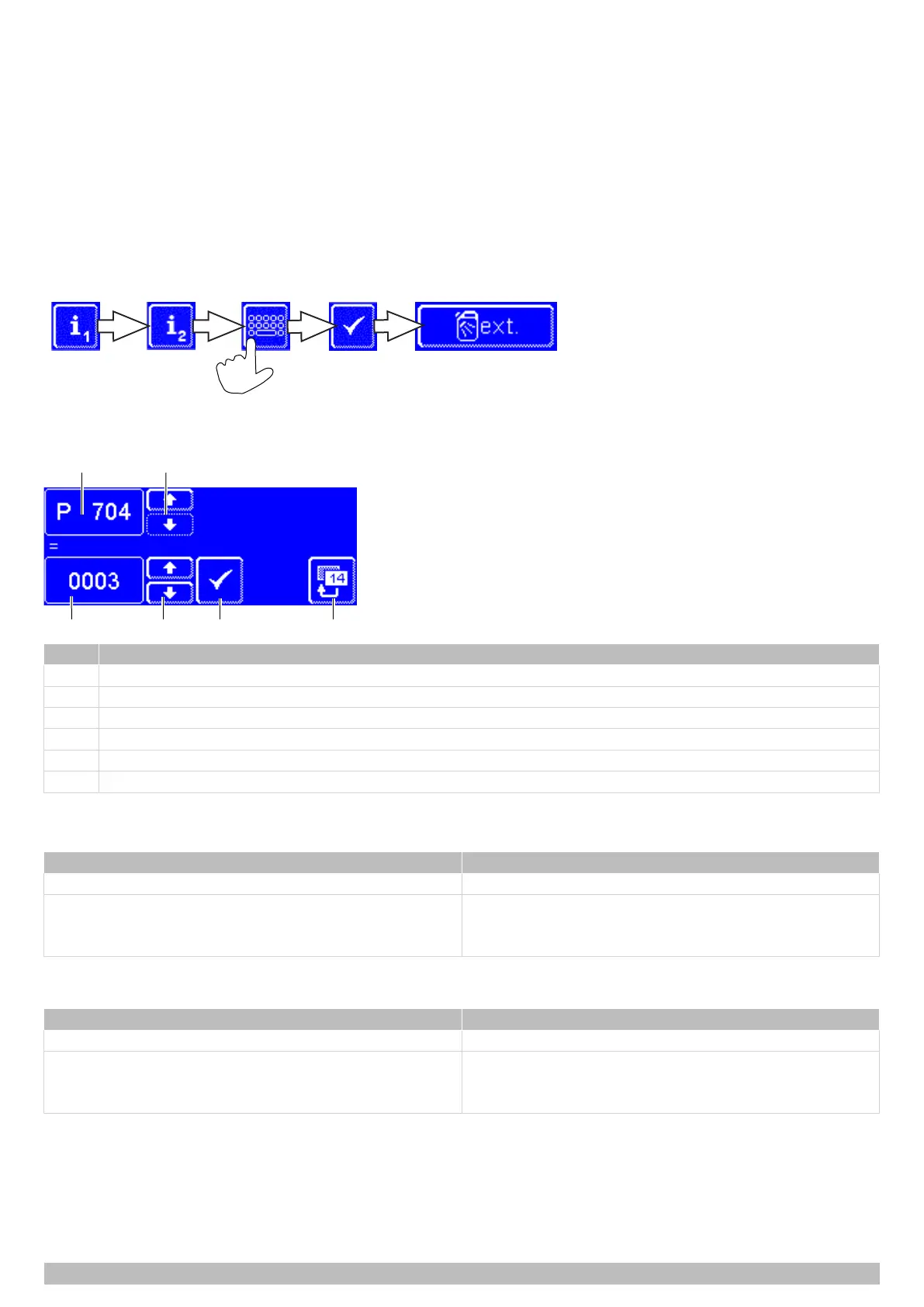
The transfer strip is configured using parameters P704 and P709 in the Chef's PIN menu.
Access the external dosing menu
A PIN protects the menu from unauthorised access. The PIN is 1575. If you enter your PIN incorrectly five times in a row, input will be
blocked for 2 minutes.
Set parameters
Item Name
1 Parameters
2 Scroll keys to change parameters
3 Parameter value
4 Scroll keys for setting the parameter value
5 Confirm input
6 Back button
P704 Detergent dosing device
Depending on the configuration of the transfer strip, with P704 voltage is present at the FILL terminal.
Setting Description
P704 = 0 while machine is being filled
P704 = 1 parallel to solenoid valve (O7)
– while the machine is being filled
– during the rinse
P709 Rinse aid dosing device
Depending on the configuration of the transfer strip, with P709 voltage is present at the RINSE terminal.
Setting Description
P709 = 0 parallel to rinse pump (O12)
P709 = 1 parallel to solenoid valve (O7)
– while the machine is being filled
– during the rinse


 To Next Page