10
WINYCAM LOG
How to use
How to use
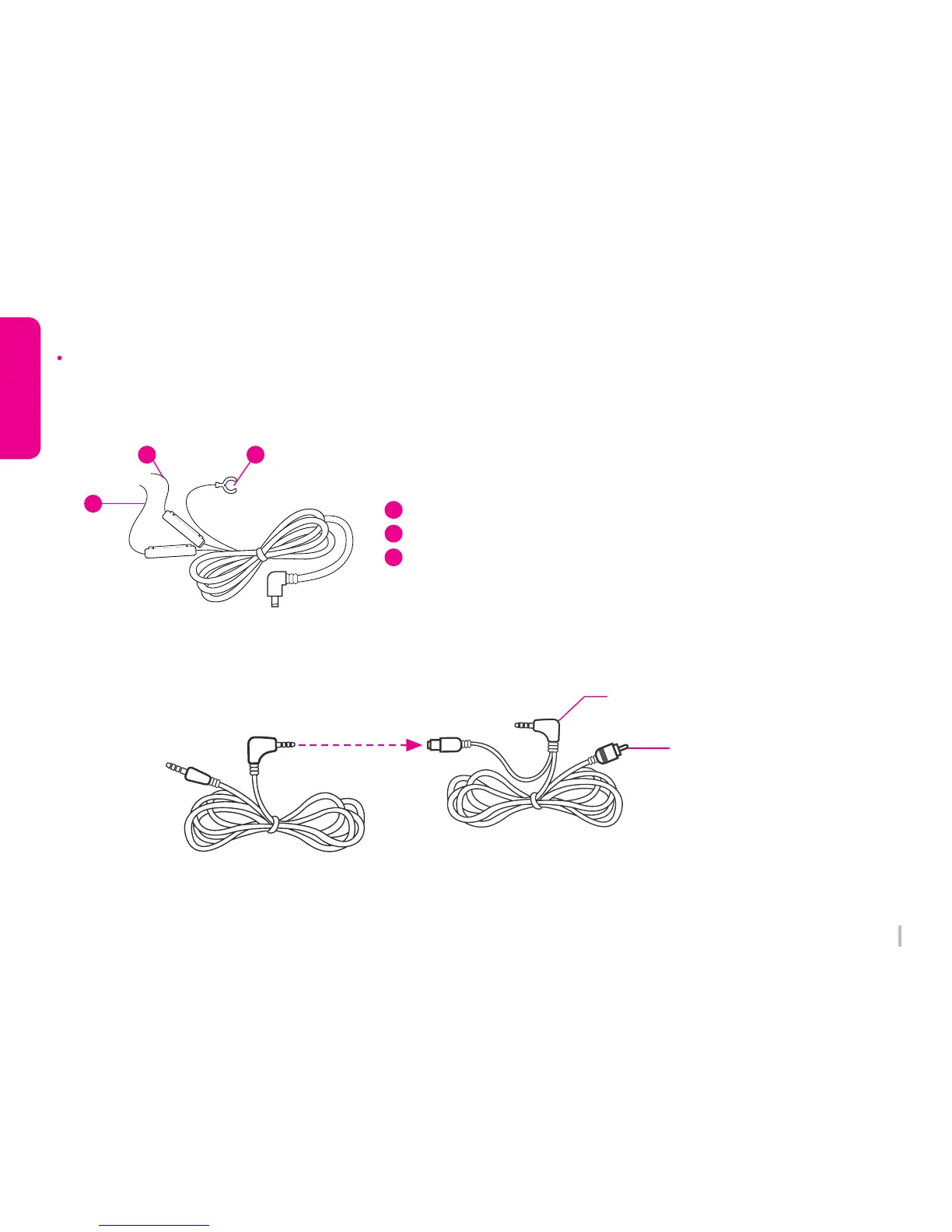
Fuse cable has 3 lines.
(When use constant power discharge protection function)
Battery Line (Red) : Connect to Emergency light
ACC Line (Yellow) : Connect to Fuse Power
Ground Line (Black) : GND
1. How to install a Fuse Cable
2. How to connect Video Splitter & Rear camera Cable (TV-OUT)
1
2
3
Fuse Cable Installation
Video Splitter Cable
(Y-Type)
Connect TV-Out terminal
TV-Out signal line
Rear camera connection cable
3
1
2



 To Next Page